When the 'Tasks' entry is selected in the navigator, all existing tasks are listed with details on status, availability, execution dates, duration, next execution, etc. Dedicated sections display information on single tasks, batch tasks and priority tasks.
When a specific task is highlighted in the list, the user has access to the History and Change logs for that task.
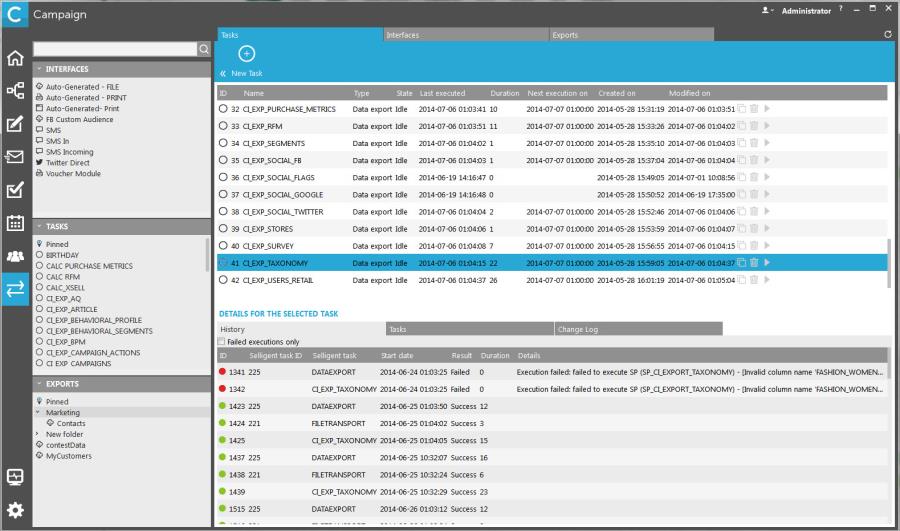
The History provides the user with execution information on the different sub-tasks that constitute a task. (Example a task for data load comprises the file transport, a backup, unzip, data load and removal of the file transport.)
Batch tasks and Priority tasks contain a series of subtasks. Logging is available for each subtask individually as well as for the Batch or Priority task a whole.
The Changelogs give insight in the operations executed on a job (e.g. Update, Create, Execute, clone, etc).