
Note: If more users are required, please contact Zeta
All Selligent users with access rights to the Dashboards chapter will be able to see the dashboards created in Data Studio.
Note: SSO is supported for Data Studio.
Note that the Data Studio token only expires after 1 day while Selligent session will expire sooner. This means you can continue to work in Data Studio even if your Selligent session expired.
Configuring access to Data Studio
To give Selligent users access to the Data Studio module, go to Admin Configuration/Business unit.
On the General tab, go to 'Selligent Data Studio access':
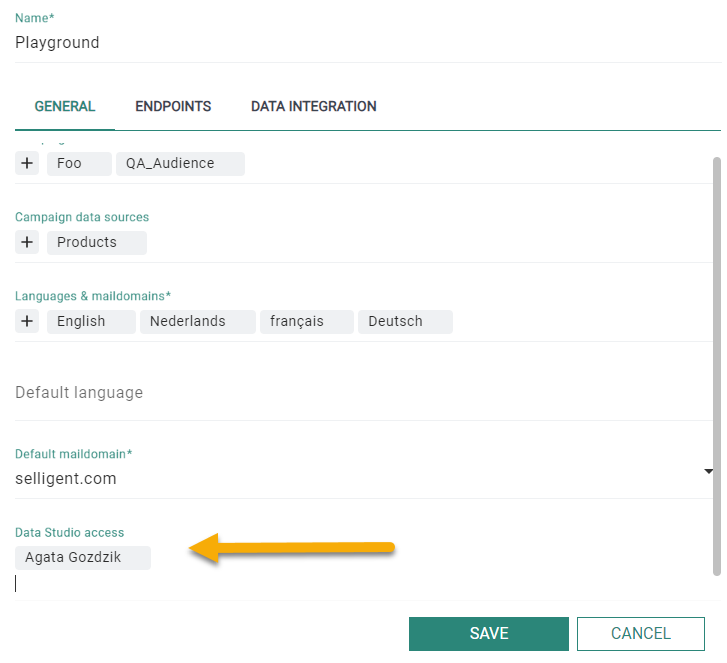
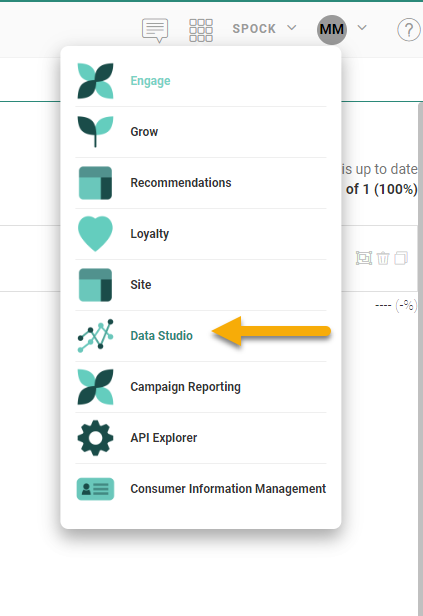
Select the users, one by one, from the drop-down. A maximum of 10 is allowed. Users with access will have the Data Studio module in their list of modules:
Note: Users logging in for the first time to Data Studio need to accept the 'terms of use'. When changes are made to the terms, the users will have to accept these changes at the first login after the change was introduced.
