
Getting Started With Content Blocks: a Static but Editable Hero Image
When to use — For a static, but editable Hero image. Use this for example if the Content Block has a fixed structure but you want to leave freedom to the user to edit the properties of the Hero image such as the click through link, the alt text or event the source of the image.
What to use —
- Use <sg:image>, not a fixed <img> tag. This ensures that the image is added as an IMAGE CONTENT component to the message and its properties can be accessed directly from the Selligent interface.
- Omit editable attributes, if you want source, alt text, or link to be editable in the message, do not include src, alt, or href on the tag or leave them empty.
- Set either all attributes in the Content Block or none.
Following is an example of what the code should be to achieve the above. All styling of the Content Block has been stripped from this example to only show the essence.
For example, the following Content Block where the sg:image tag is used but attributes such as alt text, source and link are omitted.
<!-- :: Start Hero image: the addition of <sg:image> means the path to the image is now editable -->
<sg:image class="full" border="0" width="600" style="width:600px; max-width:100%; display:block;"
  id="hero-image" description="Add a hero image here!">
</sg:image>
<!-- :: End Hero image -->
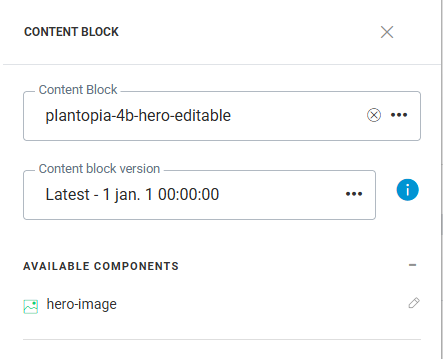
When this Content Block is used in a message, the sg:image tag is listed under Available components and can be edited. Clicking the pen permits a marketer to amend the image properties:
Following properties are editable, provided these were omitted from the Content Block:
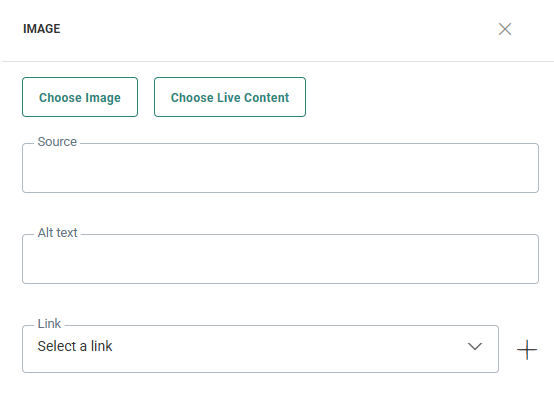
- Source path to the image (or Live Content, if provisioned)
- Alternate text
- Link target when clicked, for example:
