Urgent Issue Escalation Process
To formally escalate a support case due to an urgent issue, please follow these steps:
1. Log into the Selligent Support Portal https://support.selligent.com/.
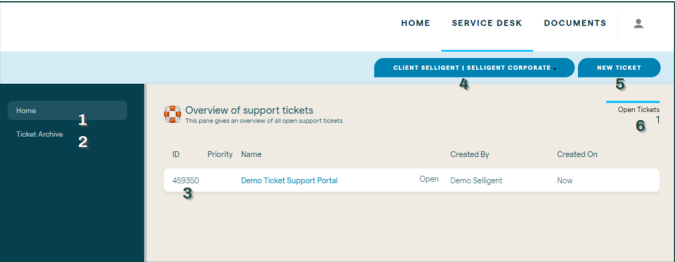
2. Click Service Desk to see the list of open support cases.
3. Click New ticket to create a new support case.
4. You’ll be prompted to enter the specifics of your issue such as Description, Request Type and Priority.
5. Upon clicking Ok the support team will be notified and we will ensure your support case is reviewed as soon as possible and prioritized appropriately.