
Add Personalization
Emojis, Personalization fields and Data Selection fields can be added to the Content Block.
-
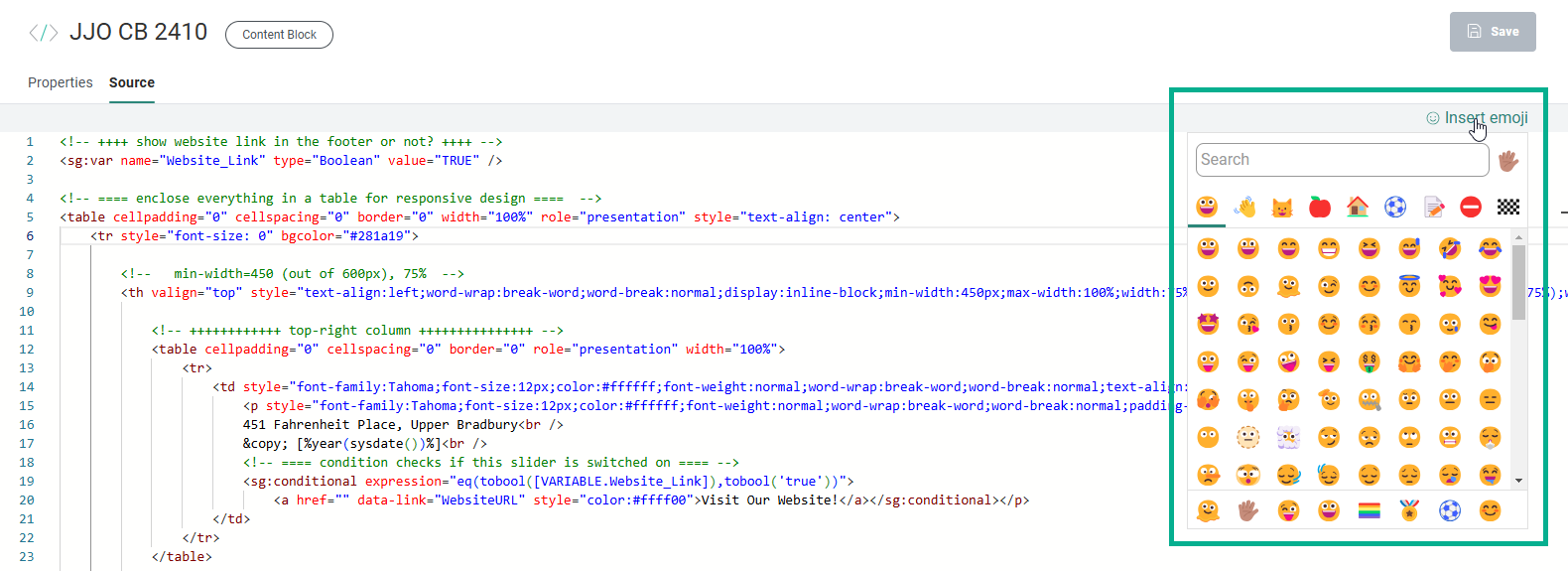
Emojis can be selected by clicking on Insert emoji which shows a popup pane.
-
At the top of the emoji selector, you can navigate through categories to see the available emojis in the selected category.
The selectable emojis are visible in the middle section. Clicking an emoji inserts it in the Content Block at the location of the mouse cursor (or where it was last active).
At the bottom, the most recently used emojis are shown, as a quick way to re-use them.
-
-
Personalization fields and Data Selection fields must be entered manually.
Examples:
<tr>This email was sent to: [%[MASTER.MAIL]%]</tr>
<p>[%year(sysdate())%]</p>
Note: When the Content Block is used in a message, validation is performed to check if the used personalization fields match the available fields of the lists in the message itself.
Fields from the Audience List
When using fields in a Content Block, you must make sure these fields also exist in the Audience List used in the message.
Example: If the Content Block uses a personalization field [%[MASTER.NAME]%], this field must also exist in the Audience List of the message that embeds the Content Block.
Fields from a Data Selection
Fields from a Data Selection can be used in a Content Block which it then used in a Repeater or outside of the Repeater (for example in the subject of the message).
Outside of the Repeater
When using Data Selection fields in a Content Block that will be used outside of a Repeater, the following syntax needs to be used:
[%itemValue('DS_Name', ROWNUMBER, 'Field_Name' )%] where
- DS_Name references the name of the Data Selection configured in the message
- ROWNUMBER references the exact record to choose from the Data Selection
- Field_Name references the field in the Data Selection that must be displayed
Note: In this case, the Content Block can only be used in messages that include the referenced Data Selection in their properties.
In a Repeater
When Data Selection fields are used in a Content Block and that Content Block is added to the Repeater in the message, the properties of the Repeater apply (eg. number of columns), and the number of times to display and what data will be shown depends on the Data Selection definition for the Repeater.
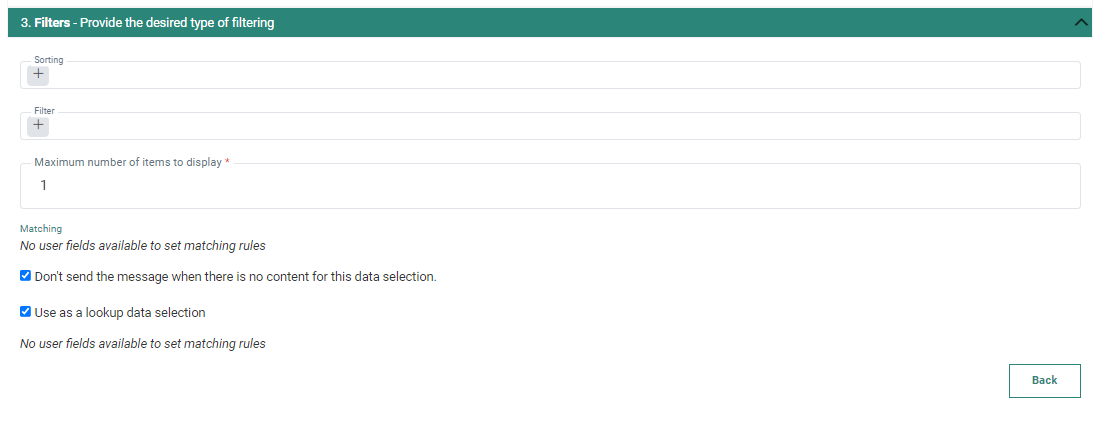
To be able to use Data Selection fields in the Content Block you must make sure that:
1. The Data Selection List selected as the source of the Data Selection contains the fields used in the Content Block.
2. The fields in the Data Selection definition are exposed for personalization in the Repeater.
3. The Content Block is added to a Repeater using the Data Selection that has those fields defined.
Example: Use the IMAGE_URL in the Data Selection and display it. The following syntax is used in the Content Block:
[%itemValue( 'IMAGE_URL' )%]
Example code: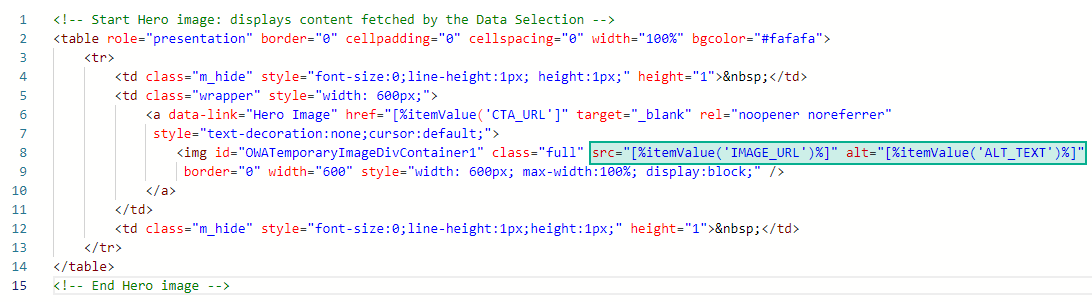
Note: The syntax used does not contain any reference to a Repeater or Data Selection. Hence this Content Block can be used in ANY Repeater with ANY Data Selection that features the referenced field.
