
New features in Selligent by Zeta
Test Groups
WILL BE ROLLED OUT IN THE COMING WEEKS
BACKGROUND:
When running marketing campaigns, it's essential to test how messages are displayed and perceived across different scenarios. Every recipient is unique, and the same message can appear differently depending on the context. Testing plays a crucial role in ensuring your campaign is effective, and having a dedicated Test Group makes this process significantly easier and more reliable.
Also, Test Groups help you keep the people in your organization aware of outgoing communications by including them as a recipient in every campaign.
SOLUTION:
Test Groups are now available, allowing you to create a group of contacts to easily test a message in preview, and who can be included in any communication sent out, by adding them as a seed group to your campaigns. This way, contacts in the Test Group are kept in the loop of any communication going out.
What this looks like in the solution:
Test Groups are designed as a static segment against an Audience List. It is possible to create multiple Test Groups for the same Audience List and use different Test Groups for testing of communications. Test Groups can contain test users only, real contacts or a combination of both.
Two additional options are now available when creating a static segment:
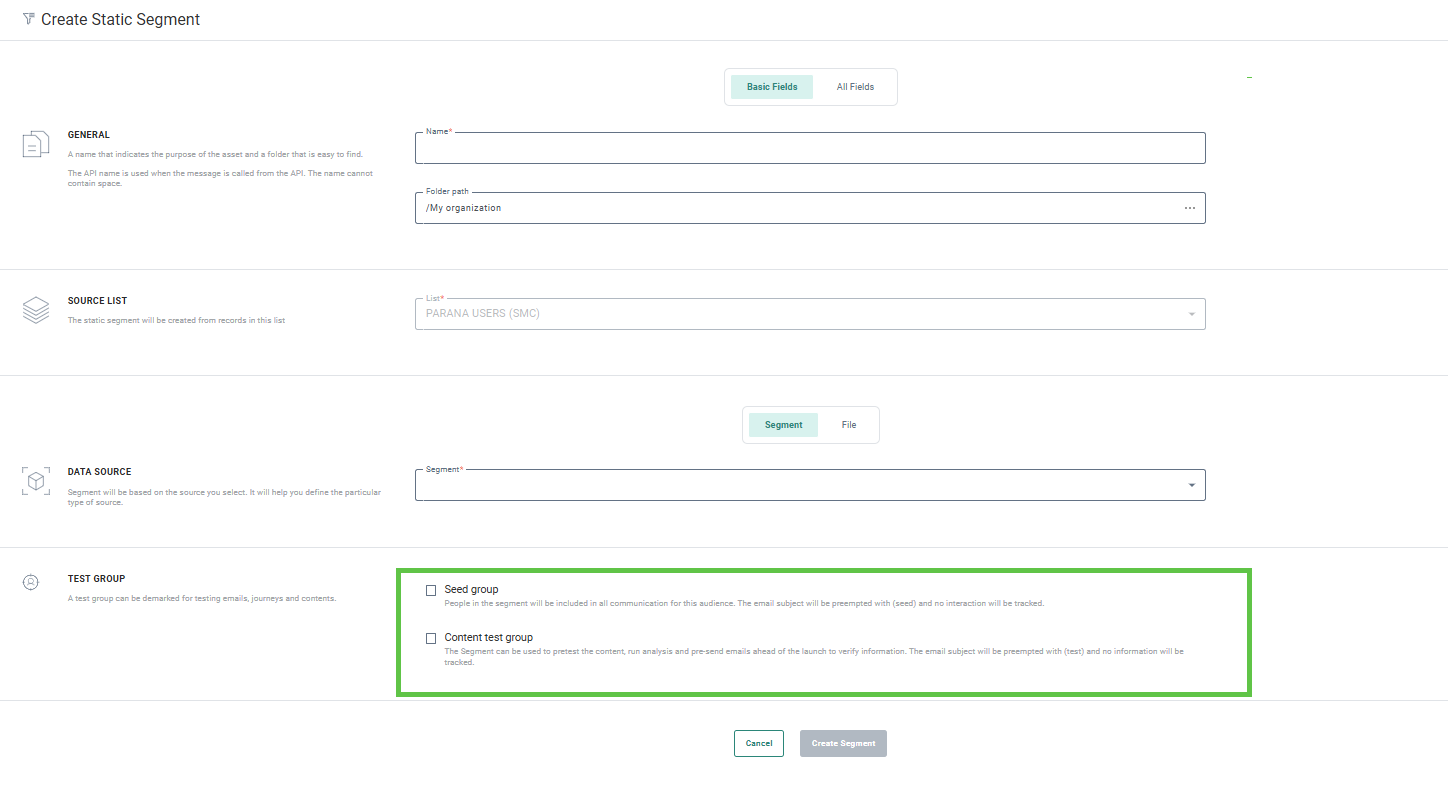
Use this static segment As a content Test Group — These Test Groups are available in the Preview and Test section of a message and can be used to test the content of a message against this Test Group, in preview and when sending out test messages ahead of the launch. This allows you to obtain feedback and make the necessary changes before the message is sent to the entire audience.
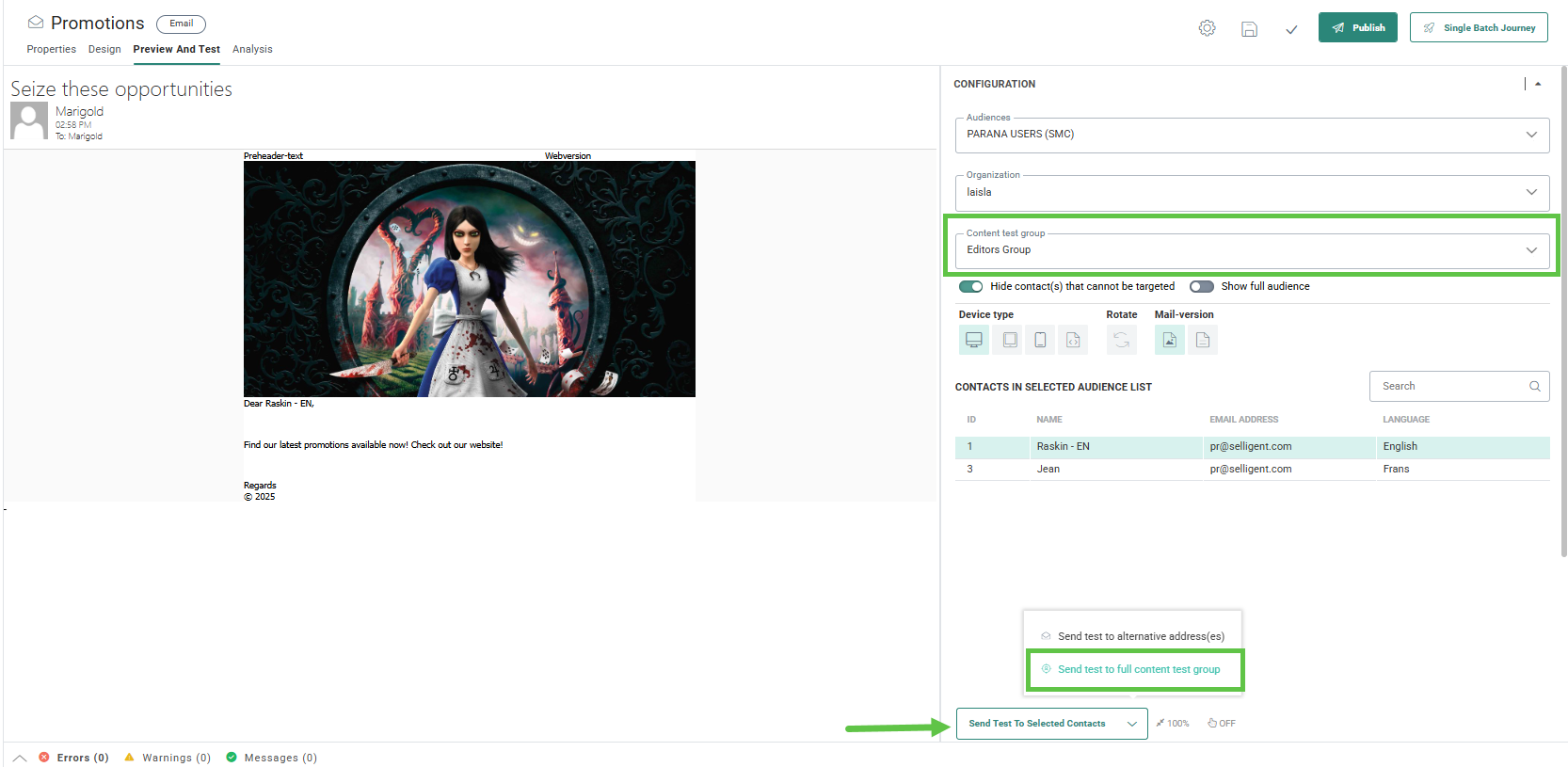
Use this segment as a Seed Group — Seed Groups come into play when the journey is launched. When the option is activated for a static segment, the contacts in this segment can be included in all communications in journeys that have the option Send to all Seed Groups activated and that are based on the Audience List to which the Test Group is linked.
These options are set on journey level, at creation or update of the journey.
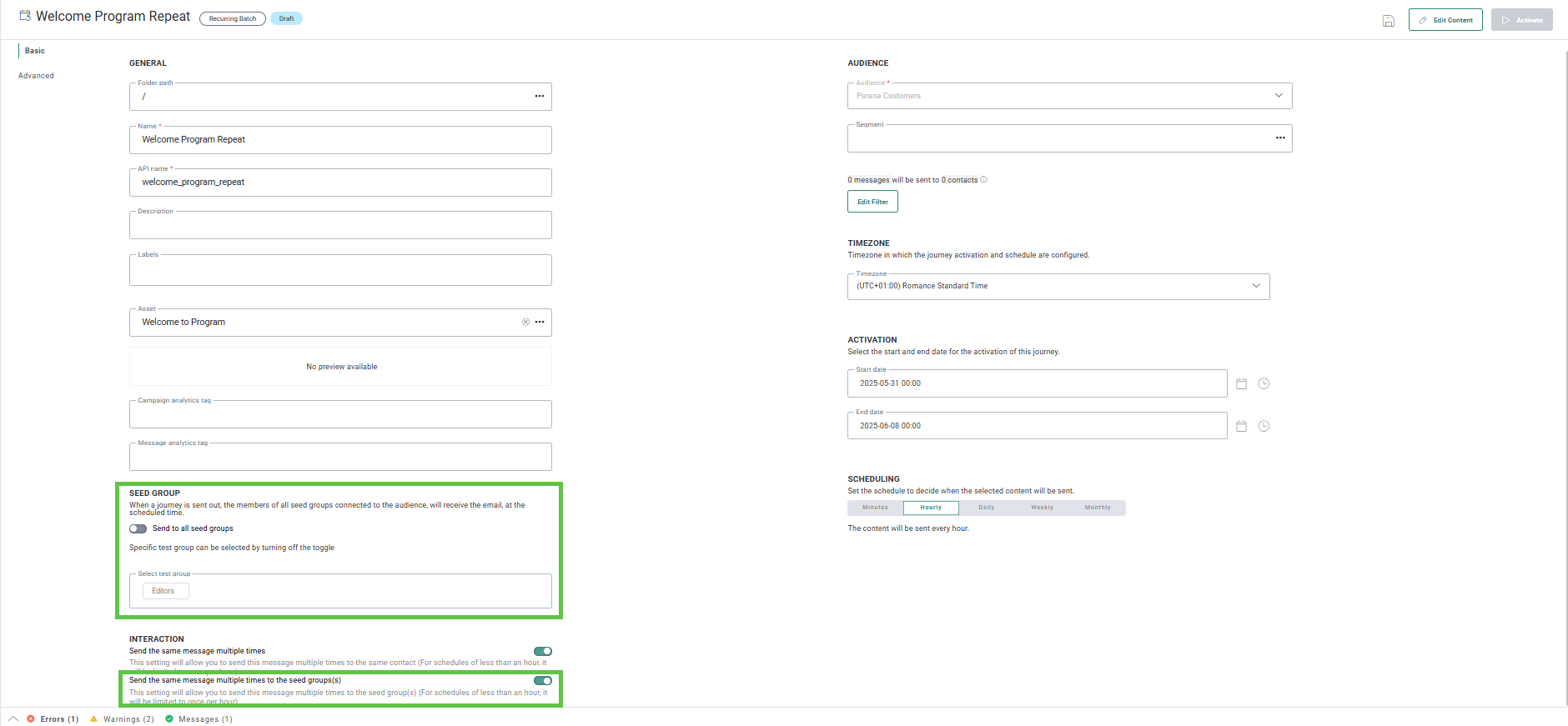
For more details on this, please refer to the Test Group overview topic.
Bot detection enhancements
ACTIVATED ON REQUEST
BACKGROUND:
Currently, Journey reporting includes data on potential bot interactions, but detection is limited to
- a predefined list of IP addresses attributed to bot interaction
- user agents used by specific bots (such as Googlebot).
SOLUTION:
Differentiating between real activity and interaction by email providers and privacy software can be complex. We use an algorithm trained on their behavioral patterns to decide what interaction comes from your subscribers and what interaction comes from email providers and privacy software. This kind of differentiation is an art and not a science – it's constantly evolving – but our algorithm is constantly learning and adapting to continually improve accuracy. All of this tracking is done in real-time. It is not applied to historical data.
There are some behaviors our algorithm looks for to differentiate between real activity and email provider and security software interaction. Some behaviors are immediately flagged as not real activity, like multiple, sustained fast clicks in a short period or clicks coming from a data center, VPN, or other hosting Business unit. Link clicks on links a human user usually wouldn't follow and a real click followed by one from a hosting organization are also looked at to differentiate types of activity in your messaging.
What this looks like in the solution:
When the new bot detection is enabled in your environment, the Journey reporting feature includes an additional filter that lets users view data including only real activity, bot activity, or all activity. By default, All is selected. If bot detection is not activated for your environment, you will only have one option in de drop-down: Real activity.
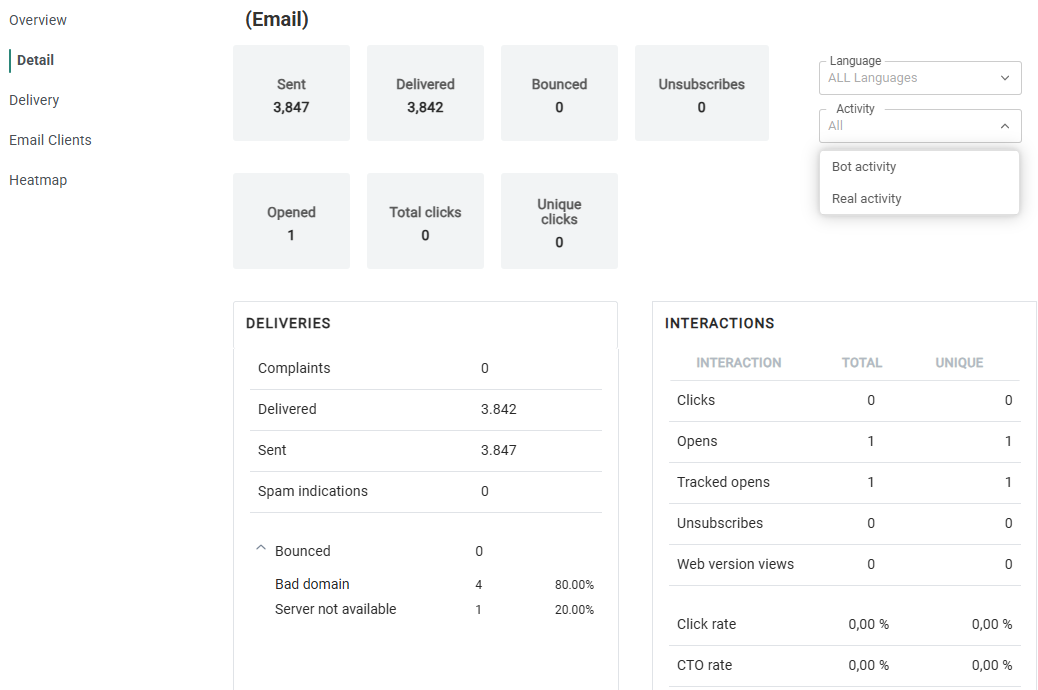
Find out more about Bot detection in general in this dedicated topic and about the impact on journey reports in Selligent by Zeta.
Accessibility Act and Selligent
AVAILABLE TO ALL USERS
BACKGROUND:
We need to ensure that messages created in EngSelligentage are accessible and readable to all recipients.
SOLUTION:
To ensure that all recipients have a positive experience with our communications, we have added an additional check when designing a message.
What this looks like in the solution:
In the light of the Accessibility Act implementation in June, based on the language of the message we also implemented a language attribute that is added automatically upon publish to an HTML tag in your messages and pages. This is important because these language tags are used by browser AI translations.

Corrections
- Conditional email headers are now correctly pushed to campaign when fallback languages are configured
- Quick start SMS messages are currently not supported but the option to make an SMS a quick start is available. This option has now been removed
