
Understanding bot clicks, their impact, and how to gain value from the automatic bot mitigation in Cheetah Digital
Link clicks at the individual or campaign level are one metric for engagement. Typically, bot clicks are security checks on behalf of the recipient. These clicks can inflate engagement metrics, trigger additional communications, corrupt machine learning models, and skew multivariate testing.
Cheetah Digital automatically separates bot clicks from human clicks and mitigates all of these issues for you.
Bot mitigation in reporting
Bot reporting in the Campaign Overview report
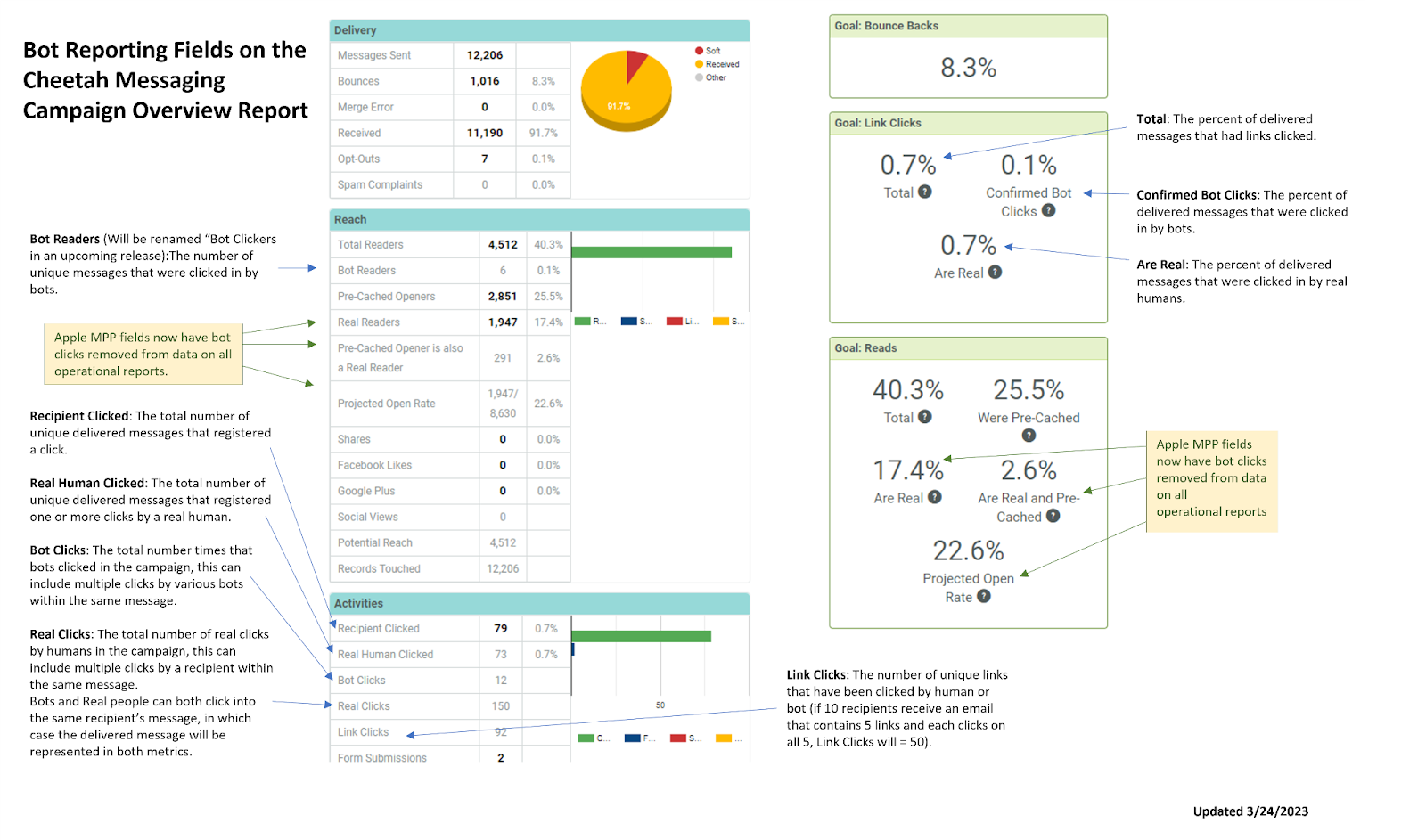
Section - Reach
- Bot Clickers: The number of unique messages that were clicked in by the bots.
Section - Activities
- Recipient Clicked: The total number of unique delivered messages that registered a click.
- Real Human Clicked: The total number of unique delivered messages that registered one or more clicks by a real human.
- Bot Clicks: The total number times that bots clicked in the campaign, this can include multiple clicks by various bots within the same message.
- Real Clicks: The total number of real clicks by humans in the campaign, this can include multiple clicks by a recipient within the same message.
Note: Bots and Real people can both click into the same recipient’s message, in which case the delivered message will be represented in both metrics.
- Link Clicks: The number of unique links that have been clicked by human or bot (if 10 recipients receive an email that contains 5 links and each clicks on all 5, Link Clicks will = 50).
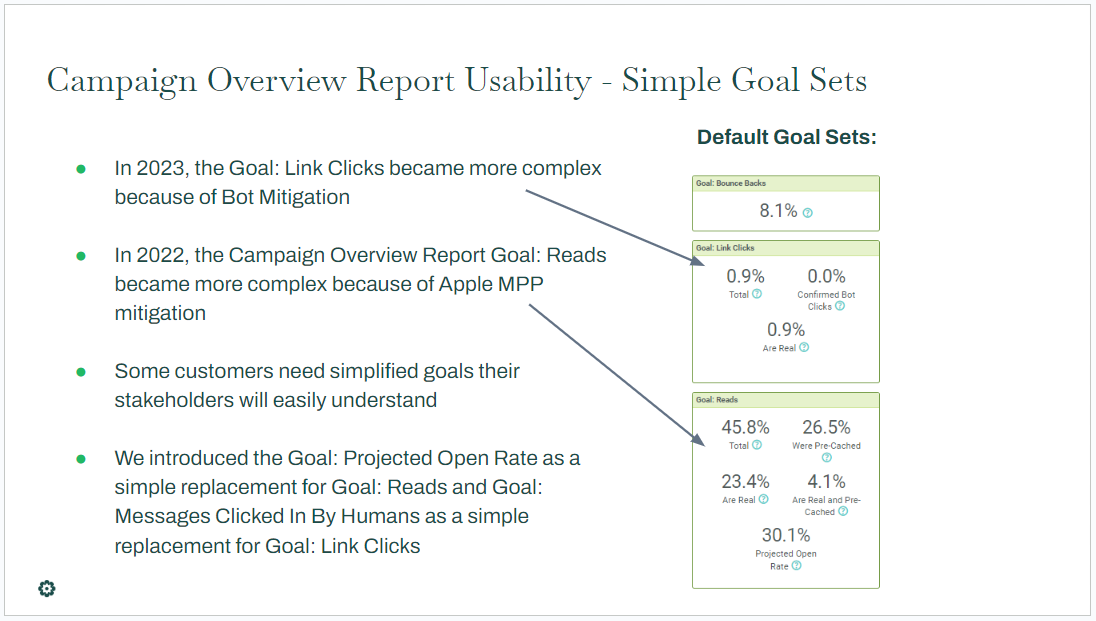
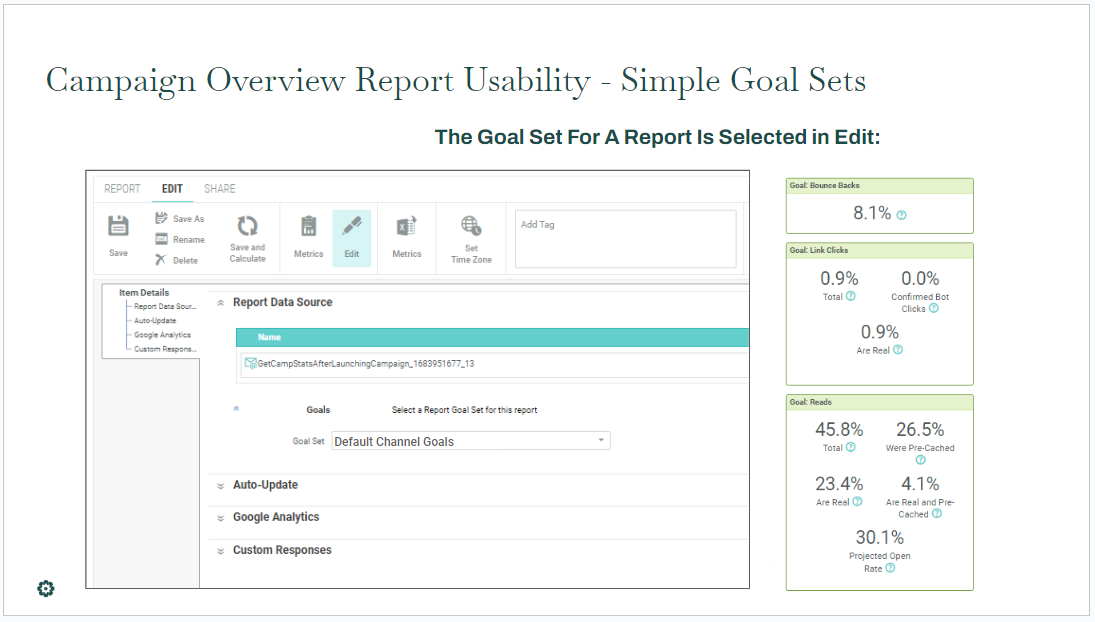
Section - Goal: Link Clicks
- Total: The percent of delivered messages that had links clicked.
- Confirmed Bot Clicks: The percent of delivered messages that were clicked in by bots.
- Are Real: The percent of delivered messages that were clicked in by real humans.
Some other reports that show or exclude bot activity
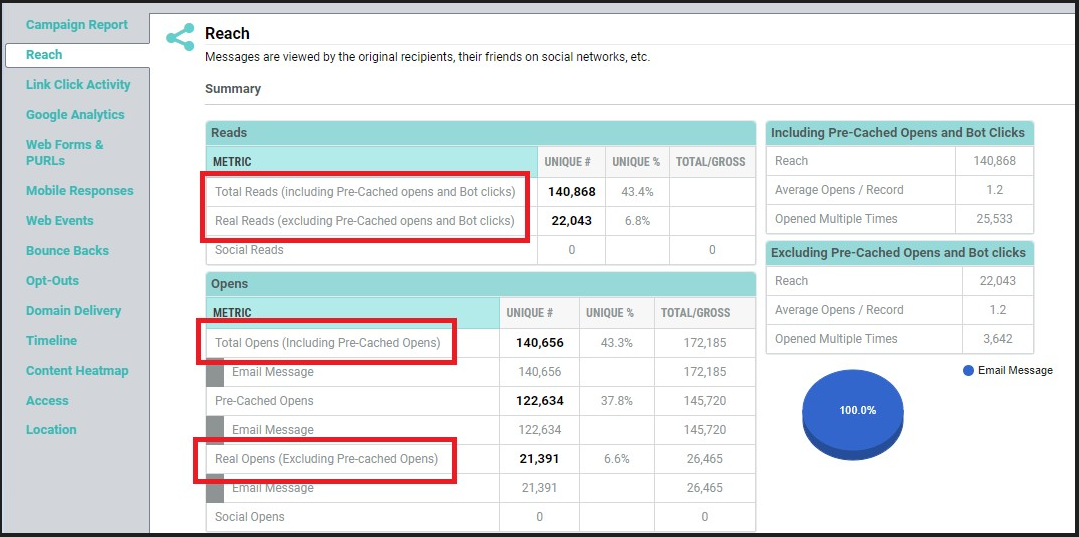
Bot Mitigation in the Reach Report - Total and real opens do not include Bot-clicks.
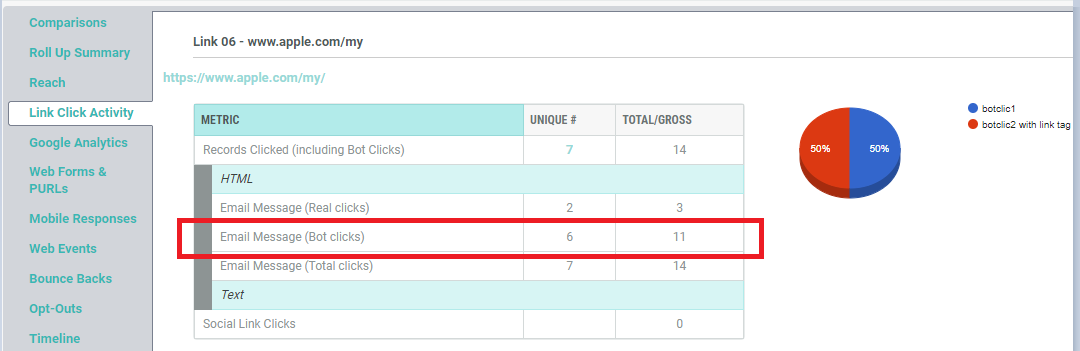
Link Click Activity Report - Bot-clicks are identified and separated.
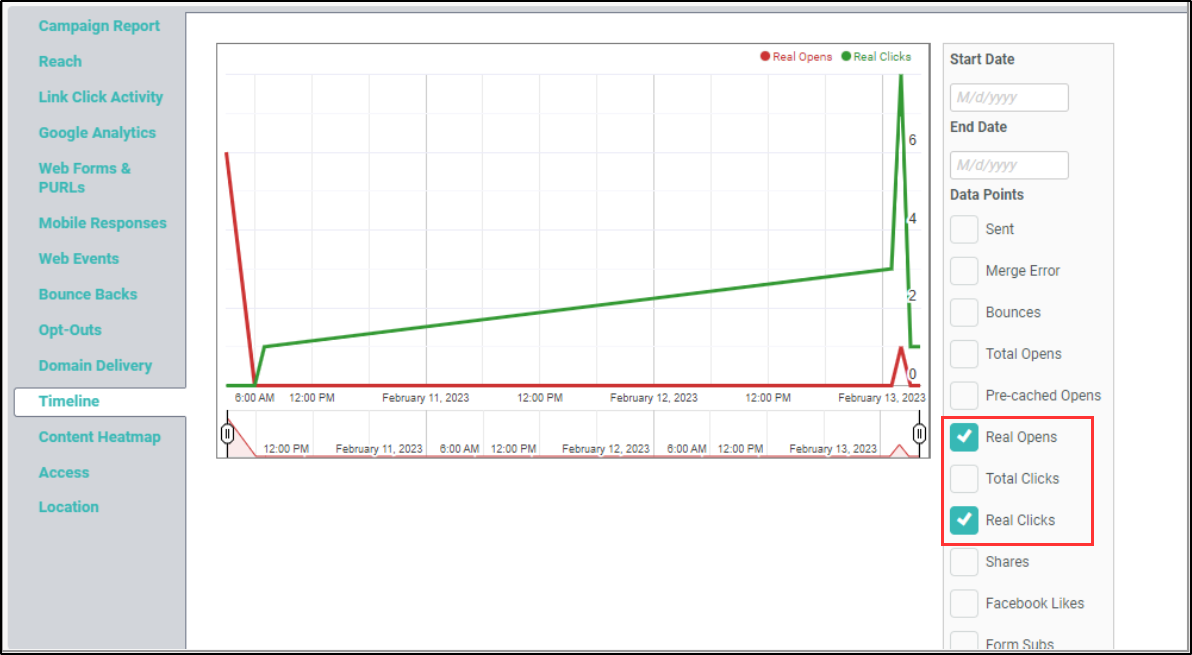
Timeline Report - Real Opens and Real Clicks do not include Bot-clicks.
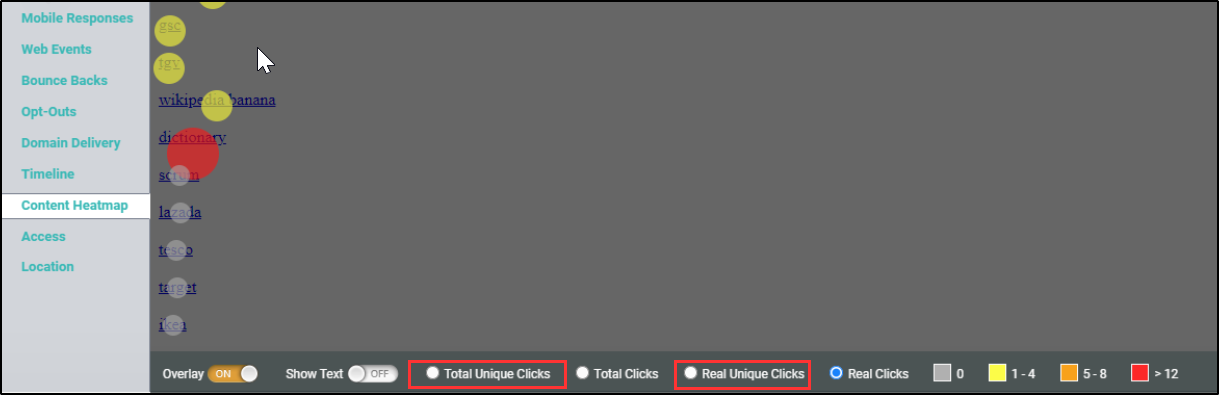
Heatmap Report: Real Unique Clicks have been added and excludes Bot-clicks. Unique clicks is changed to Total Unique clicks representing all clicks.
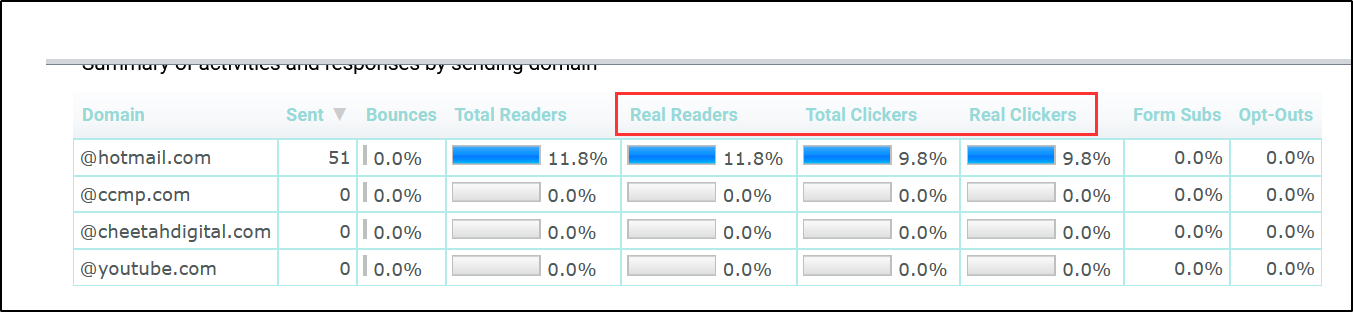
Domain Delivery Report: Added Real Readers: recipients who opened email or clicked a link, and excludes Bot Clicks. Clickers is renamed Total Clickers and represents all clicks. Added Real Clickers: recipients who clicked a link (excludes Bot Clicks).
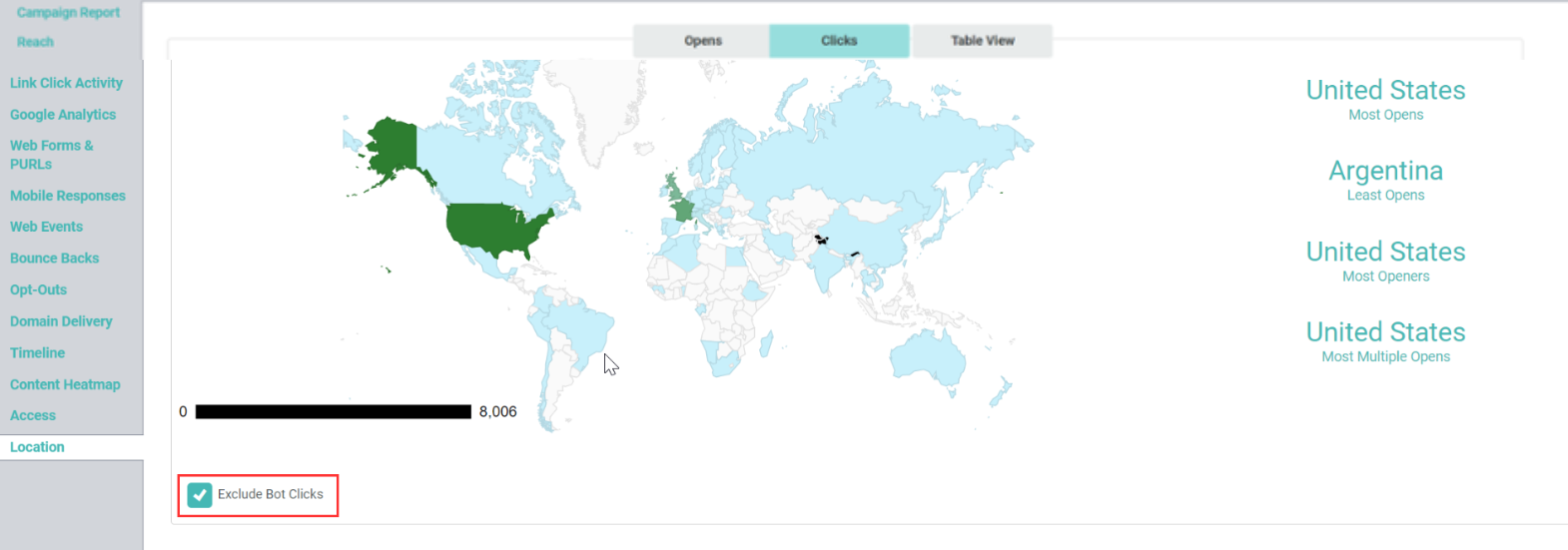
Location Report: New checkbox added to exclude Bot clicks.
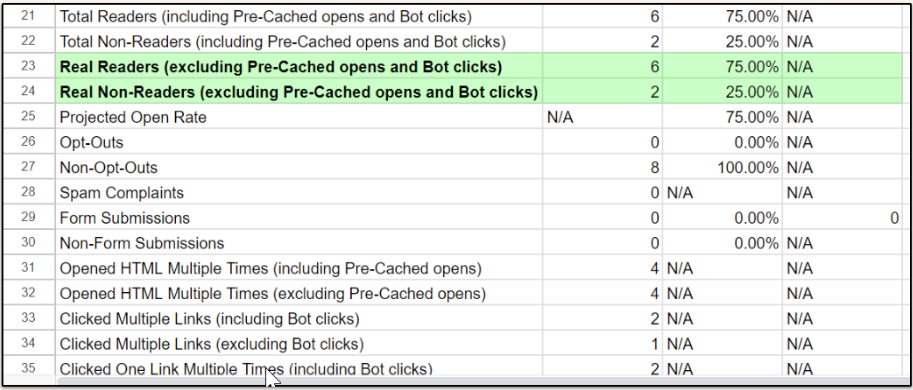
Campaign Reports > Export CSV file: The Campaign Report statistics which can be downloaded into a Microsoft Excel file for further analysis and manipulation, now also includes the Bot Click details.
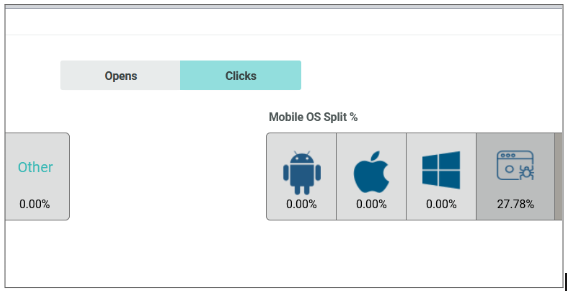
Access Report - Bot clicks are now shown, represented by a spider crawling on an email.
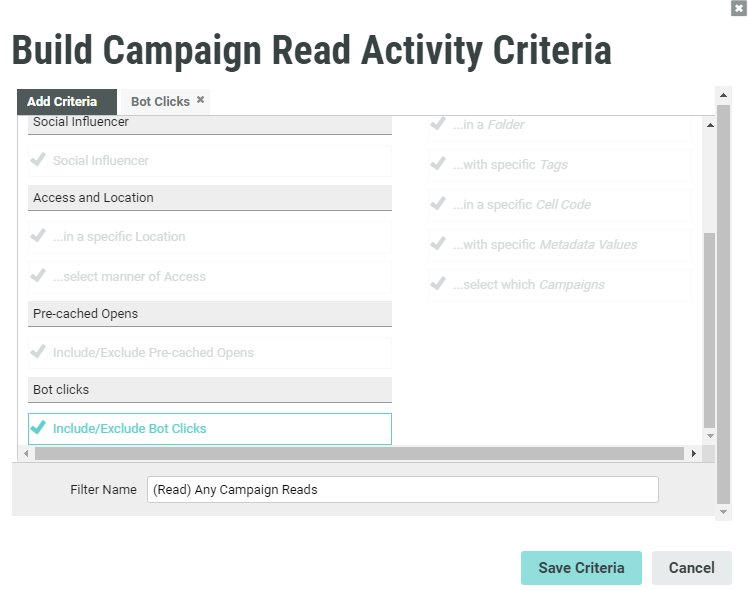
Bot clicks in filters activities
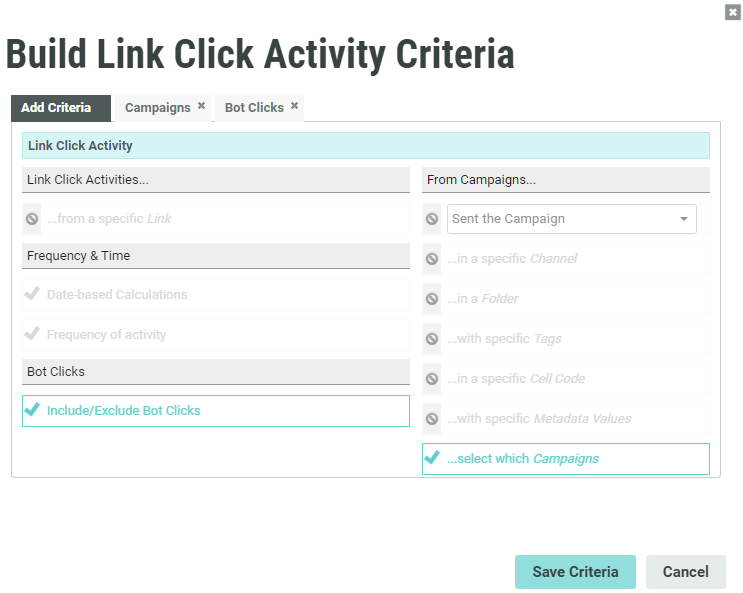
The Link Click and Campaign Read filter activities include a new Bot Clicks criteria which contains the options to include or exclude the Bot clicks.
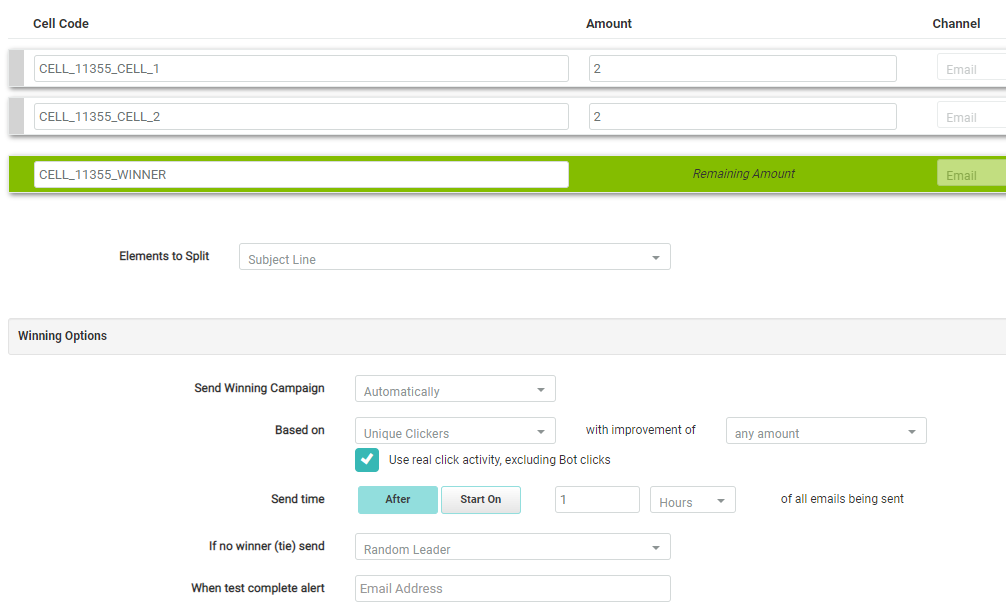
Using bot clicks in AB testing
When setting the Winning Options for your AB testing, you can exclude the fake clicks by the Bots by selecting the "Use real click activity, excluding Bot clicks" check box, if your test is based on "Unique Reads" or "Unique Clickers".
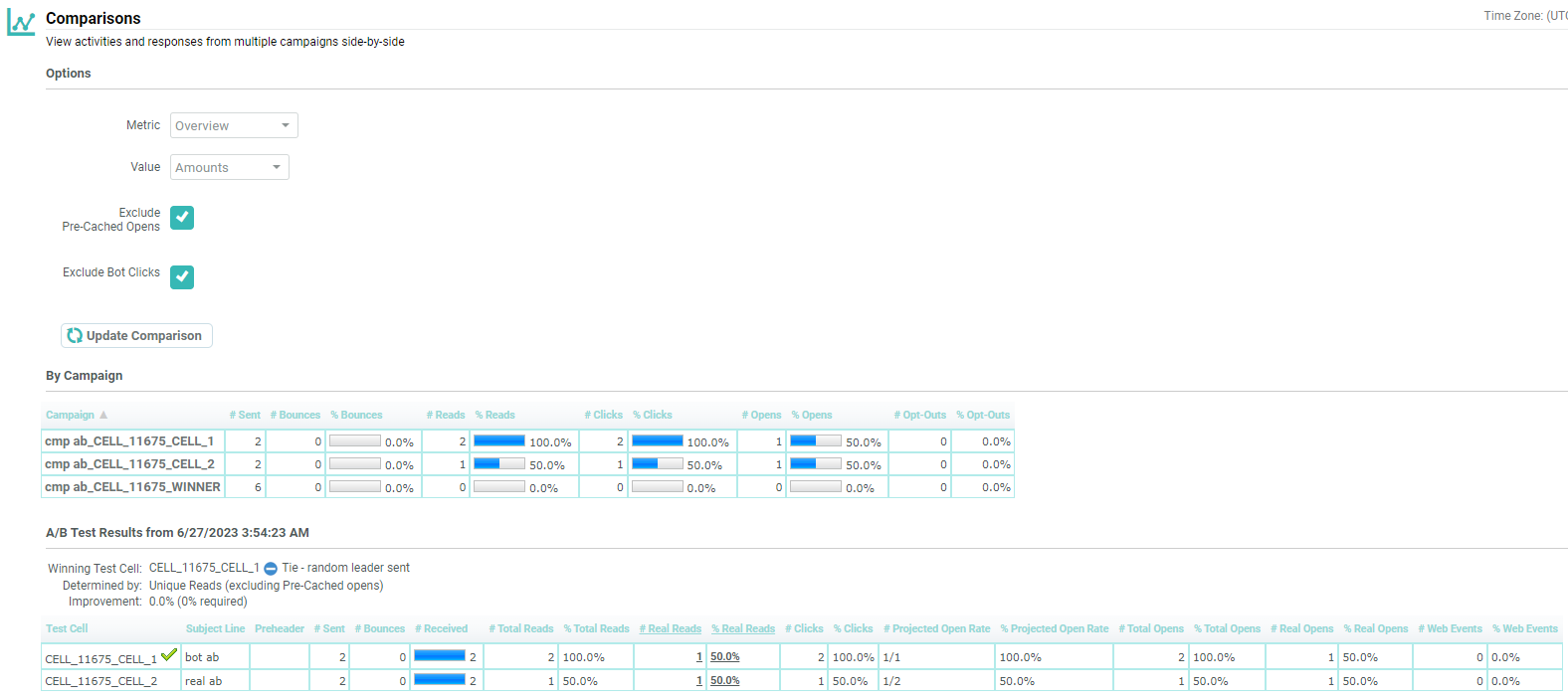
Use the Comparisons Report to view human click data across AB cells.
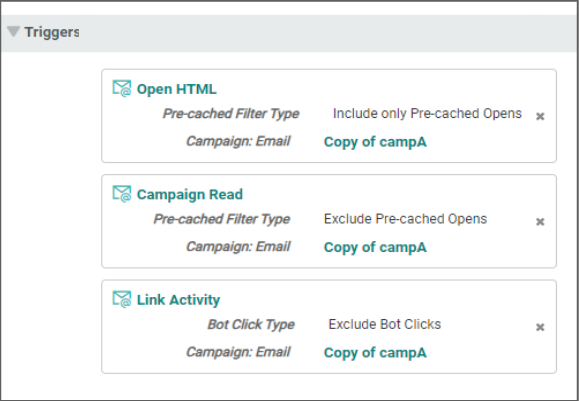
Excluding bot-clicks from triggers
You exclude link clicks by bots from triggers.
Exporting bot-click data
You can include or exclude bot click data for export.
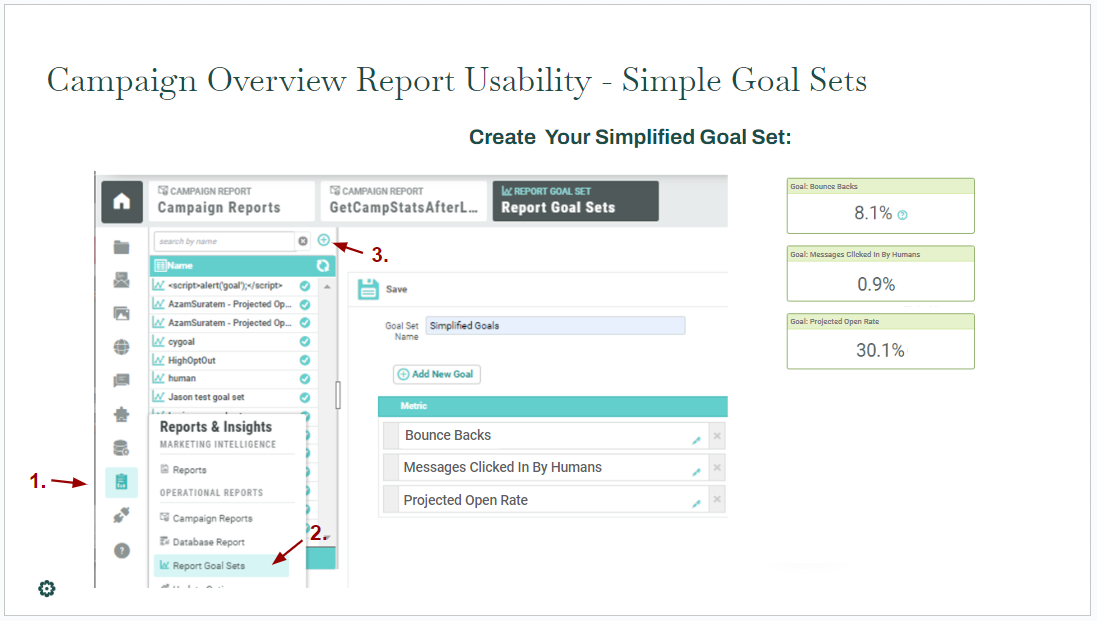
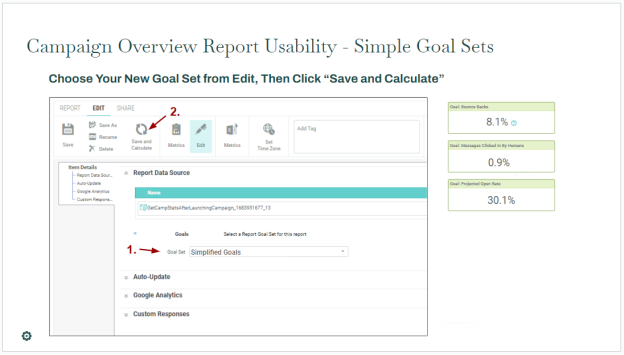
How to simplify the goal link clicks area on the Campaign Overview report
Updates to AppleMPP data
Clicks are used to signal human interaction.
-
- In all operational reports, Real Readers, Are Real, Are Real and Precached, and Projected Open Rate have been updated to exclude recipients who only have no real opens and only clicks by bots.
SMS bot mitigation for triggers, exports, and filters
Marketers can increase engagement with SMS campaigns by adding a URL to the beginning or end of their message. On most modern phones this will cause the phone to display a preview image from the URL.
This preview activity registers as a “click” however, and inflates the appearance of engagement.
These events have been recognized as Non-human Interactions (NHIs) in platform reports. They will also be removed from SMS click Triggers, and are flagged as NHIs in Filters and Exports.
FAQs
-
How are bots detected?
- Marigold uses a growing combination of industry-standard and proprietary techniques to detect bots.
-
When did bot data start on reports?
-
Bot data on your reports began as of your region’s March 2023 release.
-

