
Scheduled Journey Campaign
Send steps are an important part of the Scheduled Journey as they allow you to define which Campaign will be sent out at which stage of the Journey.
Scheduled Journeys moves your entire audience through the Journey at the same time, meaning that any Campaigns you create will be sent at a specific date/time, relative to the rest of your Journey. The Campaigns associated with Scheduled Journeys follow a slightly different creation process and have specific settings that you will need to be aware of.
How to create a Scheduled Journey Campaign
Creating a Campaign for a Scheduled Journey generally follows the same process as for a standard Campaign however, there are some minor differences you should be aware of.
When creating a new Campaign from within the Journeys platform, all of the required settings will automatically be applied; however, will only create a placeholder for your new Campaign and therefore you will need to go to Cheetah Digital by Zeta to edit the content.
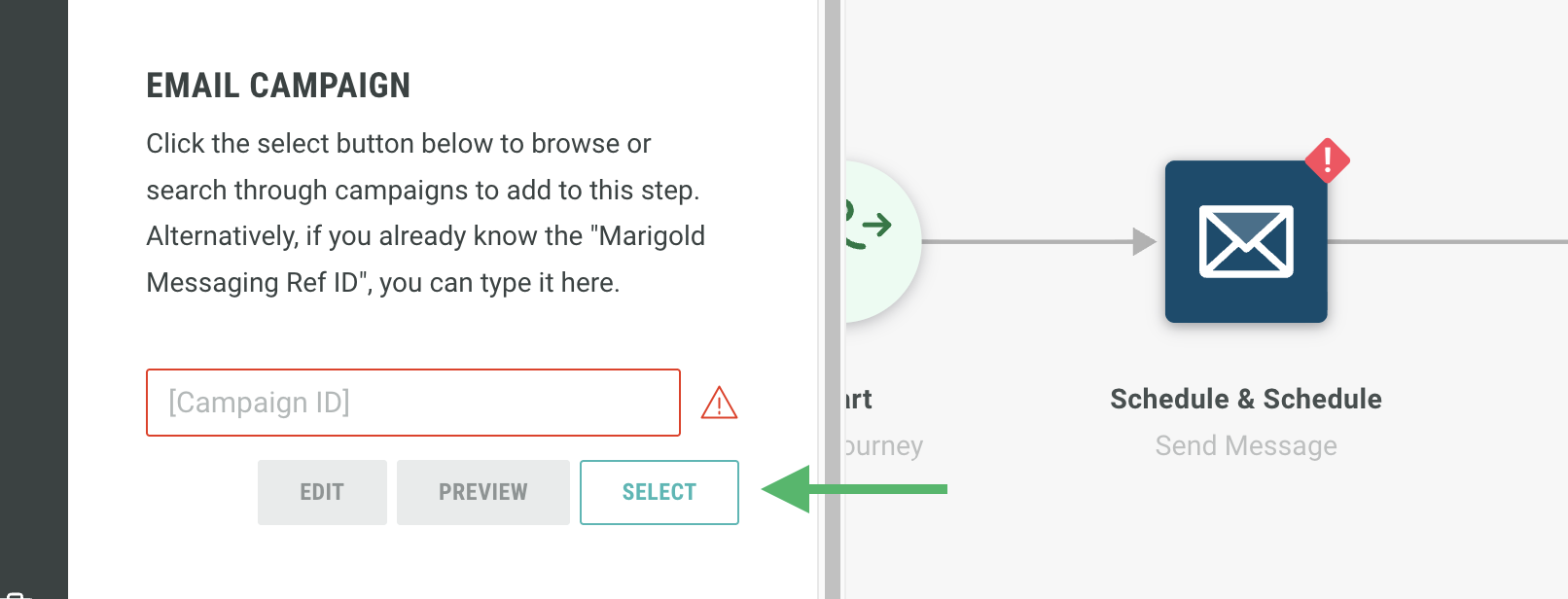
To create a Campaign from within your Journey, click on the Send step and, under the Campaign settings, click Select.
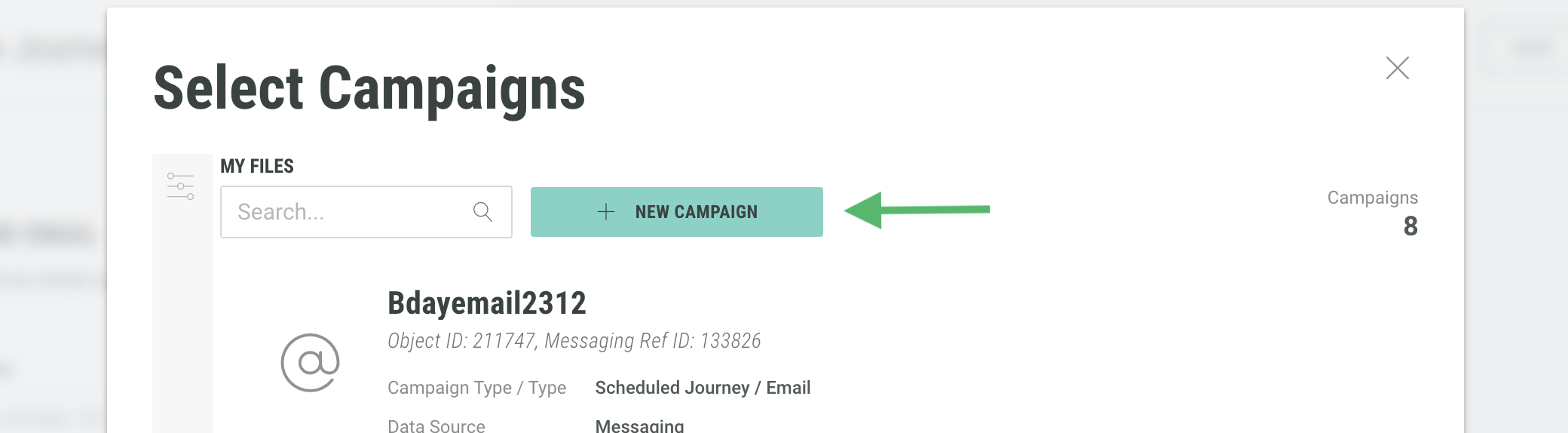
From within the new panel that appears, click New Campaign.
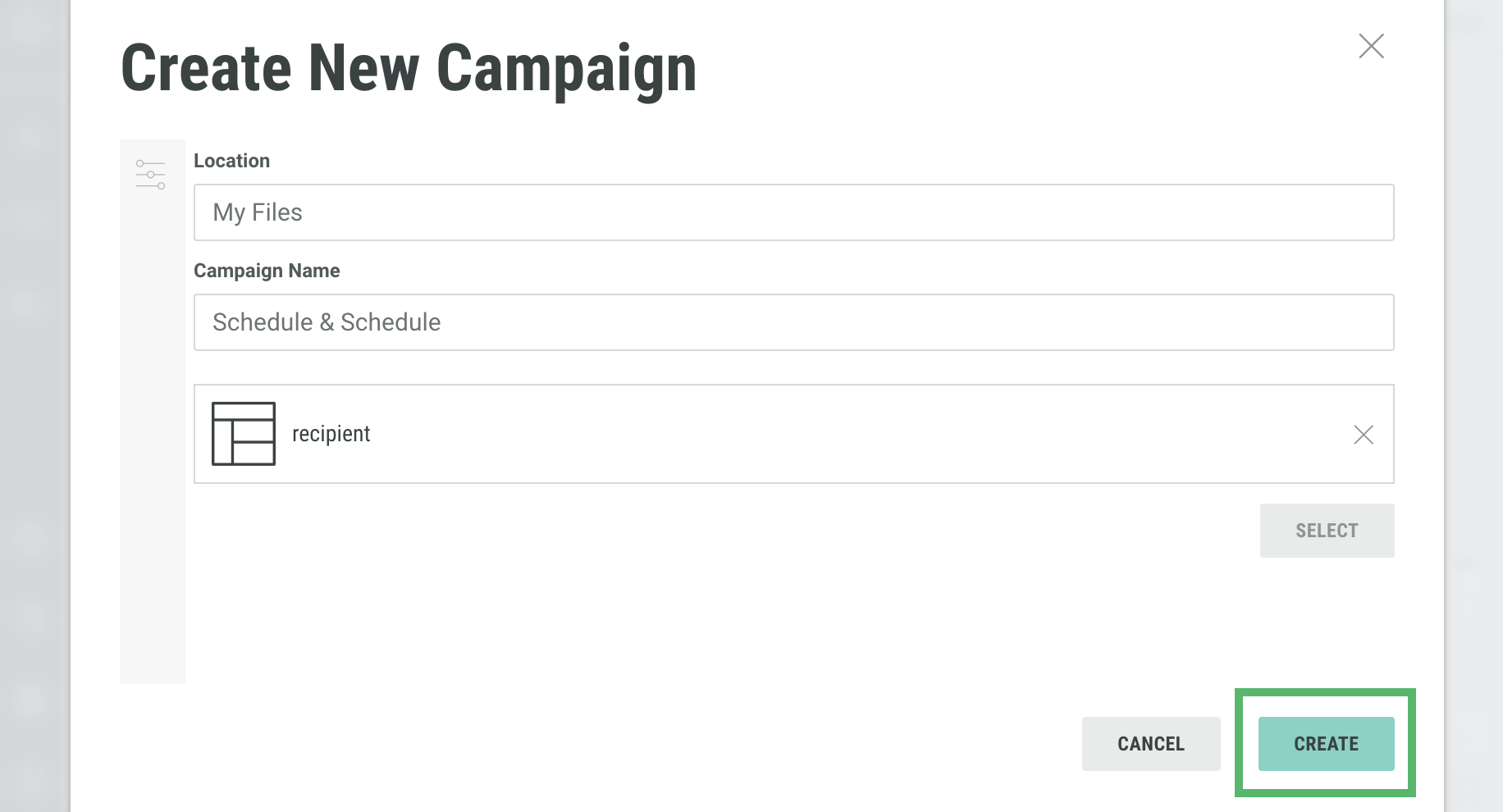
Here, adjust the settings for your new campaign including the location for which it should be found and the name.
Once complete, clickCreate.
Back in the Journey canvas, click Save or Applyto ensure your changes are saved.

