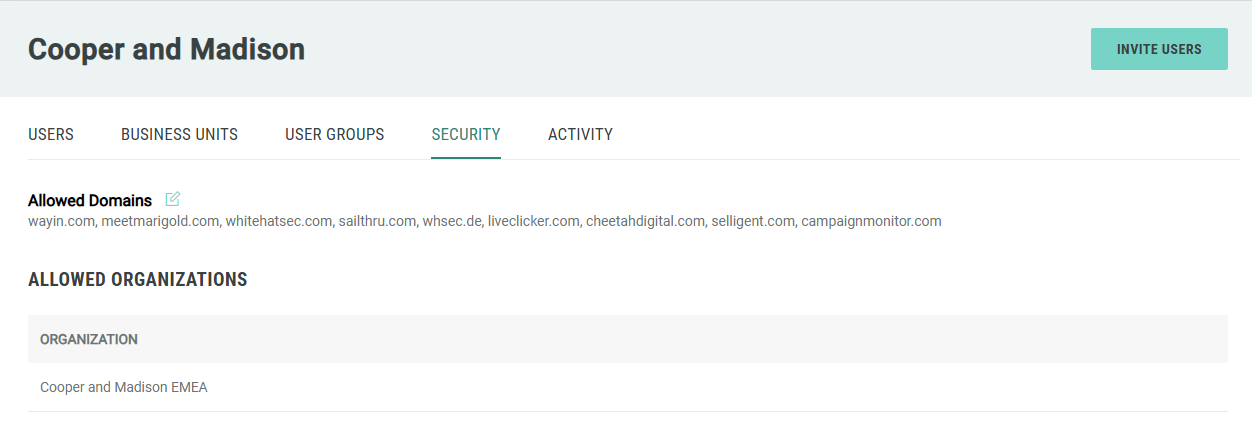
View Allowed Organizations
The Zeta Login system allows you to designate another Organization as an Allowed Organization, thereby granting users from the Allowed Organization access to your account.
Furthermore, users from the Allowed Organization can be assigned as Administrators within your Organization. This feature is intended to support the delegation of administrative responsibilities to users from the Allowed Organization, and also enables Organizations with entities in different regions or locations to access each others' systems.
The use of Allowed Organization is optional and must be enabled in your Zeta Global account. Please speak with your Zeta Global team for more information about enabling this feature.
Note: This feature is available for Organization Administrators, only.
To view your Allowed Organizations:
-
Log into the Zeta Login User Workspace.
-
Click your profile icon in the top-right corner of the screen. The Profile Info pop-up window is displayed.
-
Within the Profile Info pop-up window, click Zeta Login Administration. This will take you to the Zeta Login Administration environment, with the Users tab selected by default.
-
Select the Security tab. This tab displays a list of Allowed Organizations that have been enabled within your Organization.