
View Business Units and Applications
The Zeta Login Administration environment provides administrators with a list of Business Units by application. Business Unit Administrators will see only the Business Units they administer. Organization Administrators will see all Business Units across the entire Organization.
Note: This feature is available for Business Unit Administrators and Organization Administrators.
To view the list of Business Units by application:
-
Log into the Zeta Login User Workspace.
-
Click your profile icon in the top-right corner of the screen. The Profile Info pop-up window is displayed.
-
Within the Profile Info pop-up window, click Zeta Login Administration. This will take you to the Zeta Login Administration environment, with the Users tab selected by default.
-
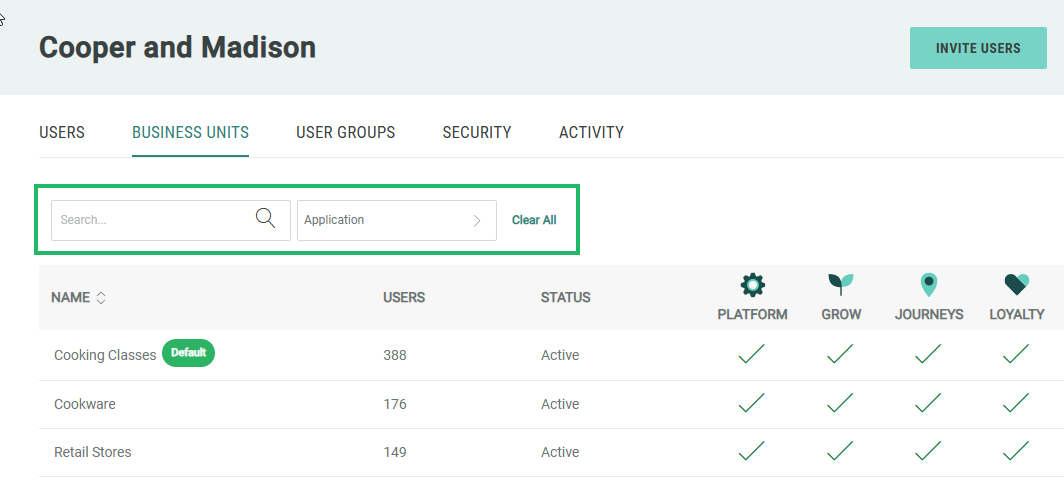
Select the Business Units tab. For each Business Unit listed, the screen shows the number of users assigned to it, its current status, and the applications for which it is enabled.
-
Optionally filter the Business Unit list using one or more of the following filters:
-
In the Search field, enter all or part of the Business Unit name.
-
From the Application drop-down menu, select one or more Zeta applications to which the Business Unit has been assigned.
-
-
Click Clear All to remove all filters.
