View Application and Business Unit Access
The Zeta platform comprises multiple applications, as well as potentially one or more business units. The App Access tab within the Zeta Login User Workspace allows you to see the business units and applications to which you have been granted access.
Note: This feature is available for all roles.
To view your current application and business unit access:
-
Log into the Zeta Login User Workspace. The Profile tab is selected by default.
-
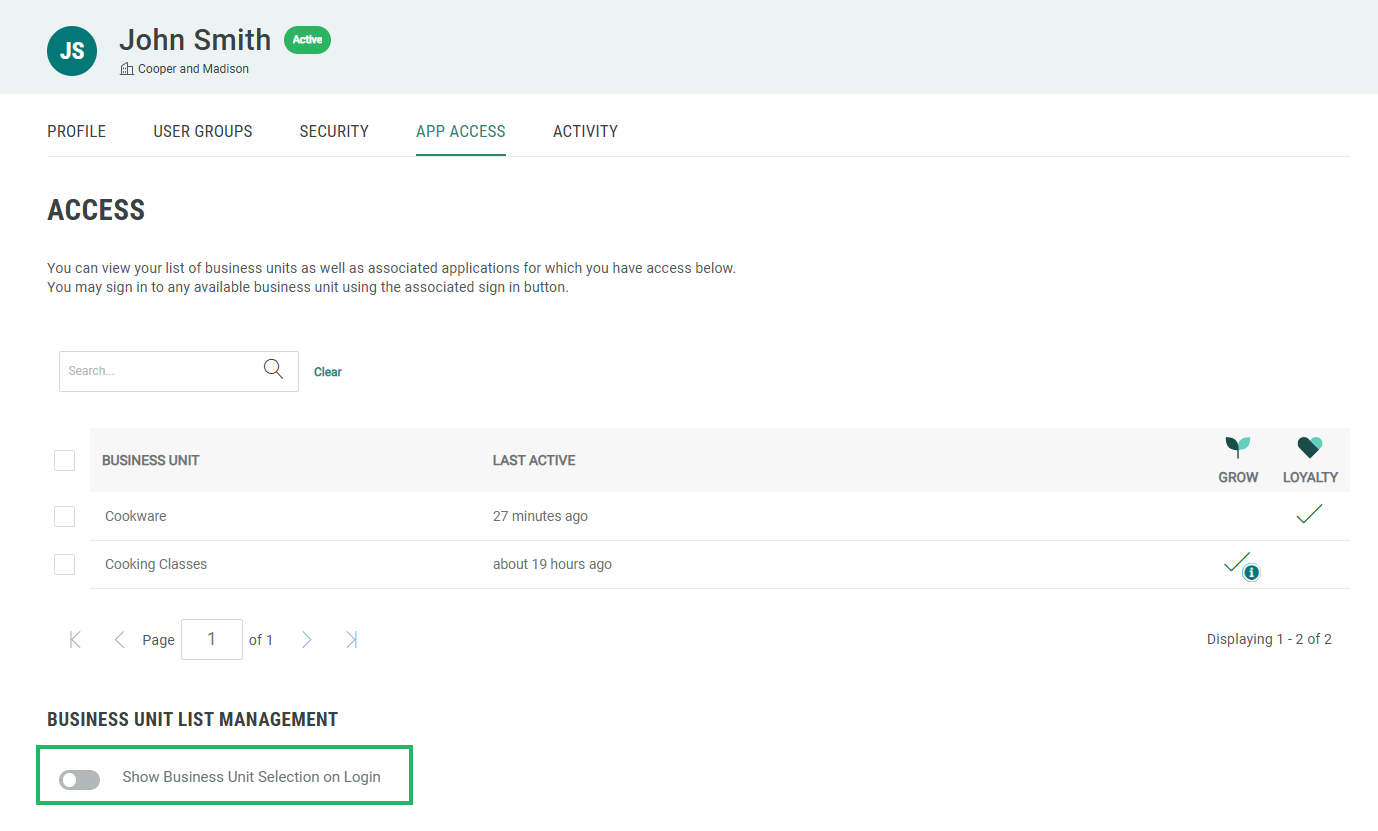
Select the App Access tab. This tab displays all the business units and applications to which you have been assigned.
-
Optionally search for a business unit by entering all or part of the business unit name in the search field.
If you need access to another application and / or business unit, please reach out to your Organization Administrator.
Role Assignment
When adding application access to a user, the platform assigns a default Role to the user (for example, the default role for Loyalty is “CSR”). Please note that this Role is different from the Zeta Login Role, and governs the user’s access privileges within that application.
In addition, some Zeta applications provide an option called App Attributes, which allows administrators to select the desired application-specific Role, and also to customize the privileges granted to the user by that Role.
Note: The App Attributes feature must be enabled for your Organization. In addition, App Attributes must be enabled for a Business Unit. Please speak with your Zeta team for more information. Currently, this feature is available only for Grow by Zeta and Loyalty by Zeta.
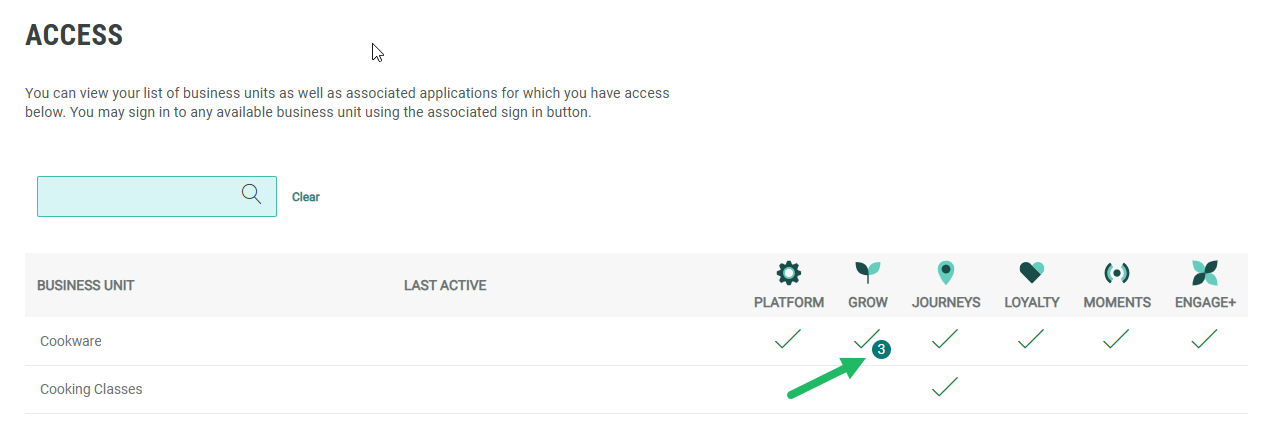
For applications that use App Attributes, you may see a small badge that indicates the number of custom privileges you have been granted for that application and Business Unit. Hover your mouse over this badge to see a tooltip with additional details.
Select Business Unit on Login
By default, when you log in with your Zeta Login, the platform will log you into the Business Unit from your last session. Optionally, you can instead have the platform prompt you to select a Business Unit each time you log in. To enable this feature, toggle Show Business Unit Selection on Login to On.