New features in Grow
February 2025
Please note that all new release notes and new/updated help topics are written in the context of NextGen Experiences.
Button styles
We have introduced more button styles to allow you to quickly and easily customize how your buttons look in default and hovered state — without the need for any coding skills!
Note that button backgrounds are not available if using Tint as your base theme.
What this looks like in Grow:
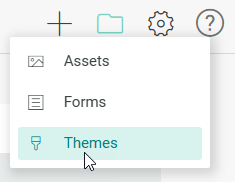
Head over to the Themes list.
Select your theme and click the edit icon.

Select Buttons at the left and you’ll see the new buttons styling options.
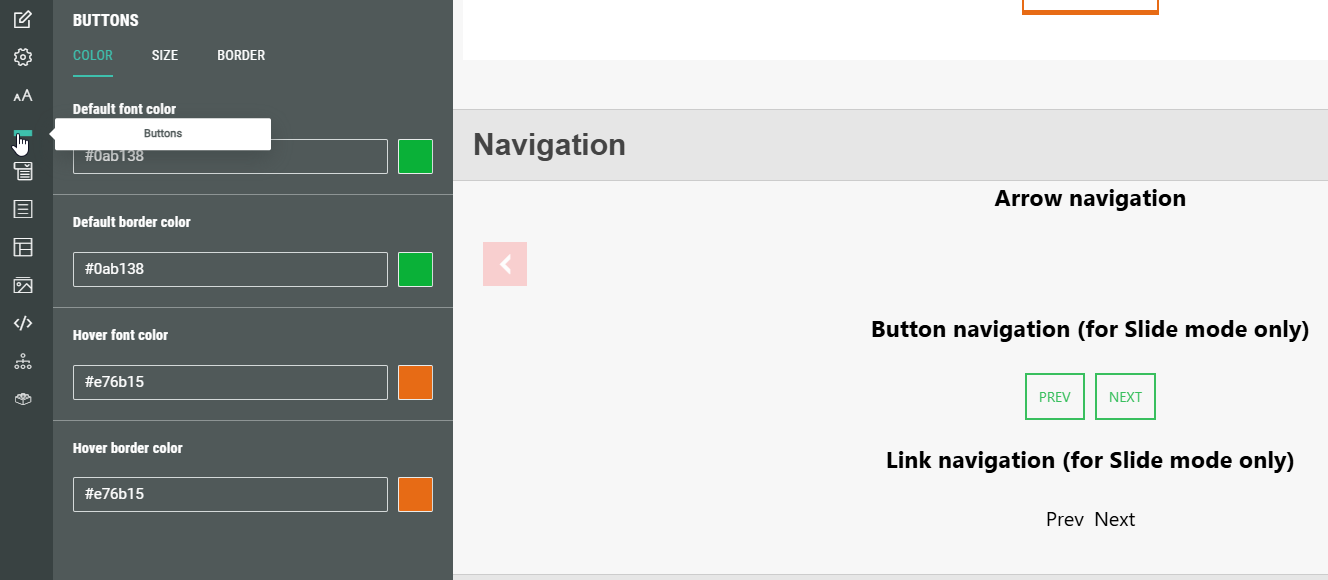
Note that if you are not seeing the button styles update, you may have something overriding it in the theme and will need to reach out to services / support for help.
More info on customizing themes in the Theme Designer can be found here.