New features in Grow
April 2025
Please note that all new release notes and new/updated help topics are written in the context of NextGen Experiences.
Revamped Theme Designer
BACKGROUND:
Themes relate to the look-and-feel of your Experiences.
With the Theme Designer, you can customize font, colors and styling of themes easily without the need for any developer skills. That way, you can make sure your Experiences match your brand.
SOLUTION:
We’ve given the Theme Designer a cosmetic refresh to make customizing your Experiences even easier. Tabs are now more logically organized, and style labels have been renamed for added clarity — so you can find what you need faster and feel more confident making changes. Whether you're tweaking colors or adjusting fonts, everything's just a little more intuitive.
What this looks like in Grow:
The Theme Designer can be accessed globally, or from within an Experience.

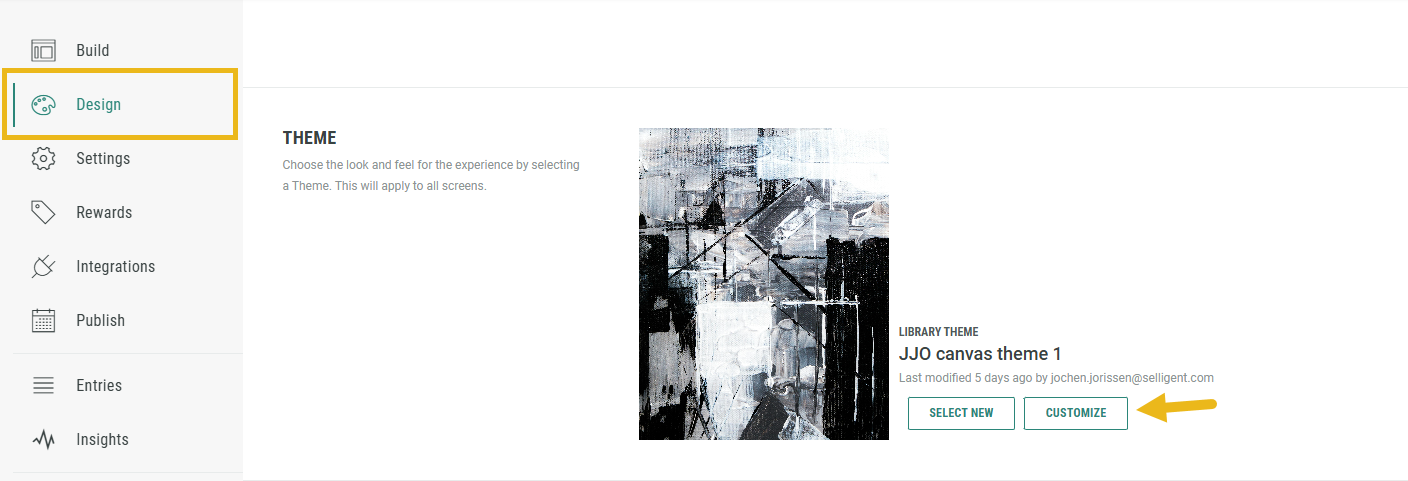
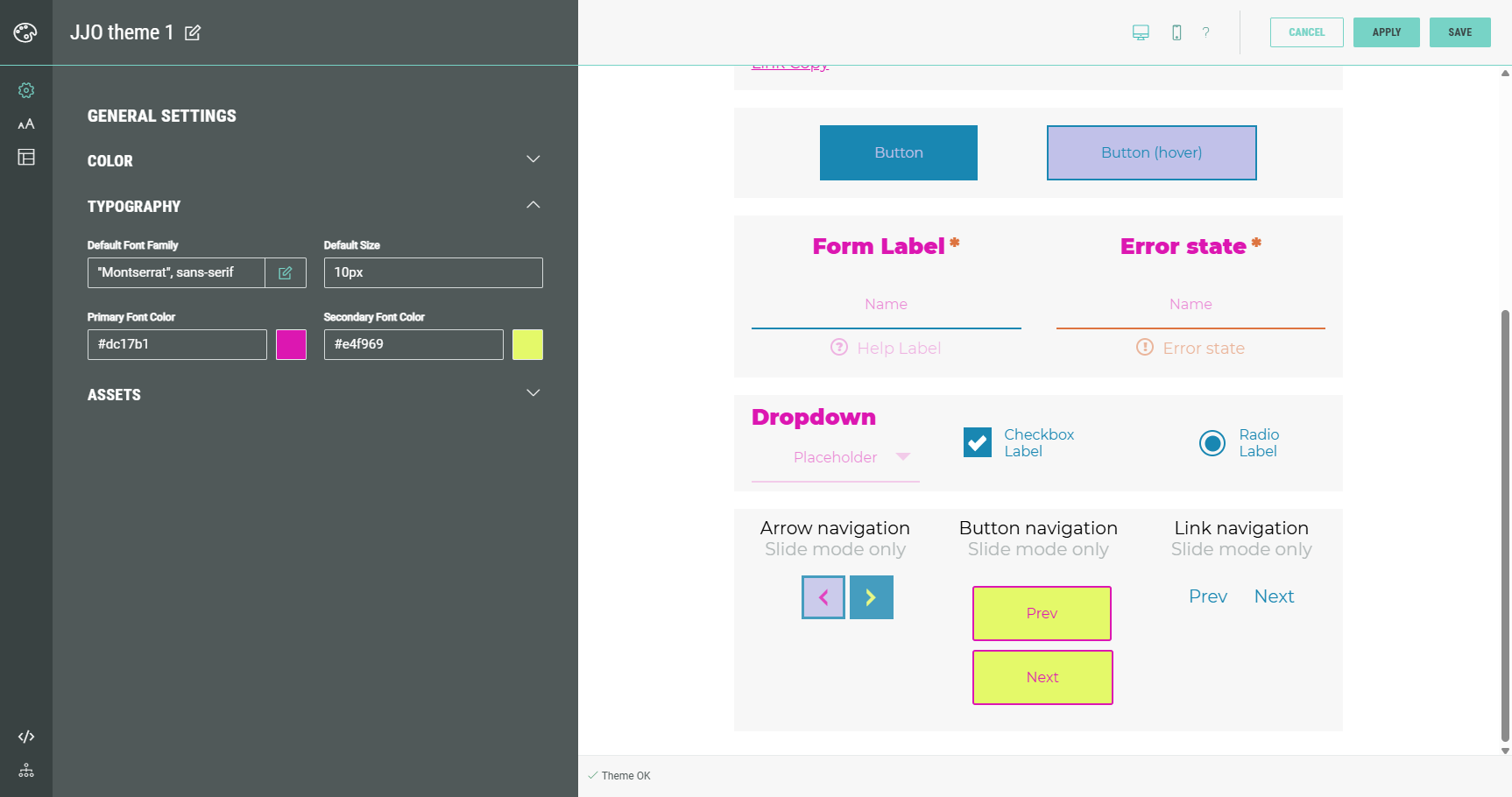
The Theme Designer now shows five left navigation items :
-
 General Settings,
  Typography and
  Key Elements at the top.
With each of these, specific styling settings can be configured for your theme in an easy way through the UI. -
 Advanced and
  History at the bottom.
Advanced allows to manually add LESS and CSS overrides, which is meant for advanced CSS users only.
With History, you can revert your theme design to an earlier version.
More details on themes and the Theme Designer can be found here.
New Insights: Time Spent & Drop-Off Rates
BACKGROUND:
Previously, it was difficult to know exactly where participants were disengaging or spending too much time within an Experience. Without this level of detail, optimizing specific steps in the flow often relied on guesswork or broad performance metrics. Users needed more granular insights to fine-tune their Experiences and improve conversion.
SOLUTION:
You can now see the average time spent and drop-off rates for each page or slide in your Experience. These insights help you pinpoint where people are losing interest or hitting friction — so you can refine your flow and boost response rate.
What this looks like in Grow:
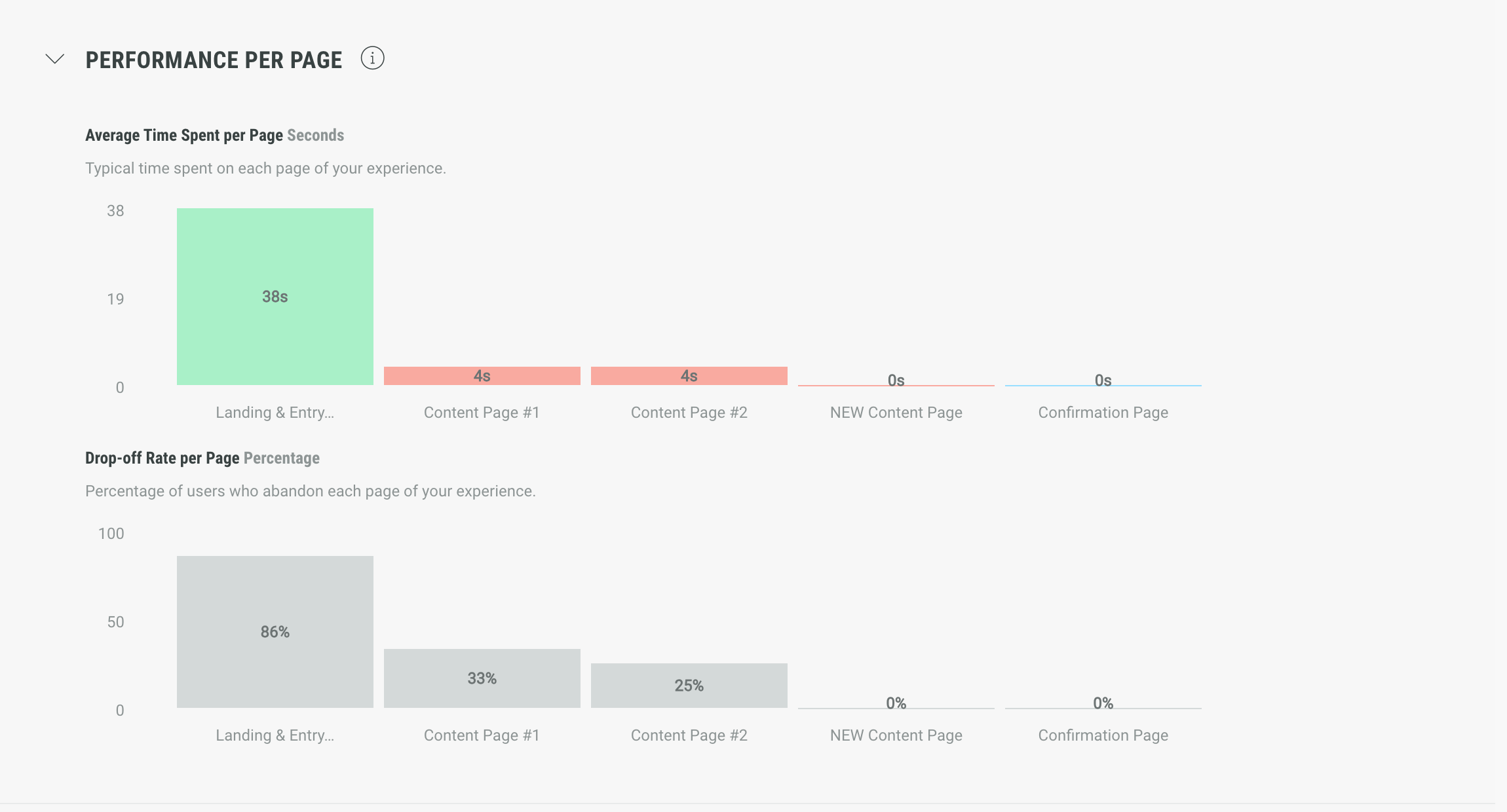
When accessing Experience insights, there's now a Performance tab available that provides breakdowns per page and per slide.
- Performance per page shows
- the average time spent per page.
- the drop-off rate per page.
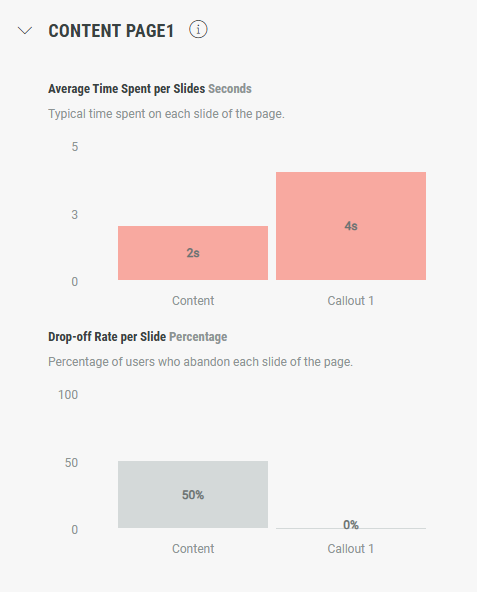
- Performance per slide shows
- the average time spent per slide.
- the drop-off rate per slide.
More details on the new insights in the Performance tab can be found here.
Other improvements
Native image display
Native images now scale down correctly on mobile, never exceeding 100% of the screen width. This update keeps your designs looking clean and responsive across all devices — no more zoomed-in or overflowing visuals.