New features in Grow
September 4, 2025
Version 25.18
Please note that all new release notes and new/updated help topics are written in the context of NextGen Experiences.
Email notifications: moved from Settings to Integrations tab
BACKGROUND:
Previously, email integrations were managed within the general Settings area. Over time, this created clutter and made it harder for users to quickly locate or manage their integrations. This setup wasn’t intuitive, and it didn’t reflect the way most platforms organize integrations today.
SOLUTION:
The Email Notifications section has now been moved to the Integrations tab in the left-hand side navigation of Experiences.
What this looks like in Grow:
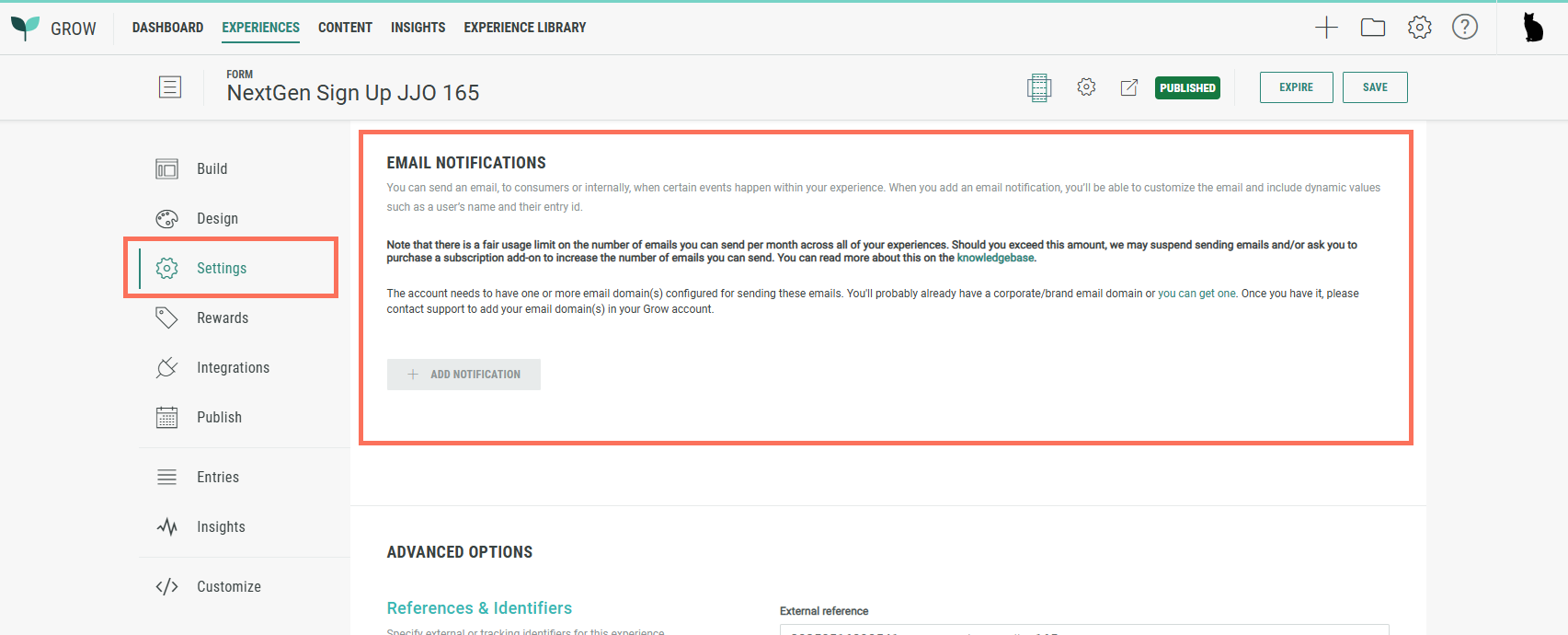
Old:
Email Notifications could be configured from the Settings tab in the left-hand side navigation of Experiences.
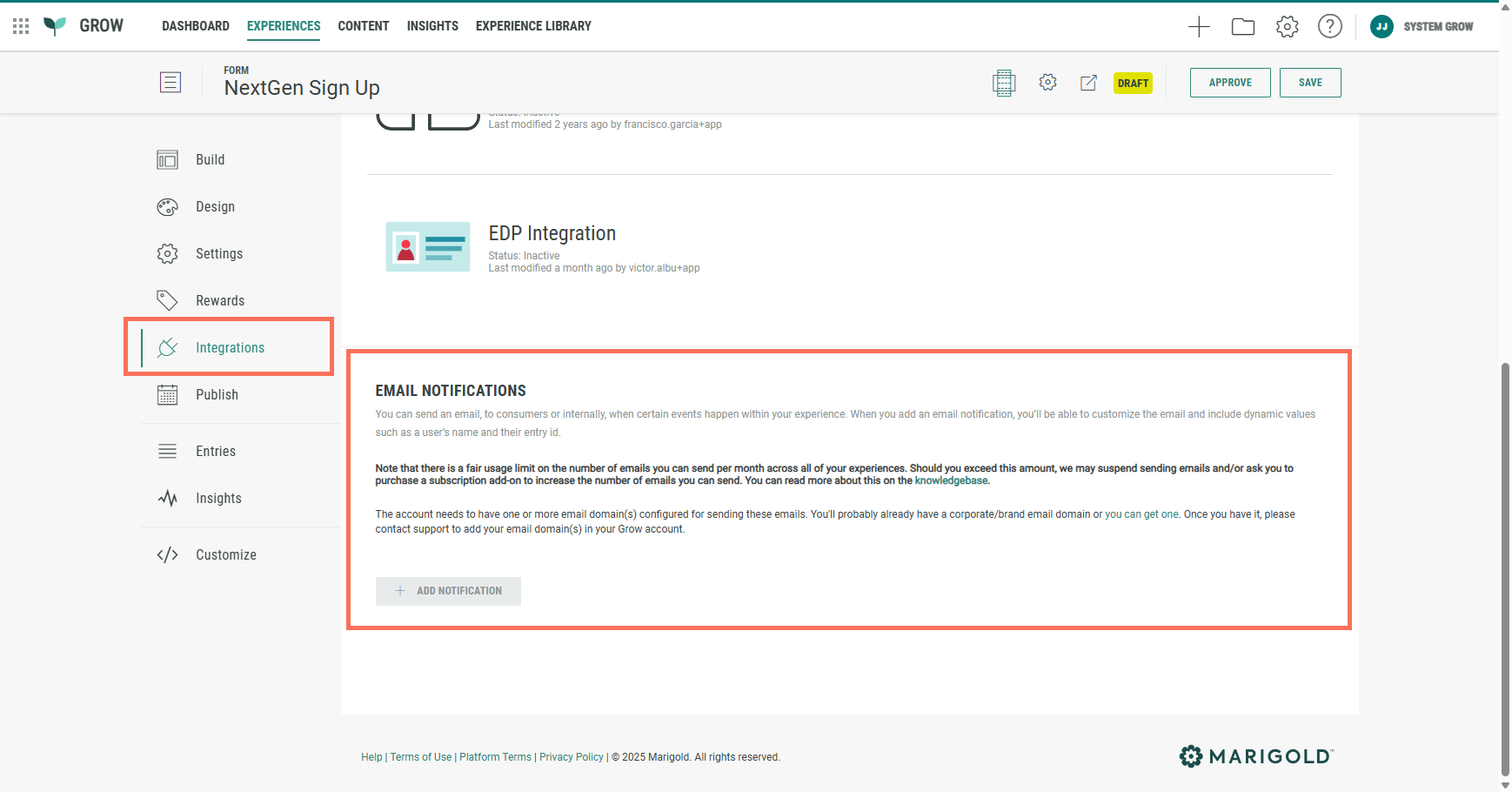
New:
Email Notifications can now be configured from the Integrations tab in the left-hand side navigation of Experiences.
Guidance on configuring email notifications is available here.
Phone Module update: Country picker for International format
BACKGROUND:
The Phone module can be used within a Form Section to ask Experience participants for inputting their phone number.
Previously, there were three regional options to select from to determine the format of the phone number: North America, United Kingdom and International.
North America and the United Kingdom use fixed country codes (+1 for North America, +44 for the UK).
When you selected International, all countries were included by default.
SOLUTION:
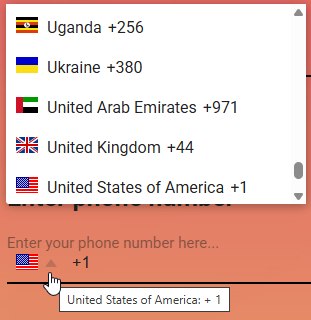
Now, there's an additional option called International (with country picker).
By selecting this option, you can limit the list of countries for which a phone number can be entered by the Experience participants.
This makes it easier and more secure, as we don't open it up for all countries.
What this looks like in Grow:
When adding/editing a Phone module in the Page Builder inside an Experience, the Phone Format section in the Settings tab contains a new option International (with country picker).
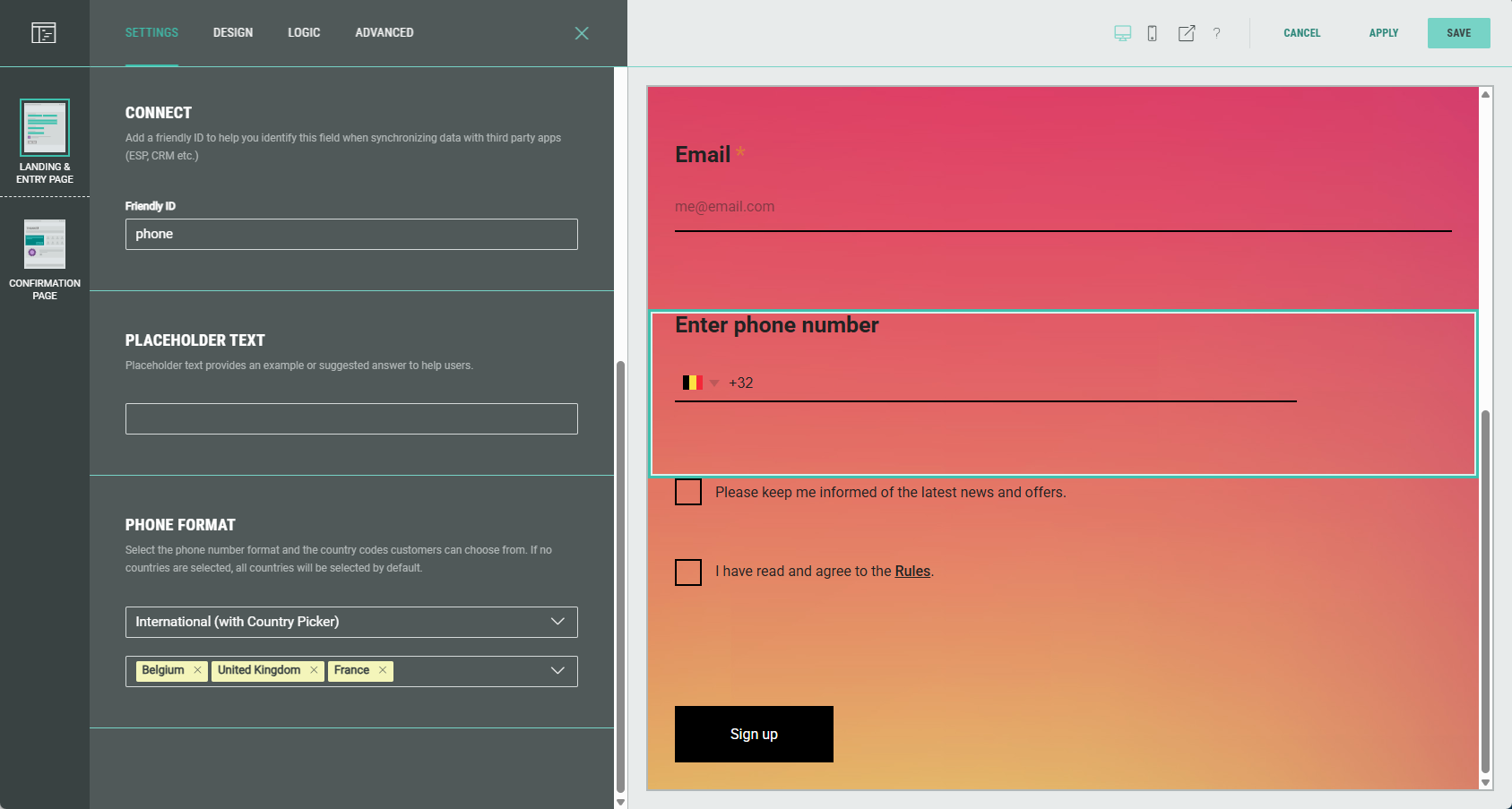
With this option, you can define a list of available countries Experience participants may choose from to enter their phone number.
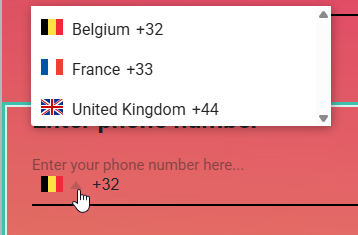
If you do not limit the list to one or more countries, all countries will be visible to them.
Note: The International (with country picker) option is the recommended choice for all your new configurations.
The other options still remain available for backward compatibility.
A complete overview of the Phone module can be found here.
Real-time insights
BACKGROUND:
Until now, Grow's insights refreshed every 10 minutes. While this near-real-time view was enough to track trends, it still introduced a delay between audience activity and visibility into results. Teams that needed to monitor live performance, validate campaign success instantly, or respond to sudden changes in traffic had to wait for the next refresh cycle.
SOLUTION:
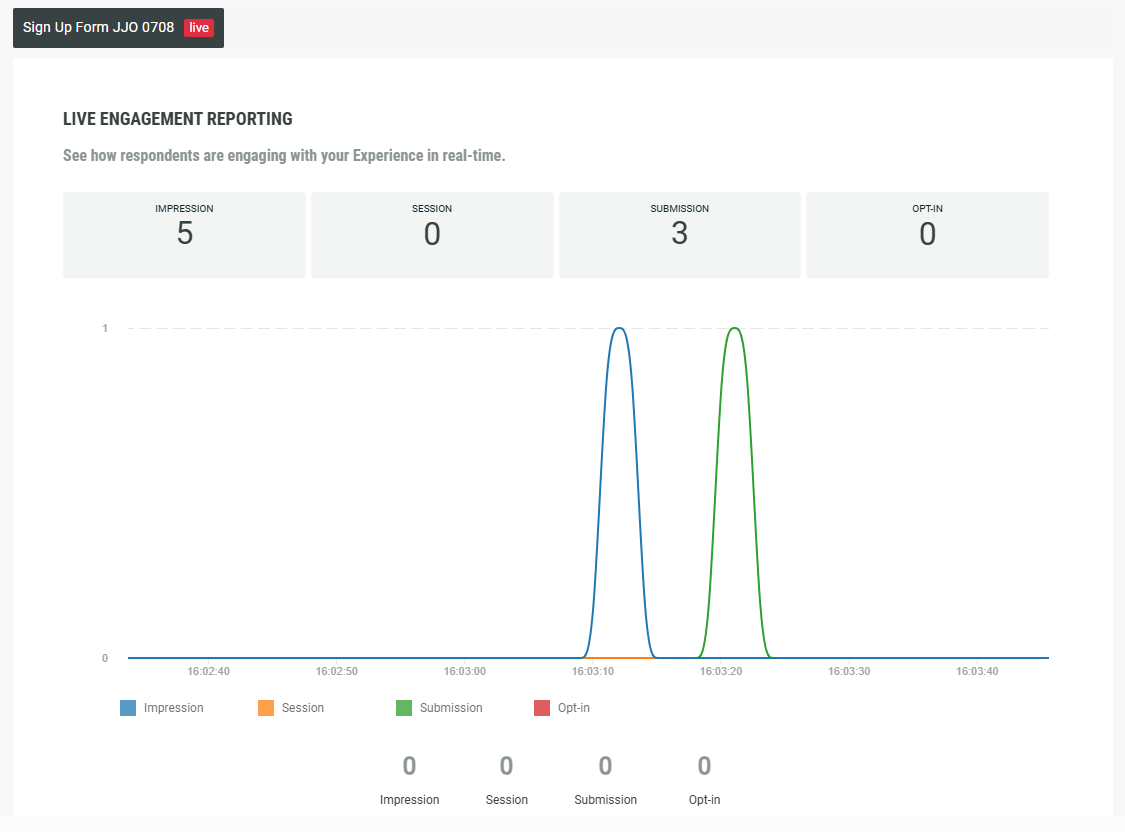
Real-time insights now show an animated live chart, that continuously displays the current time and events (impressions, sessions, submissions, opt-ins) taking place at that moment.
What this looks like in Grow:
The Real-time tab provides live insights about the Experience.
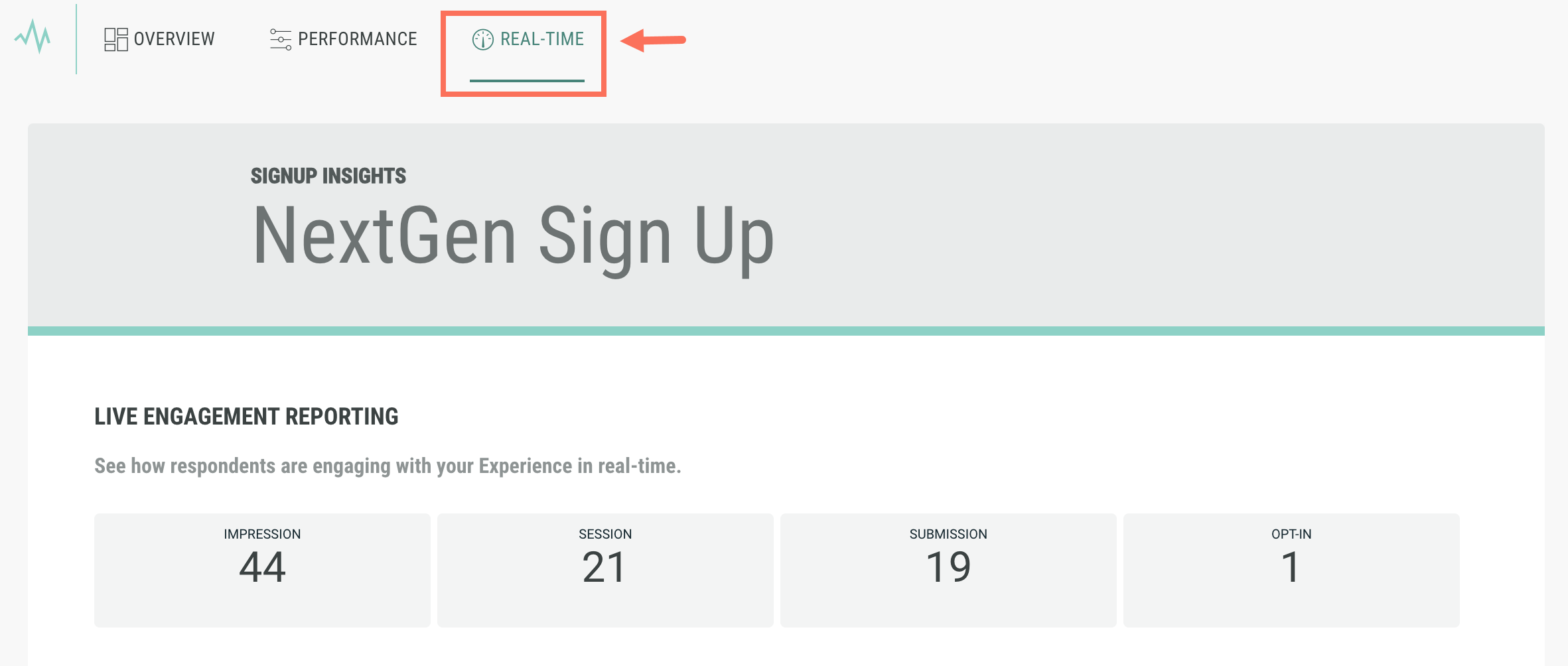
These real-time insights show an animated live chart, that continuously displays the current time and events taking place at that moment.
Detailed info on the Real-time insights are provided here.
Uniform container sizing for answer options
Previously, for single and multiple choice options, when one answer option contained more text than the others, its container would expand to fit while the remaining options stayed smaller. This created uneven tile sizes and a disjointed design. Now, all answer containers automatically adjust to match the longest option, ensuring a seamless and consistent layout right out of the box.