January 29, 2026 — 26.2
Brand update: Zeta rebrand
Zeta Global, the AI marketing cloud, recently announced the acquisition of Marigold's enterprise software business. This brings the Marigold Enterprise products including Cheetah Digital, Selligent, Sailthru, Grow, Loyalty, and Liveclicker into the Zeta family, strengthening Zeta's ability to help brands deliver more relevant, personalized customer experiences at scale.
As part of this transition, we are beginning a phased rebrand to align these products with the Zeta brand.
In this release, you may notice the following updates:
- The Marigold name and logo have been replaced with the Zeta name and logo.
- Some visual updates to the color palette to reflect the Zeta brand.
These updates are branding-only and do not affect product functionality, data, integrations, or existing configurations. You can continue working as usual.
This first phase of the rebrand is rolling out in line with Grow's January release. Corresponding updates to the Help Center will be published alongside these changes. Additional updates will be introduced in future releases.
If you have questions, please contact your Zeta representative, previously referred to as your Marigold representative.
Experience Insights improvements
AVAILABLE TO ALL CUSTOMERS
Background
Previously, when Grow users accessed the Insights tab, and clicked on an Experience name in the Detailed Experience performance table, only a limited view was shown.
The Experience-level reporting tabs Performance and Real-Time were not displayed.
This caused confusion, and additional navigation steps needed to be taken to be able see those insights. (Only visible from Insights in the left-hand navigation within the Experiences chapter itself.)
Solution
We enhanced the Experience navigation behavior.
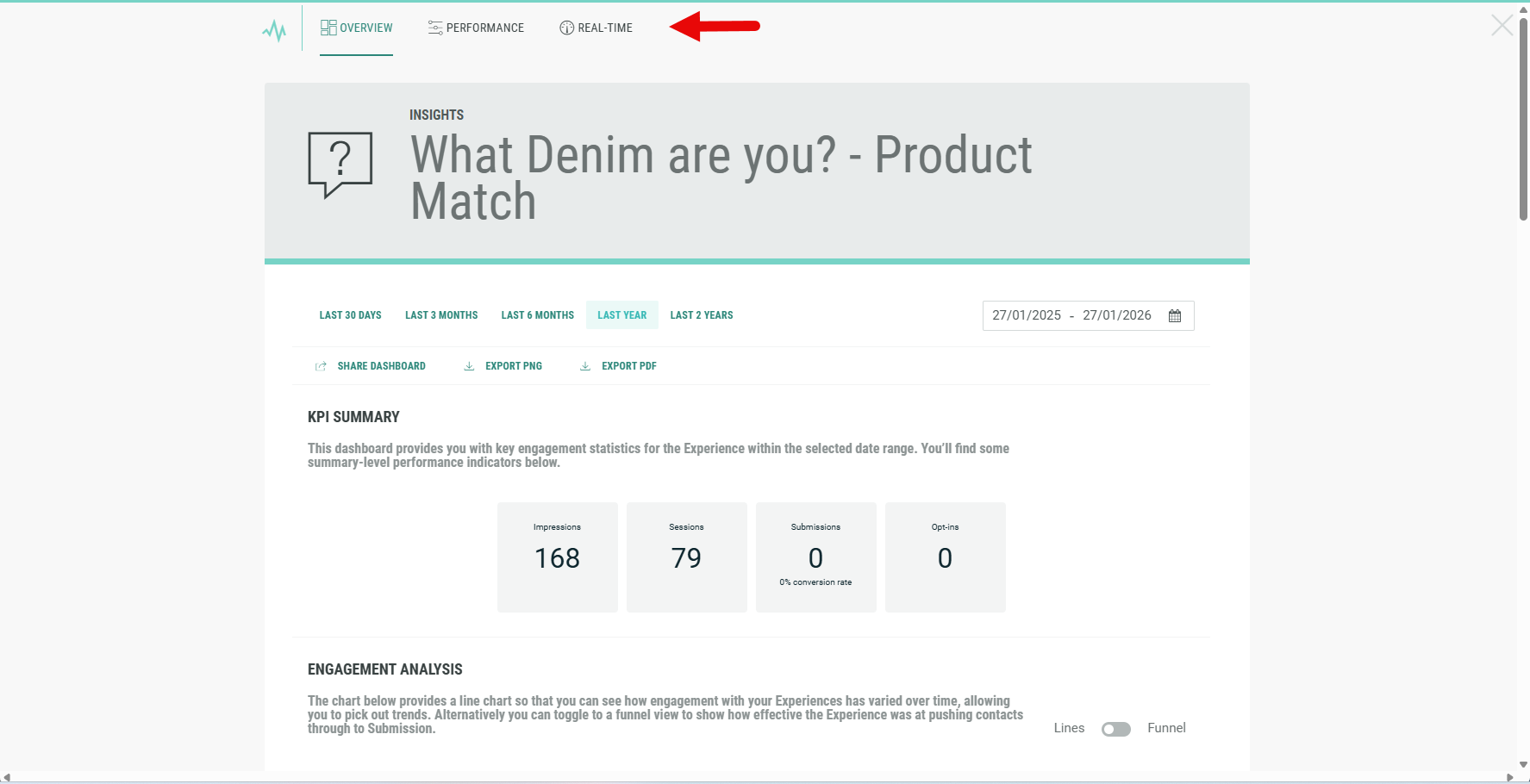
Now, when a user clicks on an Experience name in the Insights table, all Experience-level reporting tabs are displayed, including Performance and Real-Time.
What it looks like in Grow
-
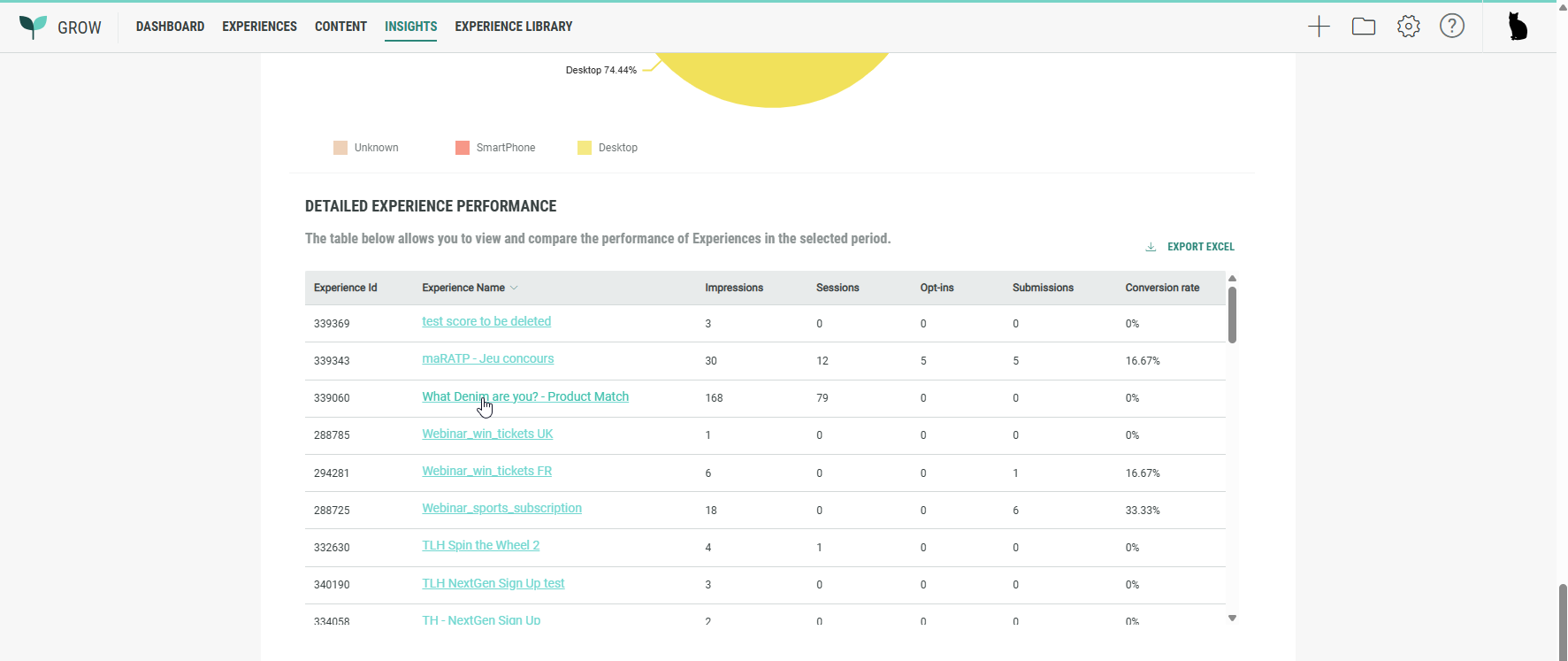
From the top navigation, click on Insights.
-
Scroll to Detailed Experience performance table, and click on an Experience name in the table.
-
The insights are displayed, containing all Experience-level reporting tabs: Overview, Performance and Real-Time.