
The tool also offers improved performance and reliability and has an option to enable self-service custom dashboard management for clients that have the technical capabilities to configure it. It is easy to use thanks to a simplified navigation and a user-friendly user interface for the non-technical marketer. Ultimately, these analytics enhancements improve strategic decision-making and operational efficiency by offering enhanced real-time insights and trend analysis.
This overview guide will explain how the new analytics tool is beneficial to customers, how and when it is implemented for various customers who were previously using Legacy dashboards and the existing self-service dashboards, how access roles affect your ability to customize dashboards, and what setup is necessary for customers to perform.
Dashboards Prior to Analytics Tool Enhancements
Prior to the Analytics enhancements, Loyalty customers utilized the existing self-service tool and an earlier tool, Legacy dashboards.
1. Legacy: The original technology embedded in Loyalty used to present analytics dashboards. You will know that you are currently using Legacy dashboards based on the layout and color scheme used by Legacy. Note that each customer may have their own version and thus appearances in layout may vary.
Example of a Member Legacy dashboard:
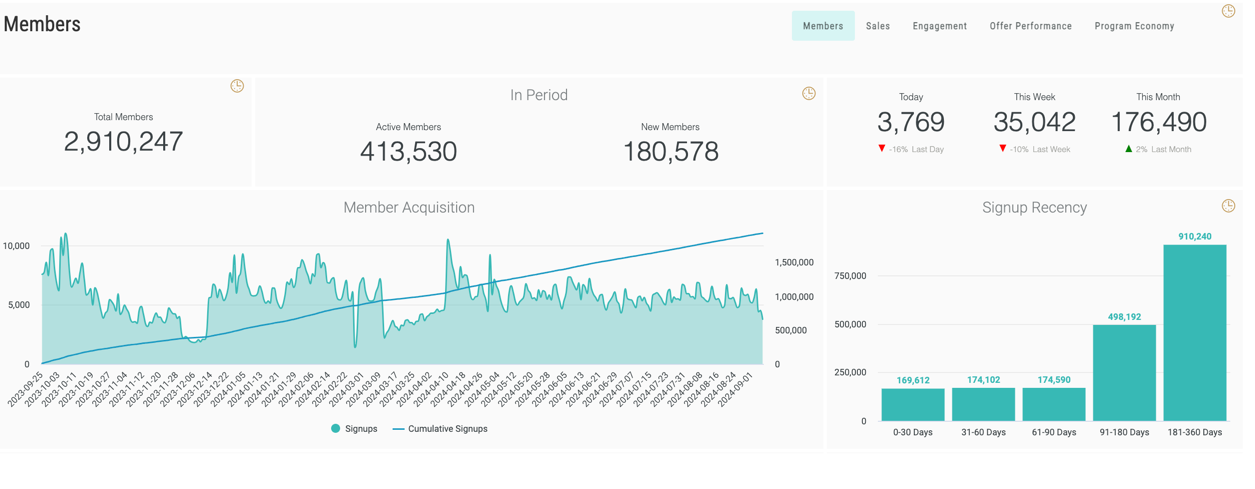
2. Existing/Current Self-Service Tool: The more recent technology used to implement and present custom dashboards. You will know that you are currently using the existing dashboards based on the layout and color scheme used by the current tool. Note that these self-service dashboards will be consistent for all customers.
Example of a Member dashboard using the existing self-service tool:
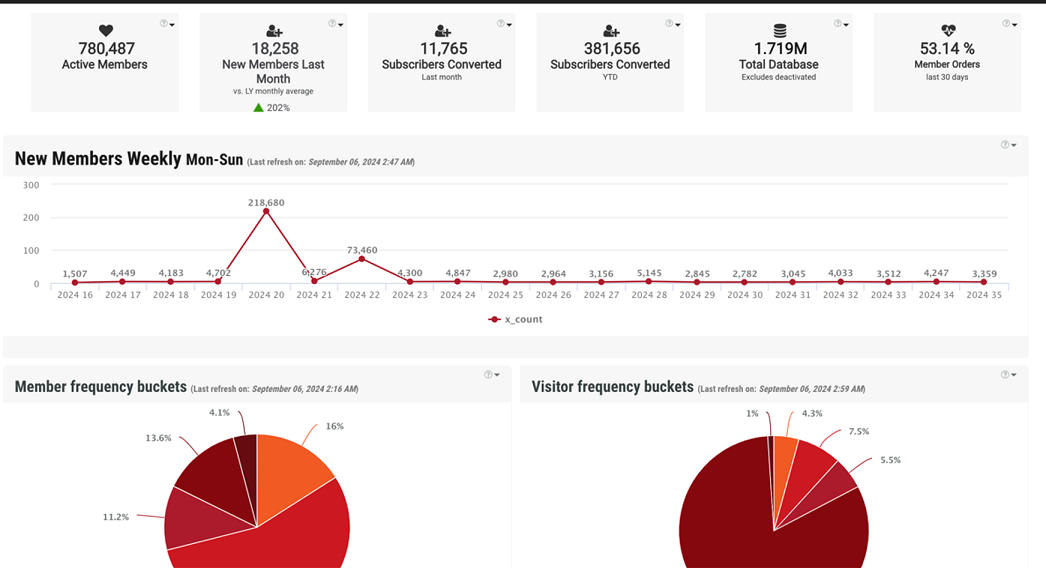
Implementation Scenarios
The current Self-Service and Legacy dashboards convert to the enhanced Analytics platform in different ways, as outlined below.
- Customers with existing custom Legacy dashboards only may transition their custom dashboards over to the enhanced tool by request only. You may request this service by reaching out to your Zeta Global CSM for assistance.
Note: Customers who have Legacy dashboards and want the new tool may either choose to keep these existing dashboards and also add the new tool, or you may simply convert their custom Legacy dashboards over entirely.
- Customers with existing self-service dashboards only will have their custom dashboards migrated to the new Analytics platform automatically, and the new tool will be embedded automatically upon adoption.
Note: Customers who have the current self-service dashboards must migrate to the new Analytics tool and cannot retain their current custom dashboards.
The new Analytics tool is being rolled out in phases for those with existing self-service dashboards as follows:
| Phase 1 | March - May 2024 | Japan |
| Phase 2 | June - August 2024 | EMEA |
| Phase 3 | September 2024 and onwards | APAC and North America |
- For customers with existing custom Legacy AND self-service dashboards, Zeta Global will migrate their custom self-service dashboards to the new tool automatically. At the same time, Zeta Global will also ask you if you would like your Legacy dashboards to also be migrated over to the new tool or retained as they are.
Edit Mode Options in Analytics Tool Enhancements
The enhanced Analytics tool is available to customers with two modes: Basic Viewer Edit Mode and Admin Edit Mode.
- The Basic Viewer Edit Mode is the default mode for all customers with limited self-service capabilities. The Basic Viewer Mode enables users to view and interact with an embedded dashboard without having the option to change or create new dashboards.
- The Admin Edit Mode is the professional version of the Analytics tool. Users with this access are able to customize dashboards in addition to leveraging all basic enhanced analytics features.
Setup for the New Analytics Tool
For customers with Basic Viewer Edit Mode designation, there is no additional configuration or setup necessary to begin using the new Analytics tool. For more information on the Basic Viewer Edit Mode, please refer to the Basic Viewer User Guide.
For users to be able to access the Admin Edit Mode via the Edit Mode drop-down and leverage its capabilities, there is a small amount of setup that must be performed. For more information on these setup instructions and on the Admin Edit Mode customization capabilities, please refer to the Administrator User Guide.
Important: During initial setup for all customers, the Zeta Global onboarding team will designate all users in the Analytics platform as Account-level Admins. This allows customers to update a program setting, Enable Edit Mode for Dashboards, that would enable all users to access the Edit Mode. Basic Viewer Edit Mode users could update the Edit Mode to have Admin Edit Mode capabilities for dashboard customization.
