
Edit a Member Function
You can update a Member Function’s configuration to control how it behaves across the Loyalty platform. These settings determine how the Member Function is used, displayed, and managed.
Edit Member Function Definition
To edit the Arguments or definition of a Member Function:
-
Select Program from the top navigation bar, then select Member Functions from the side navigation menu. The Member Functions screen is displayed.
-
On the Member Functions screen, search for and select the desired Member Function (see Search for a Member Function for more information on the available search options). The Member Function Details screen is displayed.
-
Optionally, add any Arguments as needed (see Create a Member Function for more details on this process).
-
Optionally, to delete an Argument, click the Delete icon next to it.
-
Optionally, make any changes to the Return Data Type and / or Groovy expression. You can also re-validate the expression.
-
Click Save.
If this Member Function was previously Published, you must deploy metadata in order for the changes to take effect. Please see Deploy Metadata for more details on this process.
Edit Member Function Properties
To edit the properties of a Member Function (such as its name or description):
-
Select Program from the top navigation bar, then select Member Functions from the side navigation menu. The Member Functions screen is displayed.
-
On the Member Functions screen, search for and select the desired Member Function (see Search for a Member Function for more information on the available search options). The Member Function Details screen is displayed.
-
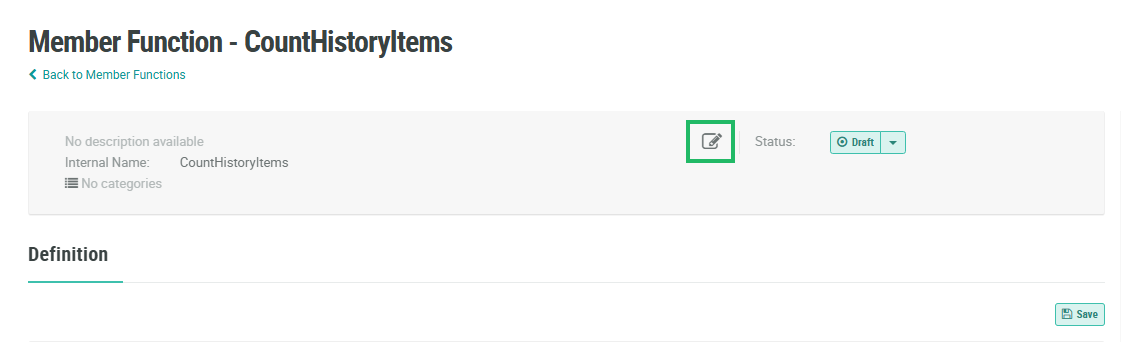
Click the Edit link within the header area. The Edit Member Function pop-up window is displayed.
-
Optionally, make any necessary changes to the Member Function properties (see Create a Member Function for more information on these properties).
-
Click Save.
If this Member Function was previously Published, you must deploy metadata in order for the changes to take effect. Please see Deploy Metadata for more details on this process.
