Create a Segment from a Chart Partition
The People Explorer screen allows you to visualize and understand your Member population along one or two dimensions. After generating the donut chart visualization, you can easily convert a partition within the chart into a Segment.
To create a Segment from a chart partition:
-
Select Audiences from the top navigation bar, then select Members > People Explorer from the side navigation menu.
-
Generate the donut chart visualization (see Explore Member Data for more information).
-
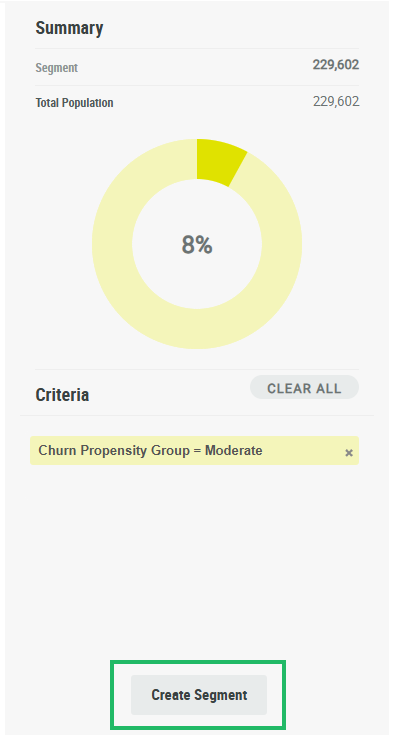
Double-click the desired partition within the graph. The Criteria section along the right-hand side of the screen displays the selection conditions for this partition.
-
Optionally, to remove a condition from the segment, click the X icon next to the condition description. Or, click Clear All to remove all conditions.
-
Click Create Segment. The Segment Details screen is displayed and populated with the details of the new Segment.