
Switch Execution Types for Hive / Trino Queries
If you have a Query with both a Hive and a Trino Execution Type defined, only one Execution Type can be selected at a time. The selected Execution Type will be the one utilized when the Query executes. You can identify the currently selected Execution Type by looking in the Query String section of the Definition tab on the Query Details screen.

The platform allows you to select a different Execution Type for a single Query, or you can automatically toggle all Hive Queries to Trino (or conversely, all Trino Queries to Hive).
Select the Execution Type for a Query
To select a different Execution Type for a Query:
-
Select Analytics from the top navigation bar, then select Settings > Queries from the side navigation menu. The Analytics Queries screen is displayed.
-
Optionally, search for and select the desired Query (see
-
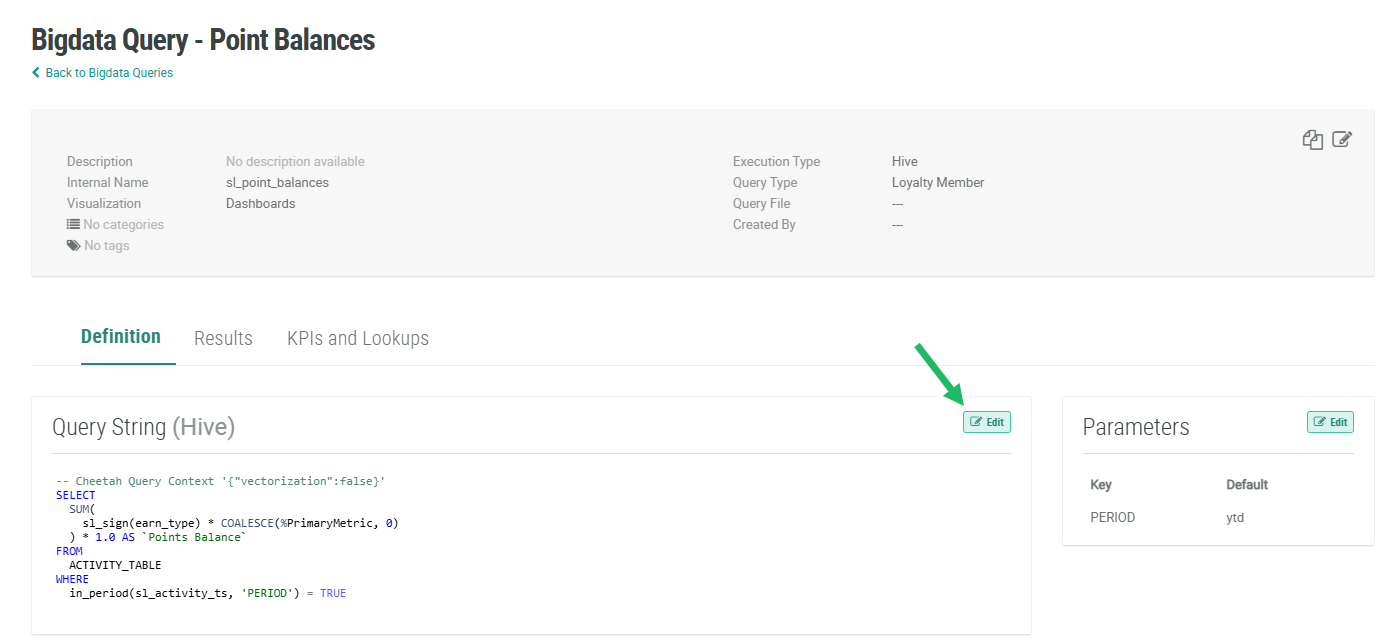
Within the Query String section, click Edit.
-
From the Execution Type drop-down menu, select the desired Execution Type.
-
Click Save.
Select Trino for all Hive / Trino Queries
For Queries with both Hive and Trino Execution Types defined, the platform allows you to automatically select the Trino version for all of these Queries.
Note: This feature will impact only Queries that have both a Hive and a Trino syntax version defined. Hive Queries without a Trino syntax version, as well as other Execution Types (such as SQL or Spark), are not impacted.
To select Trino as the Execution Type for all Hive / Trino Queries:
-
Select Analytics from the top navigation bar, then select Settings > Queries from the side navigation menu. The Analytics Queries screen is displayed.
-
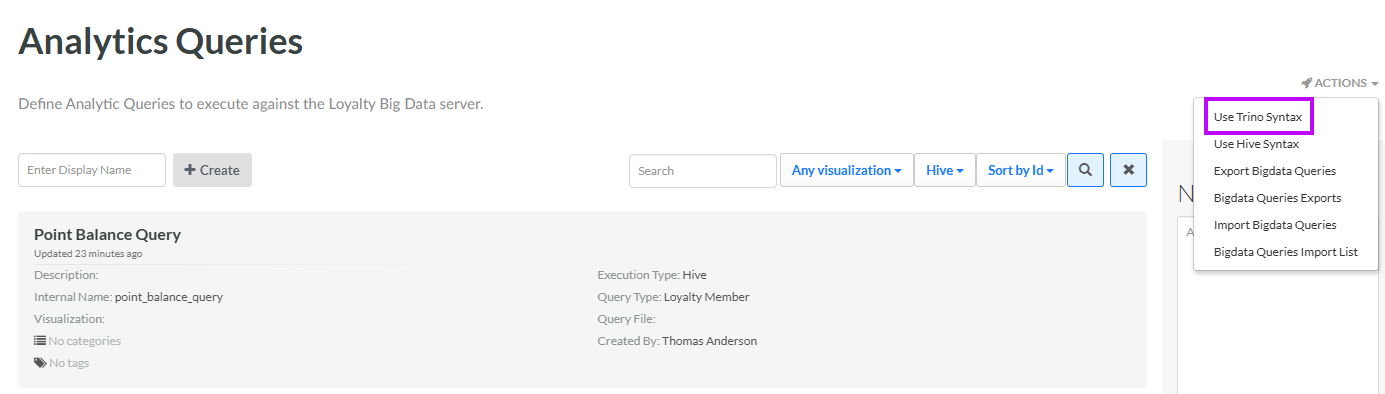
From the Action menu, select Use Trino Syntax. A confirmation dialog box is displayed; click Confirm.
-
The Conversion to Trino Complete pop-up window is displayed. This window indicates how many Queries were successfully updated and how many were skipped. Click Close.
Select Hive for all Hive / Trino Queries
For Queries with both Hive and Trino Execution Types defined, the platform allows you to automatically select the Hive version for all of these Queries.
Note: This feature will impact only Queries that have both a Hive and a Trino syntax version defined. Trino Queries without a Hive syntax version, as well as other Execution Types (such as SQL or Spark), are not impacted.
To select Hive as the Execution Type for all Hive / Trino Queries:
-
Select Analytics from the top navigation bar, then select Settings > Queries from the side navigation menu. The Analytics Queries screen is displayed.
-
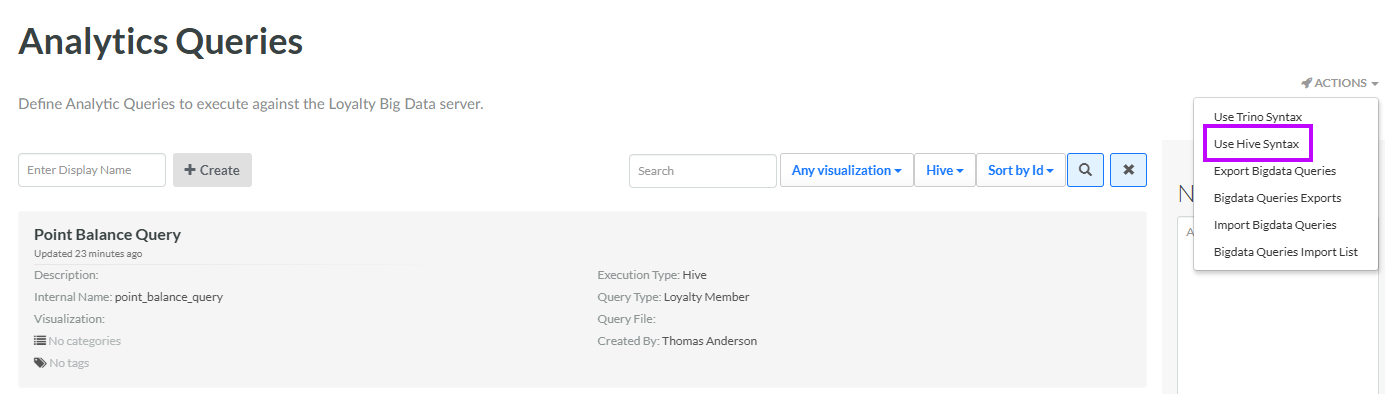
From the Action menu, select Use Hive Syntax. A confirmation dialog box is displayed; click Confirm.
-
The Conversion to Hive Complete pop-up window is displayed. This window indicates how many Queries were successfully updated and how many were skipped. Click Close.
