
Edit Member's Shipping Address
For Rewards of type Physical Product, the Redemption can be used to store the Member's shipping address. You can also use the Redemption fulfillment status to track the progress of the shipment (see Change Fulfillment Status for more information).
To enter or edit the Member's shipping information:
-
Select Rewards from the top navigation bar, then select Rewards > Redemptions from the side navigation menu. The Redemptions screen is displayed.
-
Search for the desired Redemption (see Search for a Redemption for more information on the available search options) and click its Reward name. The Redemption Details screen is displayed.
-
Within the Shipping Address section, click Edit. The Edit Address pop-up window is displayed.
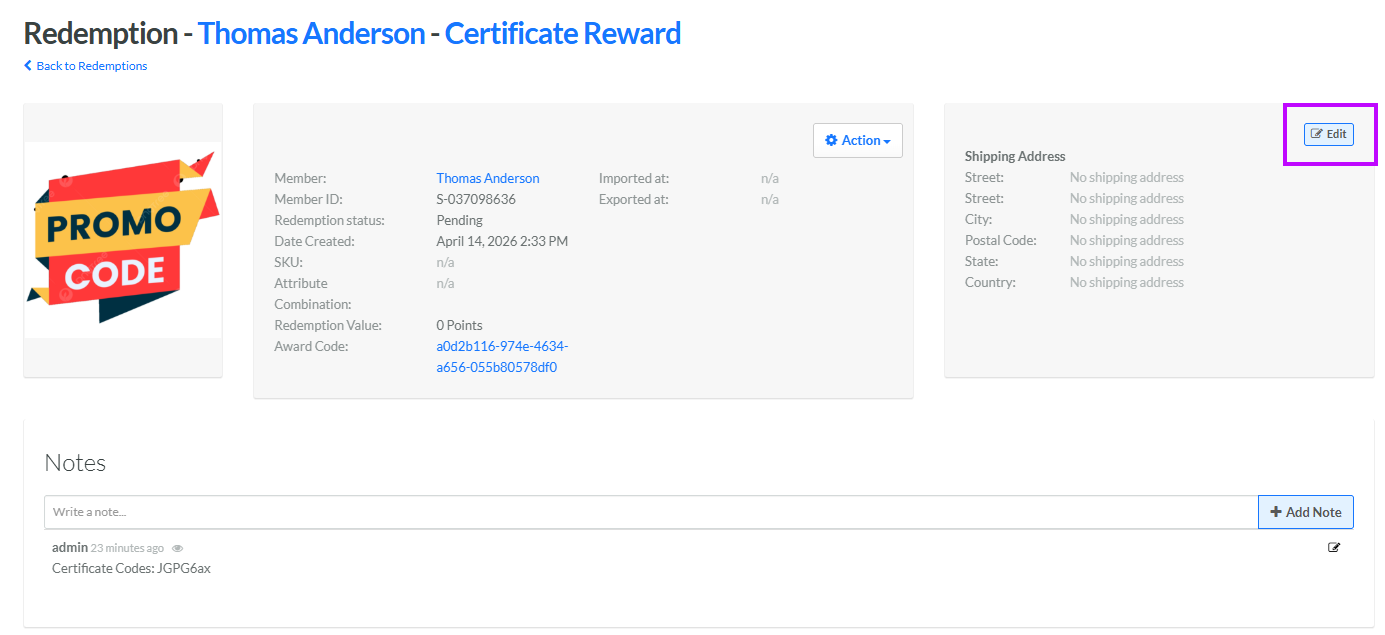
-
Enter or edit the Member's shipping address (street, city, postal code, state, and country).
-
Click Save.
