
Delete an Earn Rule Group Combination
To delete an Earn Rule Group Combination:
-
Select Rules from the top navigation bar, then select Settings > Earn Rule Settings from the side navigation menu. The Earn Rule Settings screen is displayed.
-
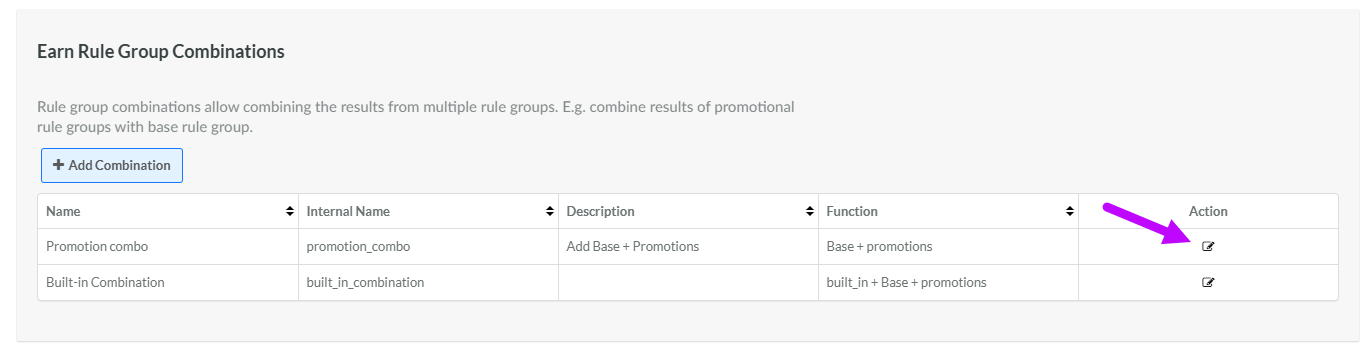
Within the Earn Rule Group Combination section, click the Edit icon in the Action column next to the desired Earn Rule Group Combination. The Rule Group Combination pop-up window is displayed.
-
Click Delete. A confirmation dialog box is displayed; click Confirm.
