
Delete a Value Column
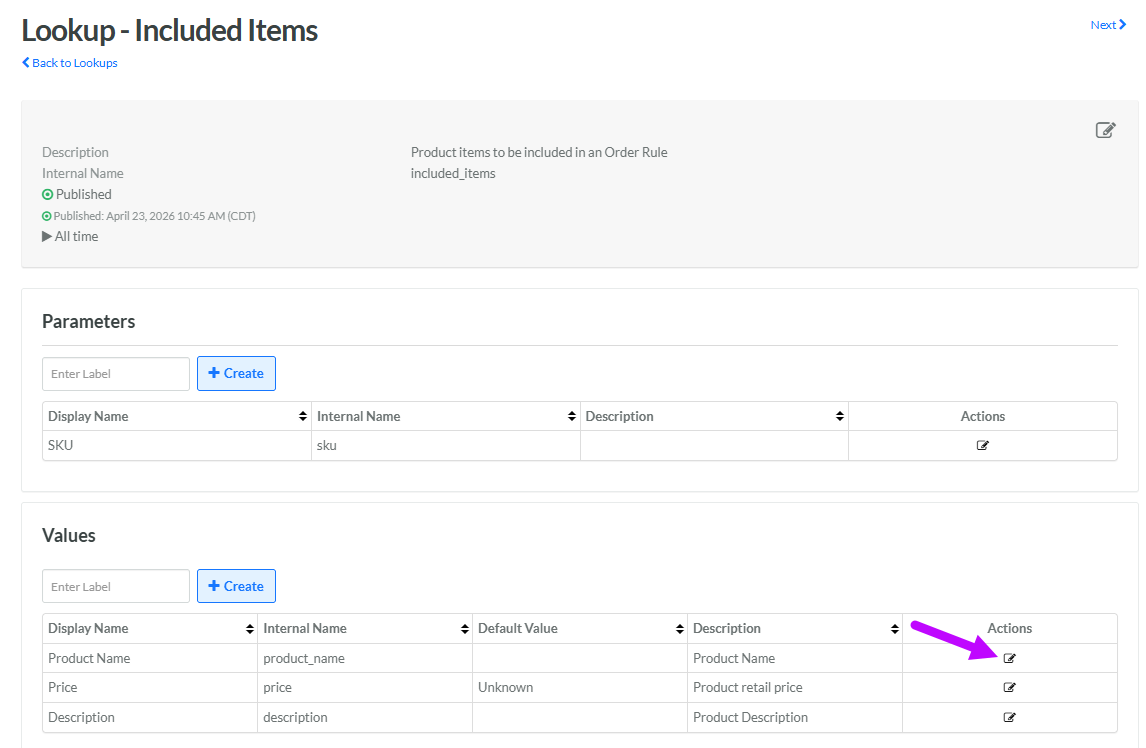
All the existing Value columns in a Lookup are displayed within the Values section of the Lookup Details screen.
To delete an existing Value column:
-
Select Rules from the top navigation bar, then select Lookups from the side navigation menu. The Lookups screen is displayed.
-
Search for and select the desired Lookup (see Search for a Lookup for more information on the available search options). The Lookup Details screen is displayed.
-
Within the Values section, next to the desired Value column, click the Edit icon. The Edit Lookup Value pop-up window is displayed.
-
Click Delete. A confirmation dialog box is displayed; click Confirm.
