
Create an Order Rule
You can create a new Order Rule from scratch, or copy an existing Order Rule to use as the basis for a new Order Rule.
Create a New Order Rule
To create a new Order Rule from scratch:
-
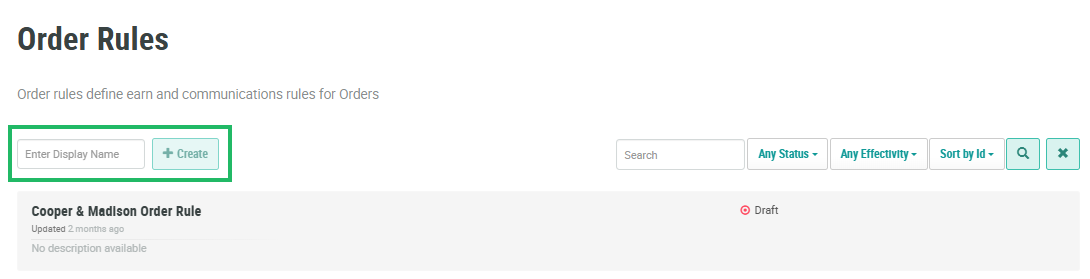
Select Rules from the top navigation bar, then select Order Rules from the side navigation menu. The Order Rules screen is displayed.
-
In the Display Name field, enter a name for the new Order Rule.
-
Click Create. The platform creates the new Order Rule, and the Order Rule Details screen is displayed, with the Base Earn Rules tab selected by default.
Copy an Order Rule
To copy an existing Order Rule:
-
Select Rules from the top navigation bar, then select Order Rules from the side navigation menu. The Order Rules screen is displayed.
-
Search for and select the desired Order Rule (see
-
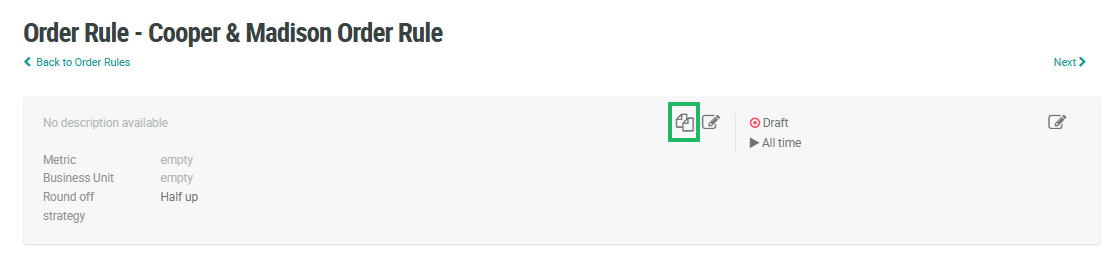
In the header section of the Order Rule Details screen, click the Copy icon.
-
The system creates a new Order Rule and displays the Order Rule Details screen, with the Base Earn Rules tab selected. The default name of the new Order Rule is the name of the base Order Rule, followed by an incremental counter, such as "(1)."
Additional Information
For additional information on how to configure the new Order Rule, please see the following Help Center articles:
