
Define Order Rule Effectivity Period
The platform allows you to define when, and for how long, an Order Rule is considered to be active and in use. This period is referred to as the Effectivity Period.
To set the Effectivity Period for an Order Rule:
-
Select Rules from the top navigation bar, then select Order Rules from the side navigation menu. The Order Rules screen is displayed.
-
Search for and select the desired Order Rule (see
-
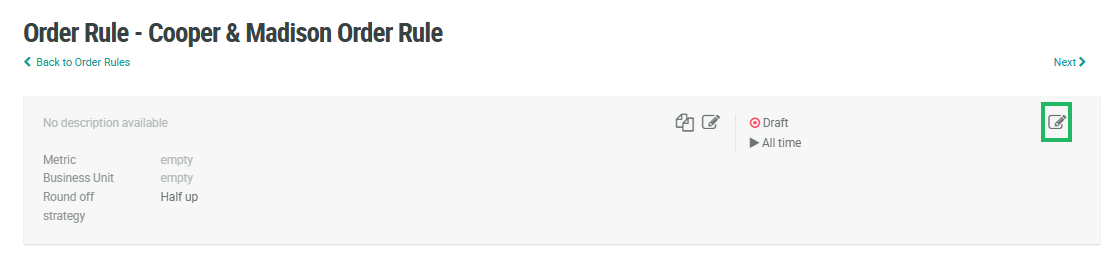
In the top-right corner of the header area, click the Edit icon. The Edit Order Rule pop-up window is displayed.
-
Next to Effectivity, select either:
-
Always: This Order Rule doesn't expire.
-
Scheduled: Enter a start date and end date, and select a time zone. Optionally, check Recurring to use a recurring schedule. Select the desired schedule from the Recurring Schedule drop-down menu, or define a new recurring schedule (see below for details on that process).
-
-
Click Save.
Recurring Schedule
To define a new recurring schedule:
-
From the Recurring Schedule drop down menu, select Enter Schedule. The Repeat pop-up window is displayed.
-
From the Count drop-down menu, select a recurrence frequency of either Weekly or Monthly.
-
In the text field, enter the interval. Enter 1 if you want the schedule to run every week, or every month.
-
For a Weekly frequency, select one or more days of the week. For example, Tuesdays and Thursdays.
-
For a Monthly frequency, choose one of the following options:
-
Day of month: Select one or more days of the month. For example, the 15th and the 30th.
-
Day of week: Select one or more days of the week, for each of the four weeks within a month. For example, the second Wednesday of the month.
-
-
Click Confirm. The system adds the new schedule to the Recurring Schedule drop-down menu.
