
Publish an Order Rule
For an Order Rule to be considered live and usable within Loyalty, it must have a status of Publish.
The recommended best practice is to have only one Order Rule published per Business Unit, in order to avoid confusion. Alternatively, you could schedule one Order Rule to operate during one time period and a second to work in another. For example, you could publish one Order Rule scheduled to run on weekdays that calculates $1 = 1 Point, and publish a second Order Rule scheduled to run on weekends that calculates $1 = 2 points.
To publish an Order Rule.
-
Select Rules from the top navigation bar, then select Order Rules from the side navigation menu. The Order Rules screen is displayed.
-
Search for and select the desired Order Rule (see
-
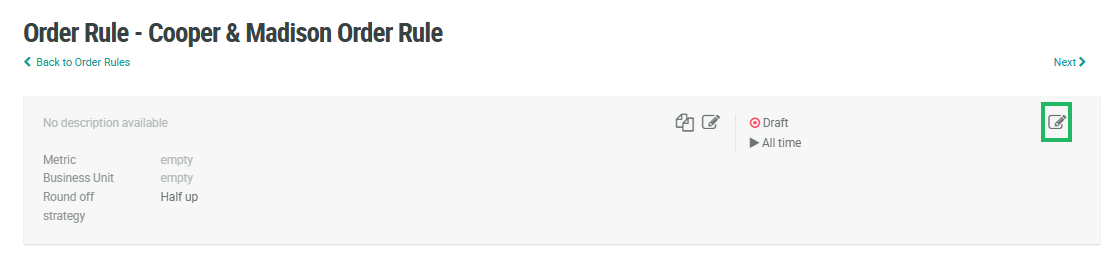
Within the header area, click the Edit icon in the top-right corner of the screen. The Edit Order Rule pop-up window is displayed.
-
From the Status drop-down menu, select Published. A confirmation dialog box is displayed; click Confirm.
