

Rewards can be made available to all of your Members, or they can be targeted to only certain Members. Targeting Rewards is managed through the use of Segments, which use logical conditions to define the criteria for inclusion. Before targeting theRewards based on a Segment, you must first create and publish a Segment with the desired conditions. See Getting Started with Segments for more information.
To target the Reward:
-
Select Rewards from the top navigation bar, then select Rewards > Rewards from the side navigation menu. The Rewards screen is displayed.
-
Search for and select the desired Reward (see
-
Select the Eligibility tab.
-
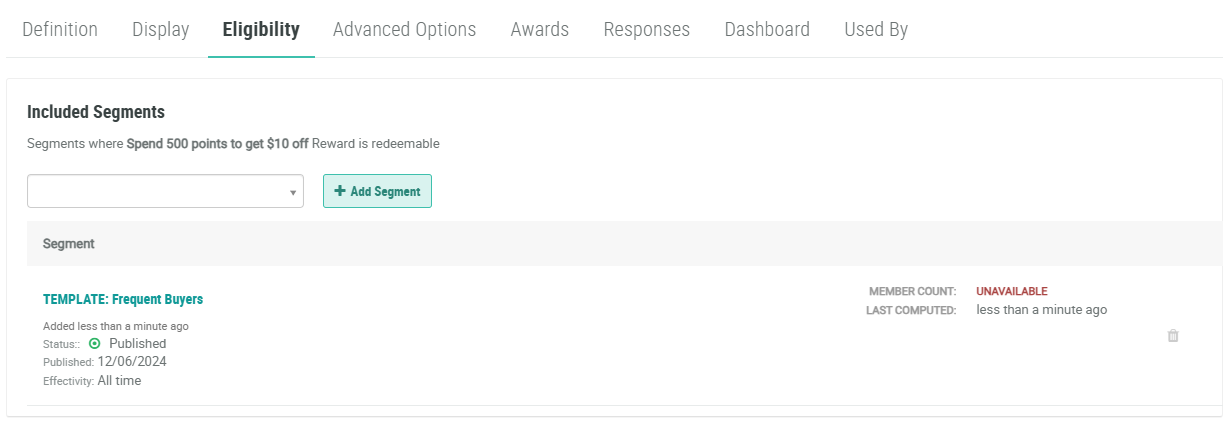
The Included Segments section is used to make the Reward eligible only to Members in the selected Segment (or Segments). In this section, from the drop-down menu, select the desired Segment. Optionally you can type all or part of the Segment name to filter this menu.
-
Click Add Segment. The selected Segment is displayed within the Included Segments section.
-
Repeat the above steps as needed. If you add multiple Segments, a Member must be in only ONE of the selected Segments to be eligible for this Reward. That is, multiple Included Segments are joined with an OR operator.
-
Optionally, to remove an Included Segment, click the Remove icon.
-
The Excluded Segments section is used to make the Reward ineligible to Members in the selected Segment (or Segments). In this section, from the drop-down menu, select the desired Segment. Optionally you can type all or part of the Segment name to filter this menu.
-
Click Add Segment. The selected Segment is displayed within the Excluded Segments section. If you add both an Included Segment and an Excluded Segment to the Reward, the Excluded Segment takes priority. Therefore, if a Member is selected by both the Included and the Excluded Segment, that Member will be ineligible for this Reward.
-
Repeat the above steps as needed. If you add multiple Segments, a Member must be in only ONE of the selected Segments to be ineligible for this Reward. That is, multiple Excluded Segments are joined with an OR operator.
-
Optionally, to remove an Excluded Segment, click the Remove icon.
