
After defining the Rules for your Segment, you can test that the Segment’s conditions are selecting the desired Members. When you use this test method, the platform executes the Segment conditions against a selected Member, and indicates if they would be selected or not. This feature is useful for ensuring that the Segment conditions are working as expected.
To evaluate a Member against the Segment’s conditions:
-
Select Members from the top navigation bar, then select Segments from the side navigation menu. The Segments screen is displayed.
-
Search for and select the desired Segment (see Search for a Segment for more information on the available search options). The Segment Details screen is displayed, with the Rules tab selected by default.
-
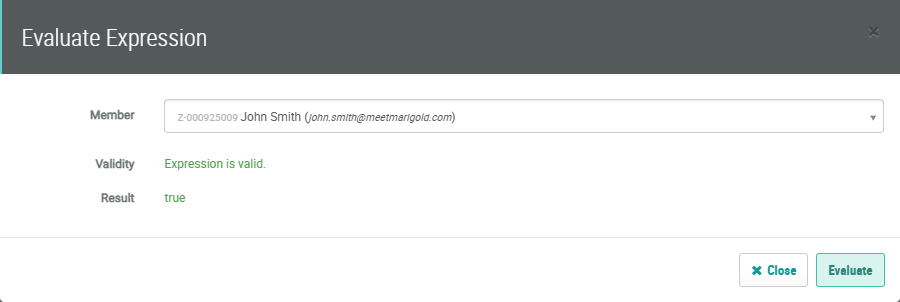
Click Evaluate. The Evaluate Expression pop-up window is displayed.
-
In the Member field, type in all or part of a Member’s name, then select the desired Member from the search results.
-
Click Evaluate.
-
The platform displays the results. The Validity field indicates if the platform encountered any errors in the expression syntax or logic. The Result field displays True if the Member was selected by the Segment, and False if they were not selected by the Segment.
-
Repeat the above steps to evaluate a different Member. When finished, click Close.