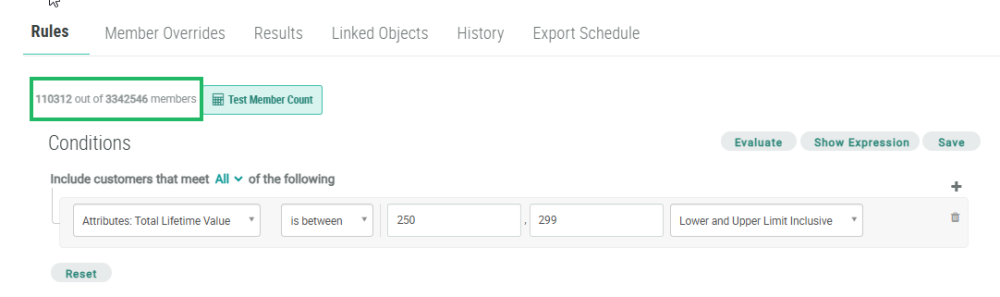
After defining the Rules for your Segment, you can run a quick test to see how many Members the logical conditions will select. This feature is a useful method to validate that the Segment logic is working, and that it is selecting the expected number of Members.
To see the exact list of Members selected by the Segment, you must refresh the Segment; please see Refresh a Segment for more information.
To run a count of Members selected by the Segment:
-
Select Members from the top navigation bar, then select Segments from the side navigation menu. The Segments screen is displayed.
-
Search for and select the desired Segment (see Search for a Segment for more information on the available search options). The Segment Details screen is displayed, with the Rules tab selected by default.
-
Click Test Member Count. The platform begins the count process.
-
When the process is complete, the platform displays the number of selected Members (out of the total number of Members in your database).