Webhooks Troubleshooting
Note: Webhooks is an optional feature that must be enabled in your account. Please speak with your Zeta Representative for more details.
Outbound Webhooks let you send behavioural events from the platform to your own systems in near real time. They provide a reliable way to stream campaign and commerce activity to external tools such as CRMs, data platforms, analytics services, or internal applications.
You may come across errors when managing your Webhooks and viewing the sync history; this guide aims to help troubleshoot any errors you may have.
Intended Audience: Technical marketers or expert users who have experience with solution configuration, data management, and advanced setup.
Limitations
Before we begin troubleshooting, it is important that you are aware of the following when you begin using outbound webhooks:
-
Webhooks are outbound only
-
Events may be dropped if delivery repeatedly fails
-
No data transformation or field mapping is available
-
Attribute sets are fixed and not configurable
-
Payload schemas may evolve over time
-
High event volumes can affect delivery latency
View error logs
There are two ways to view the error logs for your Webhooks.
Last sync status
From the home page, click the Open icon next to the figure in the Last Sync Status column.

Via sync history
When viewing your sync history, as detailed previously, click on an entry to view the associated error logs within a new window.
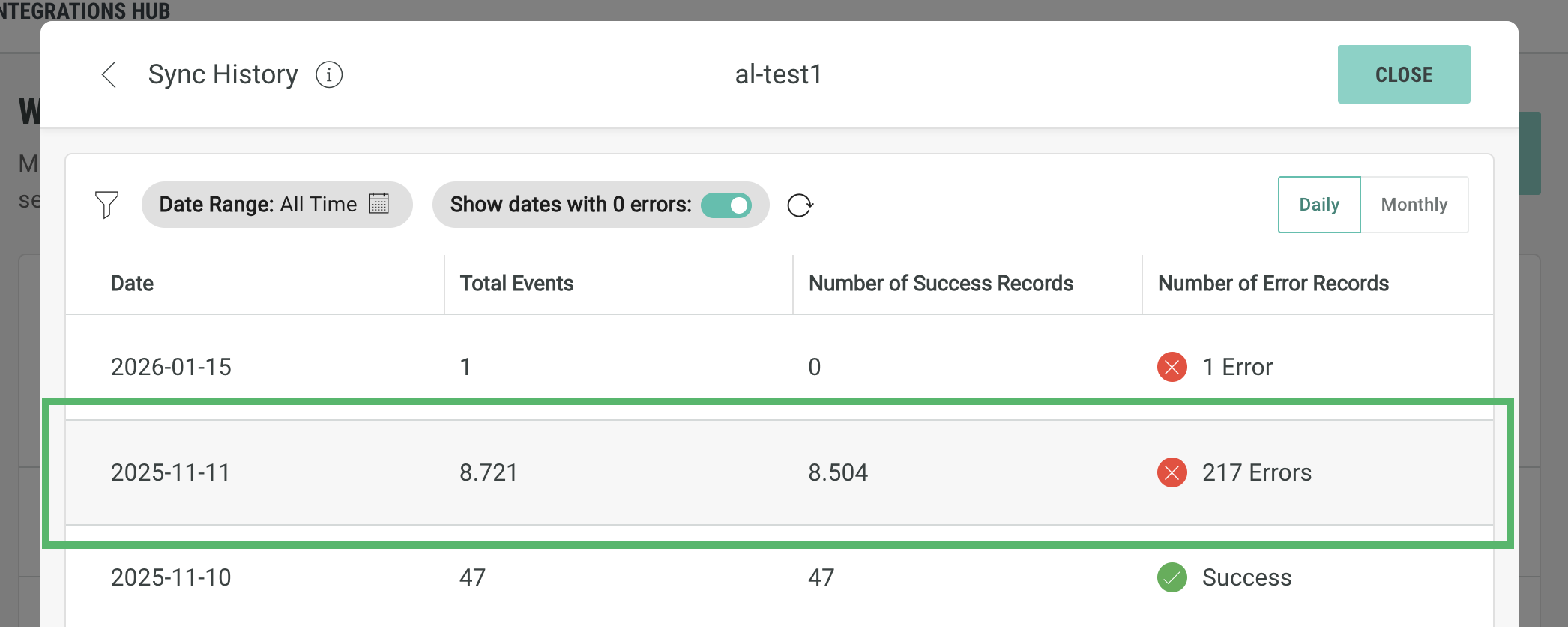
Note: If you click on an entry with 0 errors, a window will be displayed with the message “No logs found”.
Webhook errors
When testing or viewing the sync data for each webhook, you may come across errors.
Click on an error log to view additional details such as the Payload and Error Message:
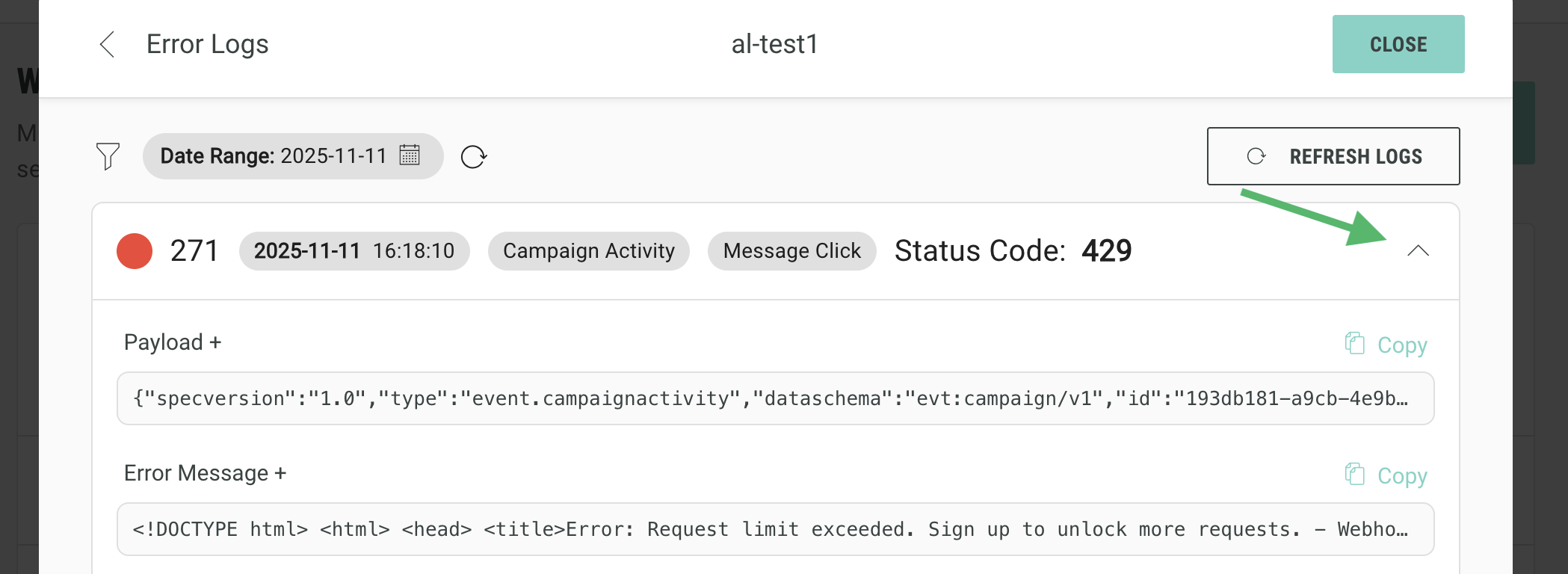
Below, we have outlined the possible error states and their reasons, where applicable, to aid troubleshooting:
-
405 Method not allowed - you have chosen a PUT or POST method, but the endpoint you have selected does not support this.
-
429 Too Many Requests - usually caused by exceeding rate limits, by sending too many events within a time-frame. Check any limits applied on your endpoint (and increase them, if possible), or else enable throttling within the webhook.
-
404 Not found - the server on the endpoint you have supplied exists, but the specific path entered does not
-
500 Internal Server Error - something unexpectedly went wrong within the endpoint when it received the request (you should check your logs for further details)
-
403 Forbidden Access Denied - Typically, any authentication details entered do not match what the endpoint is expecting. Check what authentication is configured on your server, and what details are configured against the webhook, to ensure they match.
-
401 Unauthorised - Typically, the endpoint is expecting authentication, but no authentication has been configured within the webhook.
-
Connection Timed Out - the configured endpoint does not exist or is not responding.
-
Unable to resolve the host - Please check the URL domain
-
Invalid URL format - Please check the URL syntax
Error handling and retries
If a delivery attempt fails:
-
Failed deliveries for 4xx and 5xx responses are retried automatically, up to three times
-
A circuit breaker delays subsequent deliveries if repeated failures occur
-
Retries use a backoff strategy
-
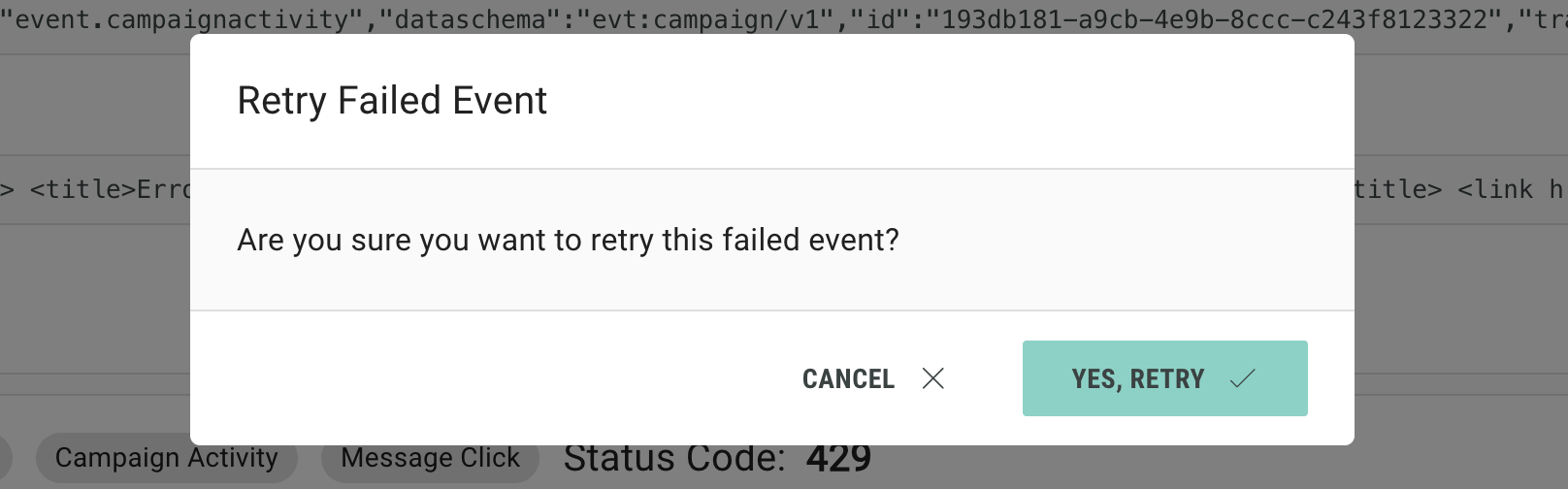
Individual failed events can be manually retried
If retries are exhausted, the event is dropped.
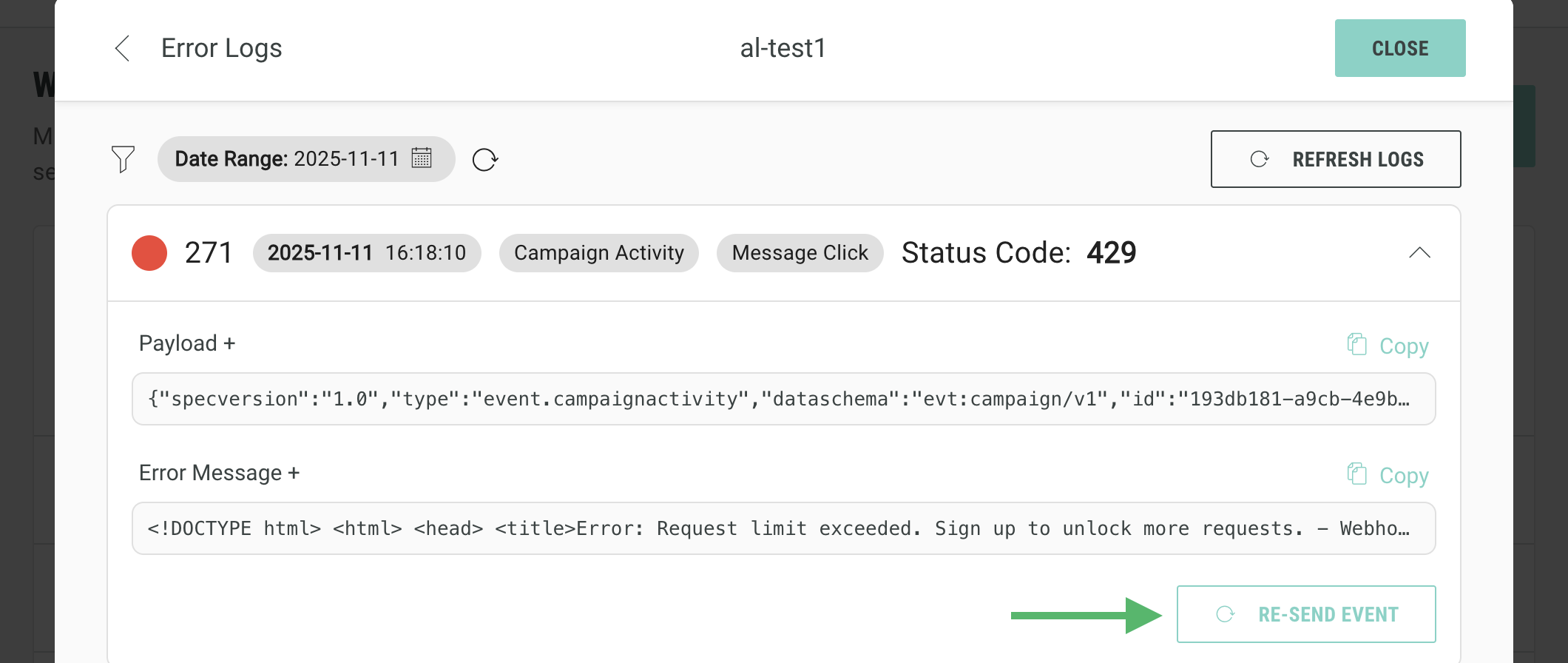
Alternatively, individual failed events can be manually retried when viewing the error logs.
-
Click on an error log to view additional details such as the Payload and Error Message.
-
Click Re-Send Event
-
In the pop-up that opens, click Yes, Retry.