Marigold ID Migration FAQ
What is Marigold ID?
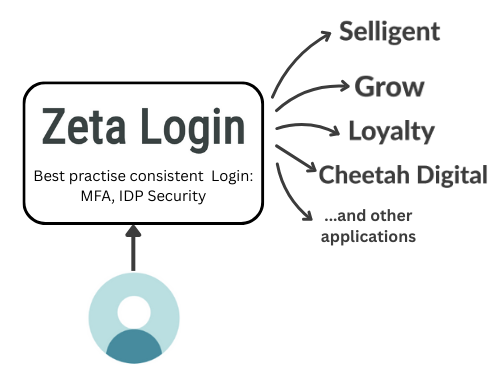
Marigold ID is Marigold’s cloud-based identity management system. It serves as a companion application that provides a single, unified login for all your Marigold products and services—streamlining access and improving user experience across the platform.
How will Marigold ID benefit me?
Marigold ID offers modern security features, including enhanced password strength enforcement, adaptive multi-factor authentication (MFA), and SAML integration for enterprise-level access control.
It also simplifies user provisioning across Marigold products, making it easier to manage access and roles. As a foundational component of the next generation of Marigold products and services, many upcoming features will require Marigold ID to be enabled, ensuring a more secure and seamless user experience.
As a customer, what do we need to do to start using Marigold ID?
Before we enable Marigold ID for your organization, to ensure a smooth transition, we need to check a few things:
-
If your organization has a corporate VPN, please ensure the following URLs are accessible within your corporate VPN. You can check this by connecting to your VPN and clicking the links below:
-
It's critical that you are able to receive email from Marigold ID. If your organization uses Microsoft Office 365, please work with your IT team to have the following whitelisted:
-
From Address: no-reply@engageplatform.com
-
Sending Domain: cid-mx.engageplatform
-
-
Next, please use the link below to check if you could receive a test email from Marigold ID:
For existing users, setting up Marigold ID is a simple, self-guided process that should take less than 5 minutes for each user. Once an account is enabled with Marigold ID by the administrator, users simply have to log in as normal with their existing credentials and follow the guided process to create their new Marigold ID account. Their existing accounts will be automatically linked.
Will this upgrade affect the existing API integration with Marigold?
This upgrade will only affect how end users log in to Marigold products; the existing API integration will not be impacted.
My organization connects to Marigold through SSO, do I still need Marigold ID?
As Marigold ID is the foundational component for the next generation of Marigold products and services, and many new features and functionality will require Marigold ID to be enabled, we require all our customers to onboard onto Marigold ID.
There is a separate process for SAML SSO integration; please contact your Marigold customer success manager to guide you through the integration process.
What will happen if my organization does not implement Marigold ID?
Marigold ID will power the next generation of products and services for Marigold. As such, not onboarding onto Marigold ID may result in restricted access to new features and functionality.
Is there a deadline to set up Marigold ID?
Yes. Since each product has a different migration deadline, please contact your Marigold representative to confirm the specific date for your product.
My welcome email has expired, how can I log in?
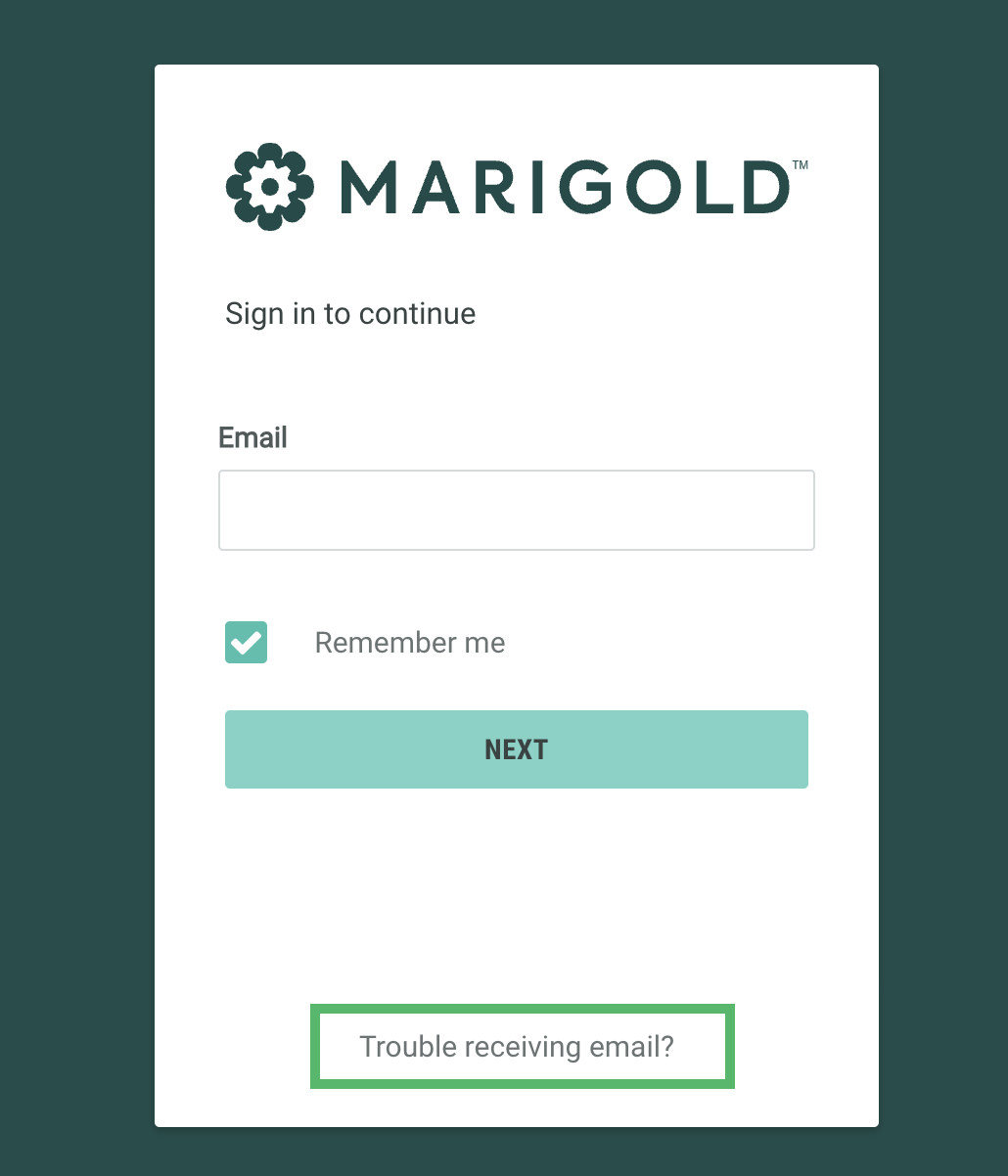
If you are having trouble logging in, or the welcome email has expired, click Trouble receiving email? on the login page.
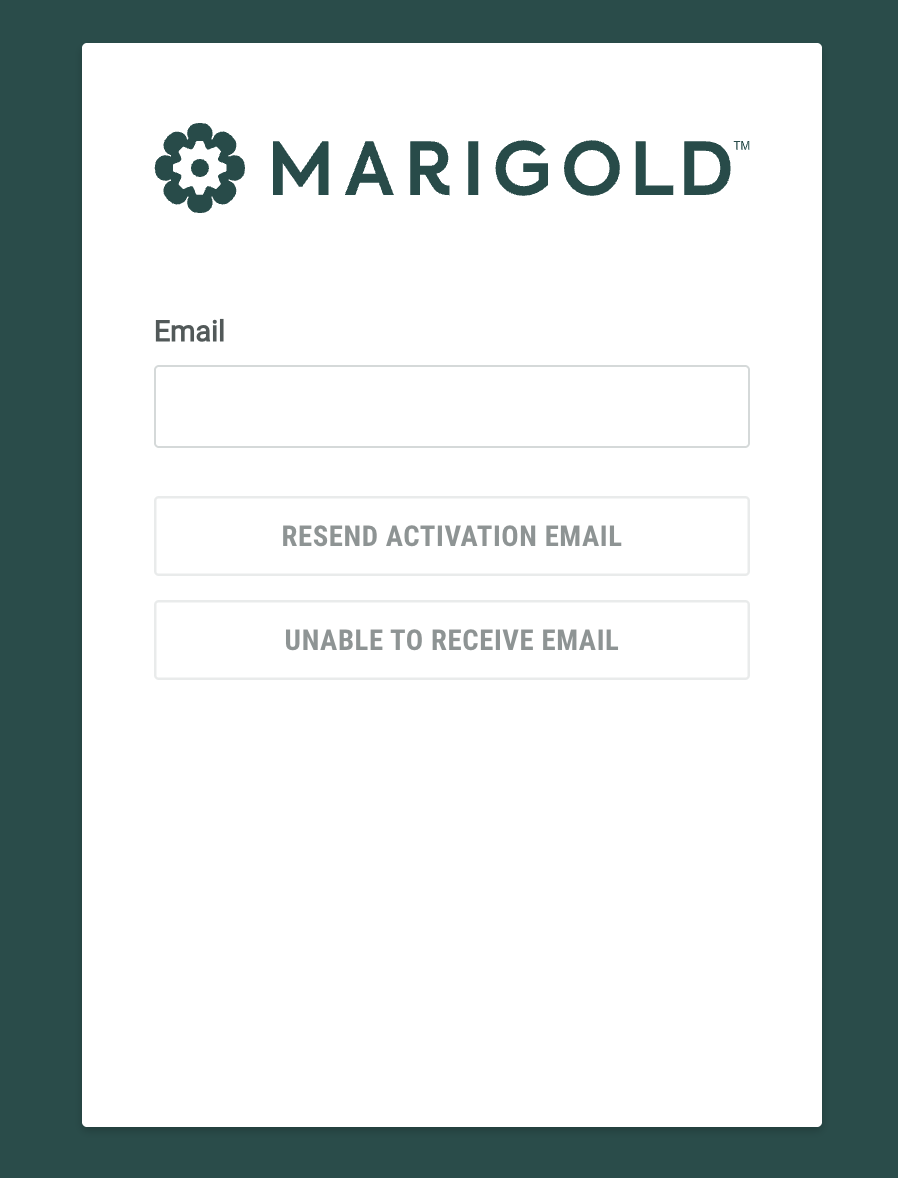
Enter your email address and click Resend Activation Email to receive a new welcome email.
If you are a new user and not receiving the emails, click Unable to Receive Email to send a one time code to login and set up your account.
I have more questions, where can I learn more?
Our help center has lots of information that you may find useful, here are a few links that may help:
If you can't find the information you need within our help center. feel free to contact your Marigold representative, who will be happy to help.

