
User Guide: Multi Channel Opt-out
Opt-out is natively supported in Selligent through the OPT-OUT field in the main Audience List. Managing opt-outs with this field ensures that no communications are sent through any channel. While this may be the solution you need, what if you want to manage opt-outs on a per-channel basis instead?
(For more information on Opt-out management for all channels, check out this article.)
To give marketers more flexibility in managing opt-outs across channels, it is possible to define a separate opt-out field for each mobile channel, such as SMS, MMS, and RCS. (Mobile push is not included, as it requires an opt-out at the device level rather than the contact level.)
Setting the opt-out field per channel (admins only)
Mobile channel endpoint settings now offer greater flexibility for administrators by allowing them to specify the exact field that stores the opt-out status for each channel.
In the Admin configuration, check out the Channel endpoint configuration for SMS, MMS, RCS.
A dedicated channel opt-out field holds the name of the field in the main Audience List or an extended list that will store the opt-out information for this channel.
When this designated field contains a value other than null or zero, the contact is considered opted out from that channel and will no longer receive communications that are linked to this specific endpoint. The value in the main Opt-out field in the Audience List is ignored.
(This is a one-time set up.)
Checking the opt-out fields for an Audience List (all users)
Additionally, users can quickly identify which opt-out fields are linked to a specific Audience List and channel through the Email Quality tab—offering clear visibility and greater control.
Using mobile channel endpoints with dedicated opt-out fields in a journey (all users)
To ensure data accuracy, validation checks are automatically performed whenever a mobile channel endpoint is used in a journey, confirming that the opt-out fields are properly configured in the Audience List and that the Audience List is compatible with the opt-out configuration of the channels used in the journey.
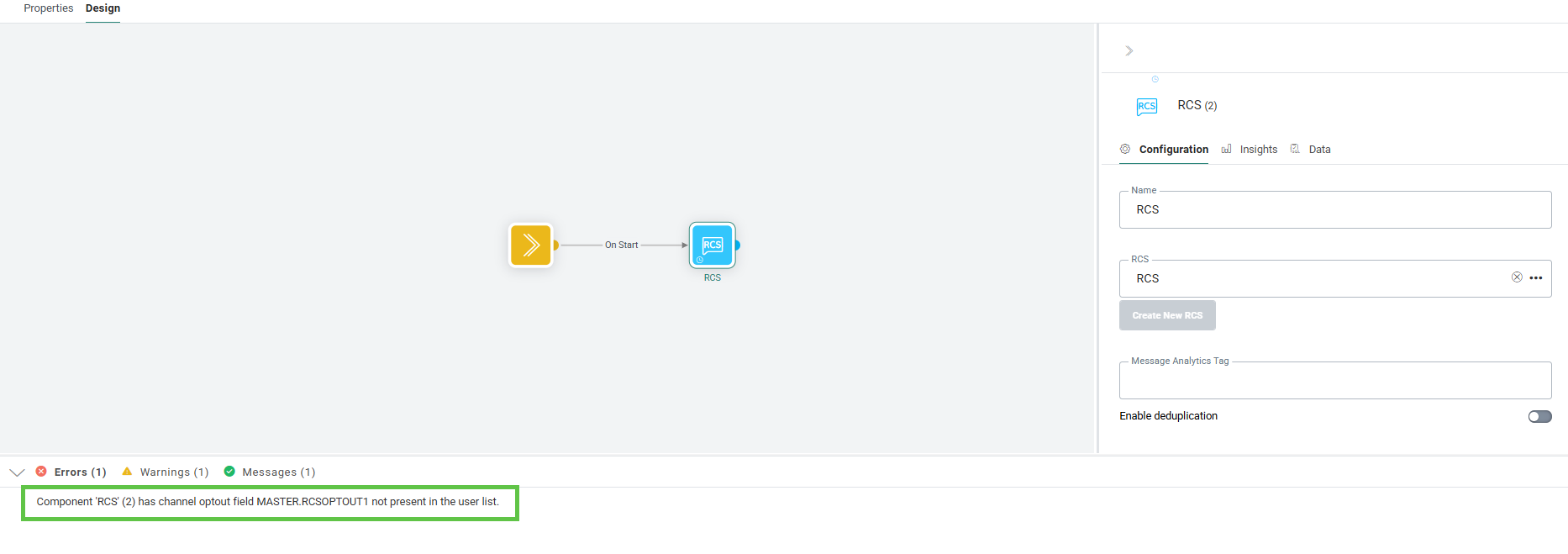
For example, when you add an SMS to a journey that uses an SMS channel endpoint, the system relies on the SMSOptout field to store the channel-specific opt-out information. During validation, the journey checks whether this SMSOptout field exists in the Audience List being used. If the field is missing, a validation error is displayed and the journey cannot be published.
