
New Features in Selligent by Zeta
Native Snowflake connector
AVAILABLE TO ALL CUSTOMERS
BACKGROUND:
For enterprise marketers, connecting the dots between central analytics environments and marketing platforms remains a major bottleneck:
- Customer profiles and segmentation models live in Snowflake, but cannot be easily activated
- Manual CSV uploads are slow, error-prone, and require ongoing coordination between data and marketing teams
- Engagement data does not flow back into Snowflake, leaving a gap in campaign analysis
SOLUTION:
The Snowflake Integration makes it easy to schedule recurring data flows between Snowflake and Selligent: keeping audiences fresh, engagement profiles enriched, and reporting unified.
Users are able to
- Import audience and profile data from Snowflake into Selligent
- Export journey performance and activity data from Selligent to Snowflake
- Monitor the status of the synchronization and configure mapping between Selligent and Snowflake
- Provide direct access to this integration via the Selligent UI
What it looks like in the solution:
The native Snowflake connector uses batch data export and import. This batch sync is configurable by hour, day, or even a custom setting.
In the Admin configuration, under Data Integration/Connectors, a new connector for Snowflake can now be created:
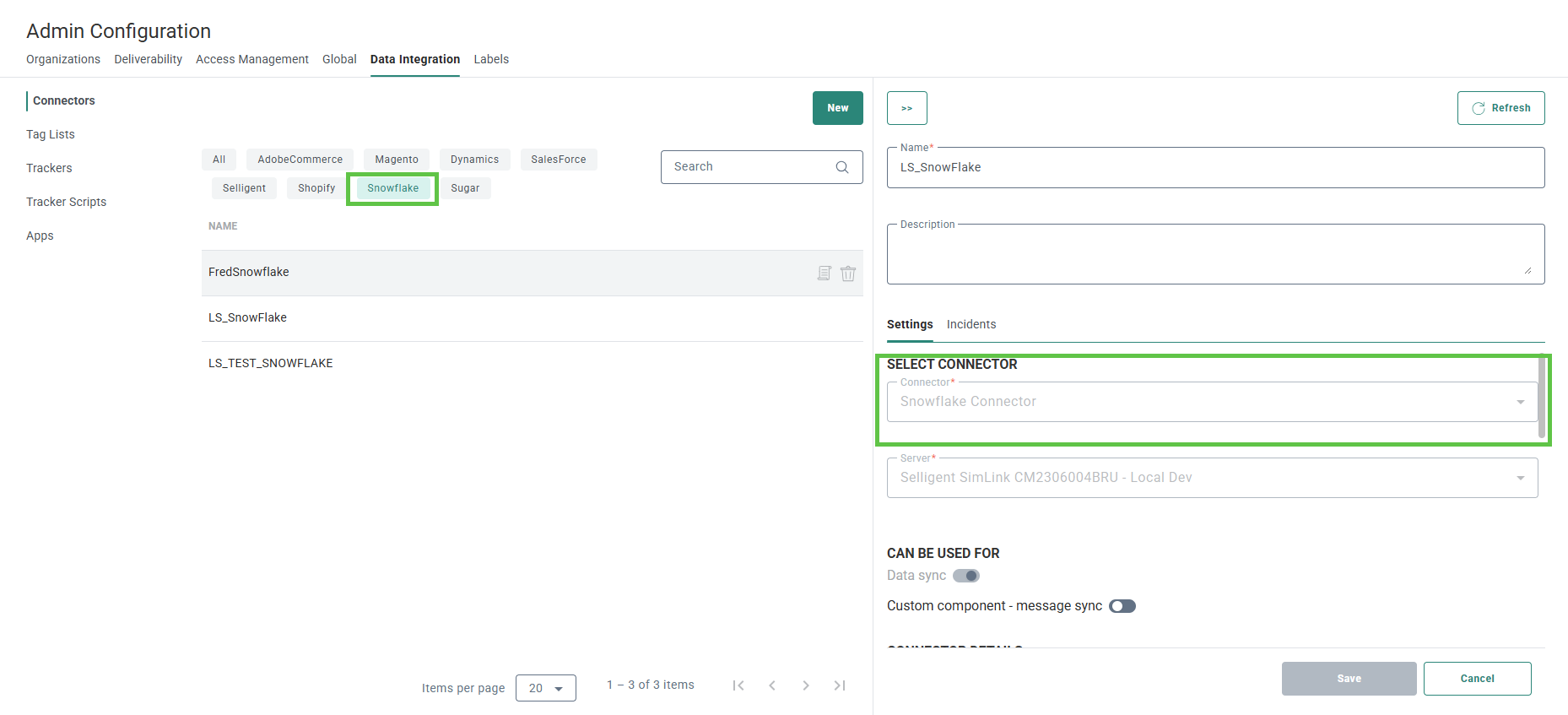
Once created, a data sync can be configured, mapped and scheduled in the Data Exchange chapter, under data sync.
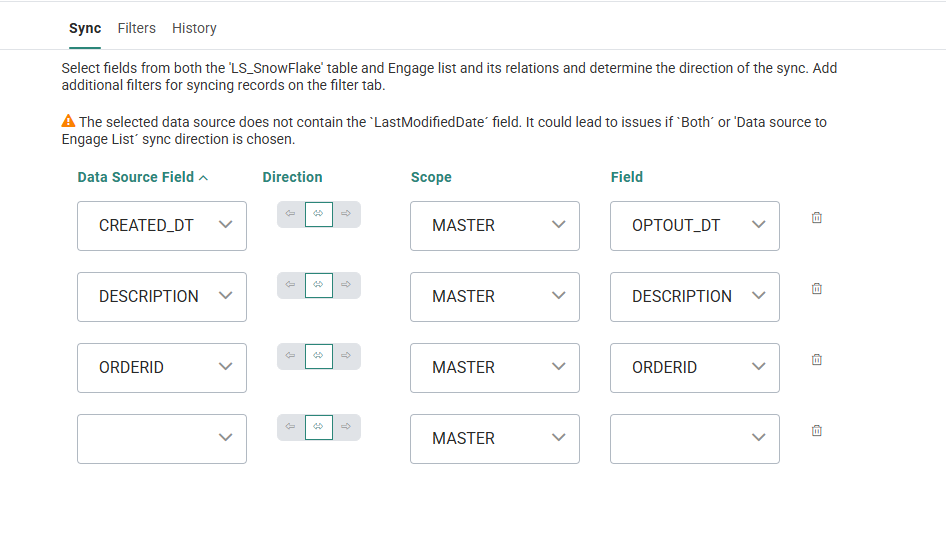
You can find more details on this in the Snowflake user guide, available from the help center.
UI enhancements in Single Batch
AVAILABLE TO ALL CUSTOMERS
BACKGROUND:
As part of our continuous efforts to increase user experience, UI enhancements are being introduced across the platform.
SOLUTION:
The Properties panel of Single Batch Journeys has been redesigned and now allows continuous scrolling through the different sets of properties, saving the user several clicks when configuring the journey and offering a smoother experience.
In addition, we aimed at making better use of the space available and at the same time optimize the presentation of information and fields.
What this looks like in the solution:
When you open the Single Batch Journey properties, you’ll see several entries on the left that organize the journey details in a clear, structured way. You can click any entry to jump to a specific section, or simply scroll through the screen to browse them all.
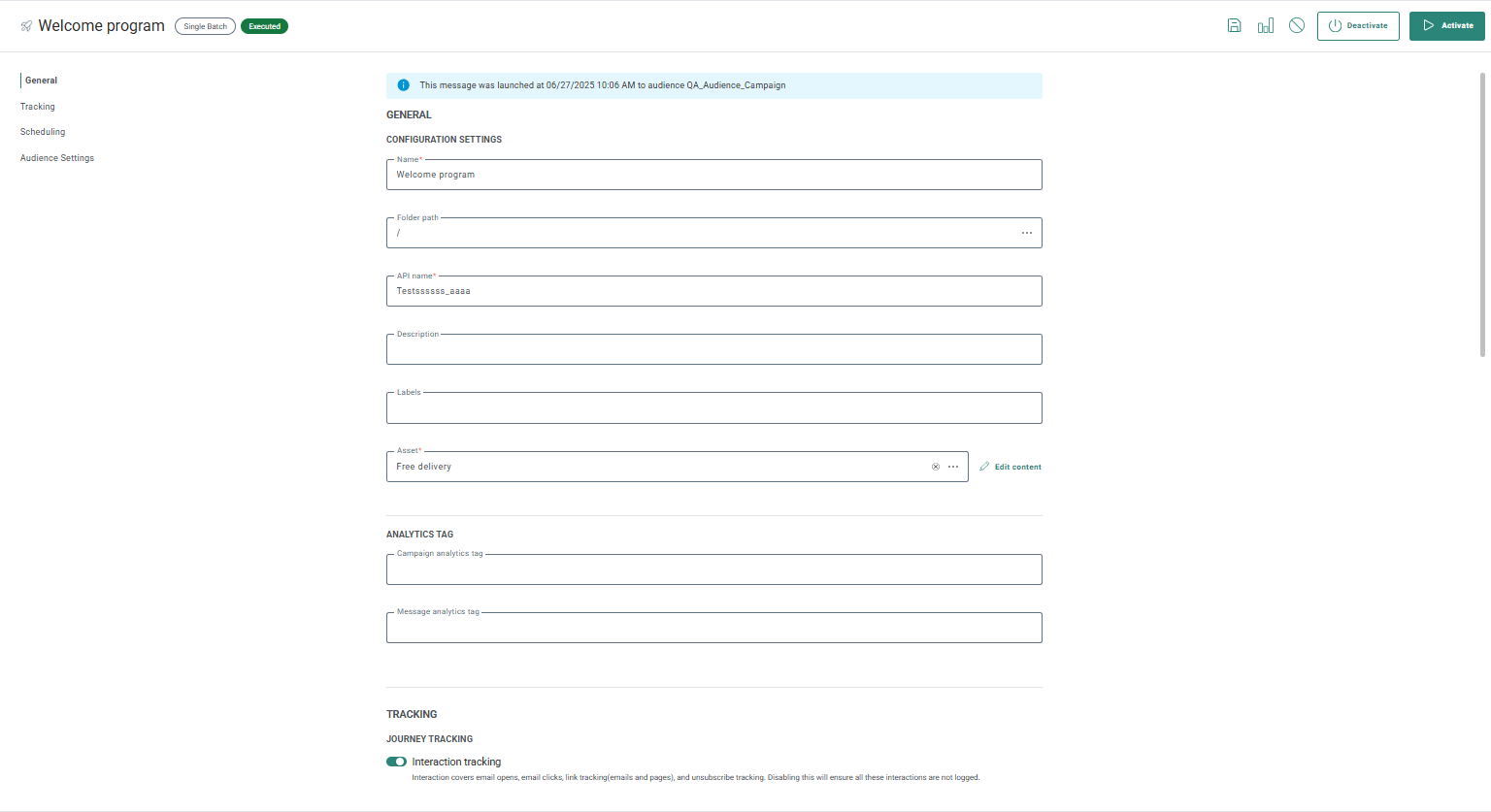
The properties screen now makes better use of the available space, and content editing for the journey is done directly within the asset field instead of through the toolbar. This makes it clearer to users exactly what they're editing.
Site Shopify update
AVAILABLE TO ALL CUSTOMERS USING SITE WITH SHOPIFY
BACKGROUND:
Shopify has recently introduced stricter rules on DOM manipulation, limiting the ability to modify content on their hosted pages. In practice, this means only Shopify can alter the page content directly. As Site technology depends on injecting and personalizing content dynamically, this change affects some use cases and may limit certain personalization scenarios.
As a result, Offers and Placements are no longer supported in Shopify hosted checkout.
However, carts, tracking and tags remain supported through the Shopify Pixel Framework.
SOLUTION:
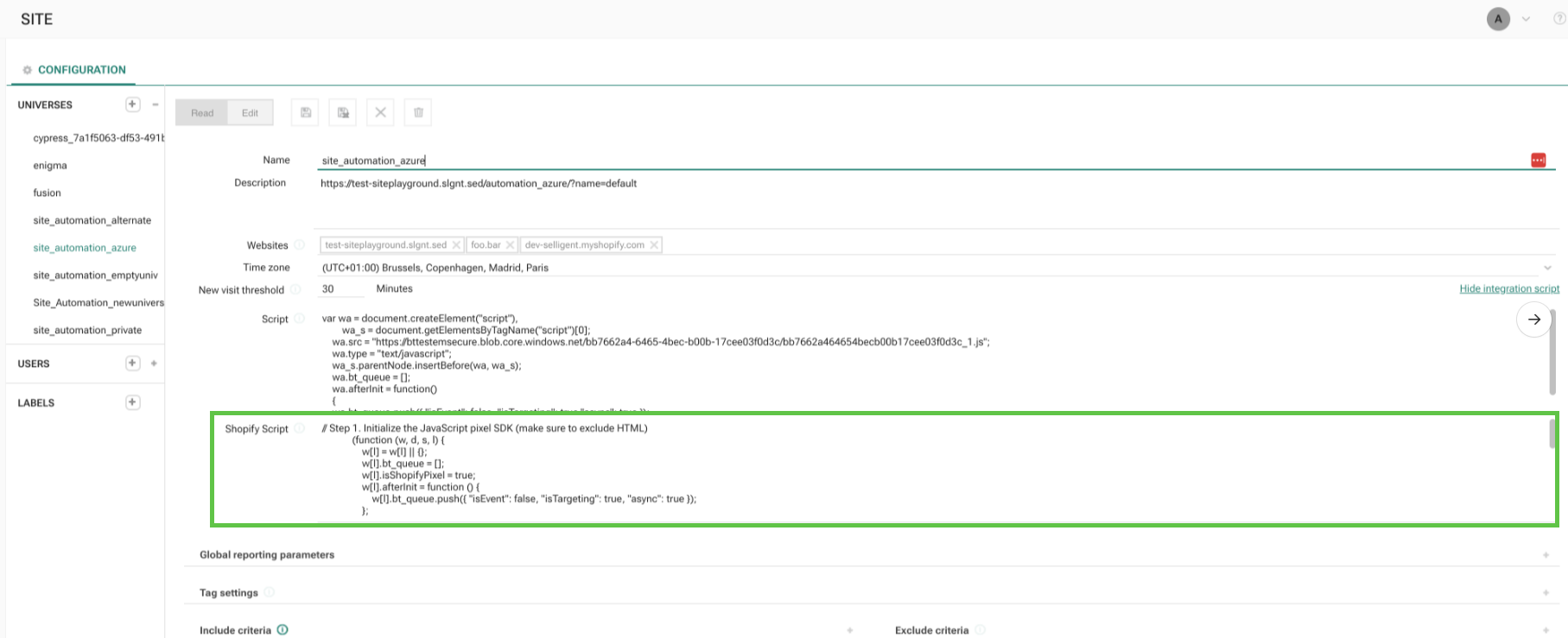
To support this change, Site has introduced a new Shopify script, that allows you to continue to track carts and implement tags through the Shopify Pixel Framework.
What this looks like in the solution:
An additional integration script is now available when configuring a universe. This script can be copied into Shopify when creating a new Shopify Pixel and makes it possible to track when items are added to or removed from a cart, as well as when a checkout has been completed.
For assistance with setup, please reach out through your usual Zeta support channels.
For more information, refer to this article.
Corrections
-
Having an HTML tag inside a custom channel text parameter no longer throws an error on publish with a very generic error message
