
What's New
 Highlights
 Gradual roll out over the coming period
Available to all customers
Gradual roll out over the coming period
Gradual roll out over the coming period
Available to all customers
Release Notes
Version April 2, 2026 - 5.117
Recurring Batch Journey scheduling enhancements
GRADUALLY ROLLED OUT OVER THE COMING PERIOD
Background
The Recurring Batch Journey offers a wide range of scheduling options, giving marketers precise control over timing. However, these options were not always intuitive to configure, and several visual enhancements were needed to make the experience clearer and easier to use.
Solution
While the scheduling feature has not changed, scheduling options are now organized in a more intuitive, logical order, making it easier to understand and configure even the most complex combinations.
What it looks like in the solution
When creating or updating a Recurring Batch Journey, scheduling options are now presented in a more intuitive way, especially for the more complex settings, such as Monthly occurrence:
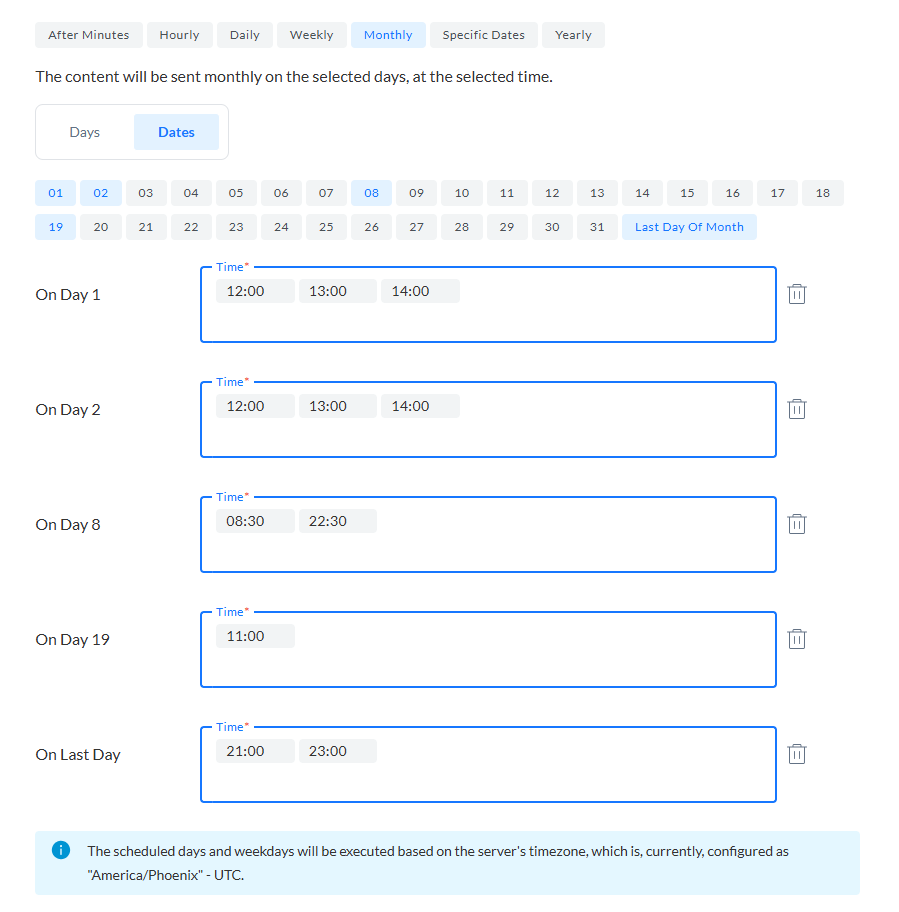
Other examples are Daily:

Weekly:
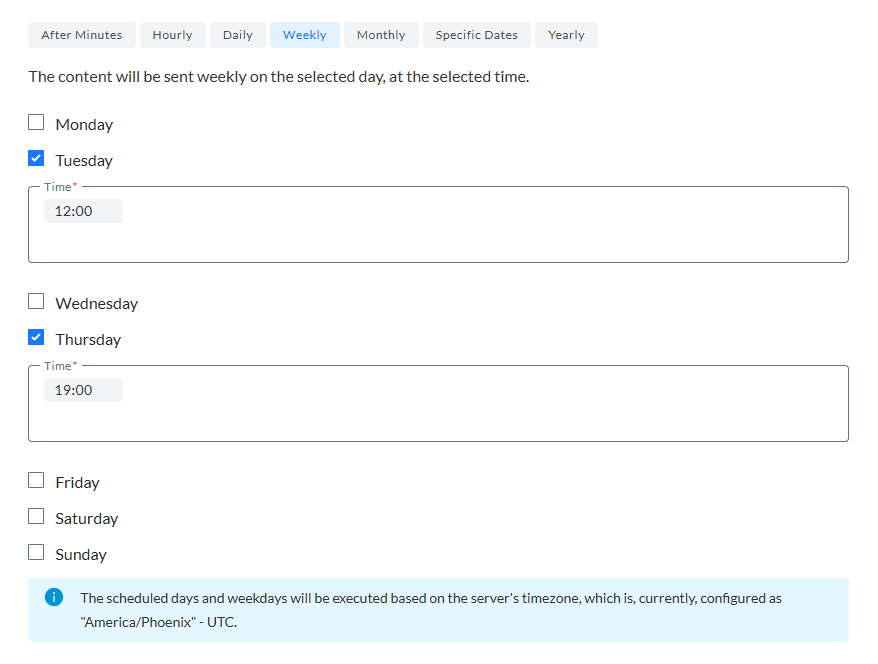
Read more on these scheduling options in the Recurring Batch Journey article.
Recurring Batch Journey UI enhancements
GRADUALLY ROLLED OUT OVER THE COMING PERIOD
Background
To improve overall usability, several updates were made to enhance both the user experience and the interface design. These changes aim to make the workflow more intuitive, reduce friction during configuration, and present information in a clearer, more accessible way. By refining the visual layout and interaction patterns, the UI now better supports users in completing tasks efficiently and confidently.
Solution
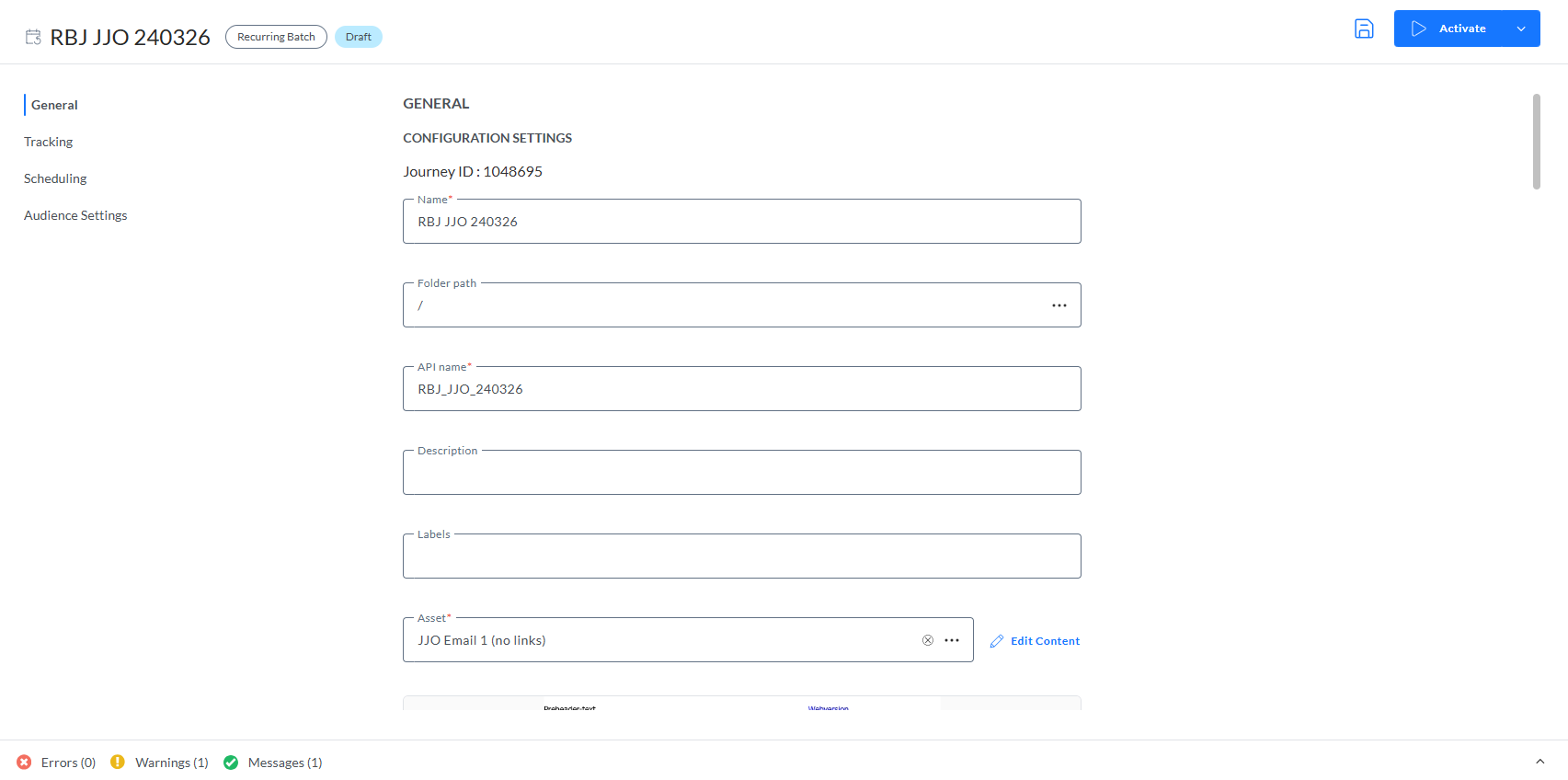
The properties page for both Transactional and Recurring Journeys now supports continuous scrolling, making it easier for users to view, configure, and edit journey properties without interruption.
What it looks like in the solution
Journey properties are now organized into separate entries in a left-hand menu. You can jump directly to any section by clicking its entry or simply scroll through the properties page to navigate to the information you need.
Documentation updates
In the previous release notes, we mentioned the second phase of visual brand transition for the product.
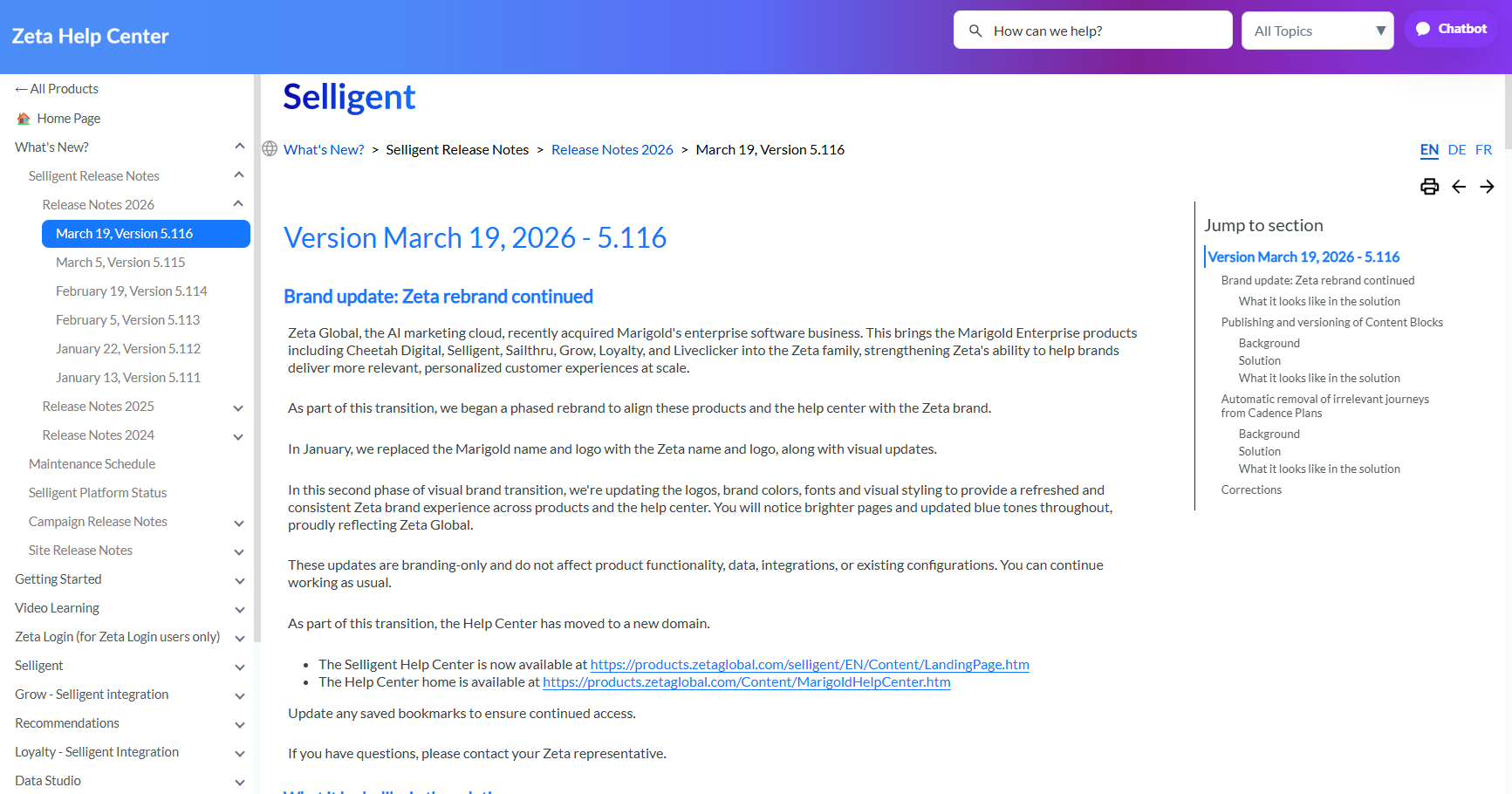
With this release, the Selligent help center has been restyled accordingly. You will notice updated blue tones, a newly used font, and other styling updates throughout the help center articles.
Note that the breadcrumbs and language selectors have switched locations at the top.
Corrections
- [Content] Double-clicking can be used to select an image in an sg:var component in Content Block properties.
- [Lists] An extra validation is added when changing the require segment toggle in a list to check if live journeys exist using the list.
- [Mobile][ReactNativeSDK][Android] Fixes for NullPointerException on manager and receiver.
- [Connectors][Snowflake] Data sync works correctly with multiple batches.
- [Content Blocks] Modifying and saving sg-components works as expected.
- [Content Blocks] Content Blocks with a dash character (-) in their name are valid.
- [Content Blocks] Fixed an issue where tracked links using a variable inside a Content Block could redirect to a default URL when the block was used in a message. Tracked links now correctly use the variable’s configured value.
- [Data Studio] When signing in via SSO, access permissions are no longer removed.
- [Content Blocks] You can again edit Content Blocks whose names start with a number.
Maintenance overview
An overview of all planned maintenance is available from the online help; please check out the following topic for a complete overview for 2025. Please note that these maintenance dates apply only to Windows updates and database maintenance and are not related to release updates.
Next upcoming maintenance is:
| US - 01:00 -05:00 AM CST | EU - 00:00 - 04:00 AM CET+1 |
|---|---|
| April 9, 2026 | April 14, 2026 |
| April 30, 2026 | April 28, 2026 |
| May 14, 2026 | May 12, 2026 |
Platform Status
The status page provides you with regular updates regarding the status of the Selligent platform in the event of a major system incident in your region. In this article we’ll explain the information you will see and how to subscribe to the Selligent notification system to receive regular updates on the platform status, which we highly recommend to all users.
Click here for the Platform Status page.
For more information on the Platform Status page, including signing up for notifications, see the Platform Status documentation.
