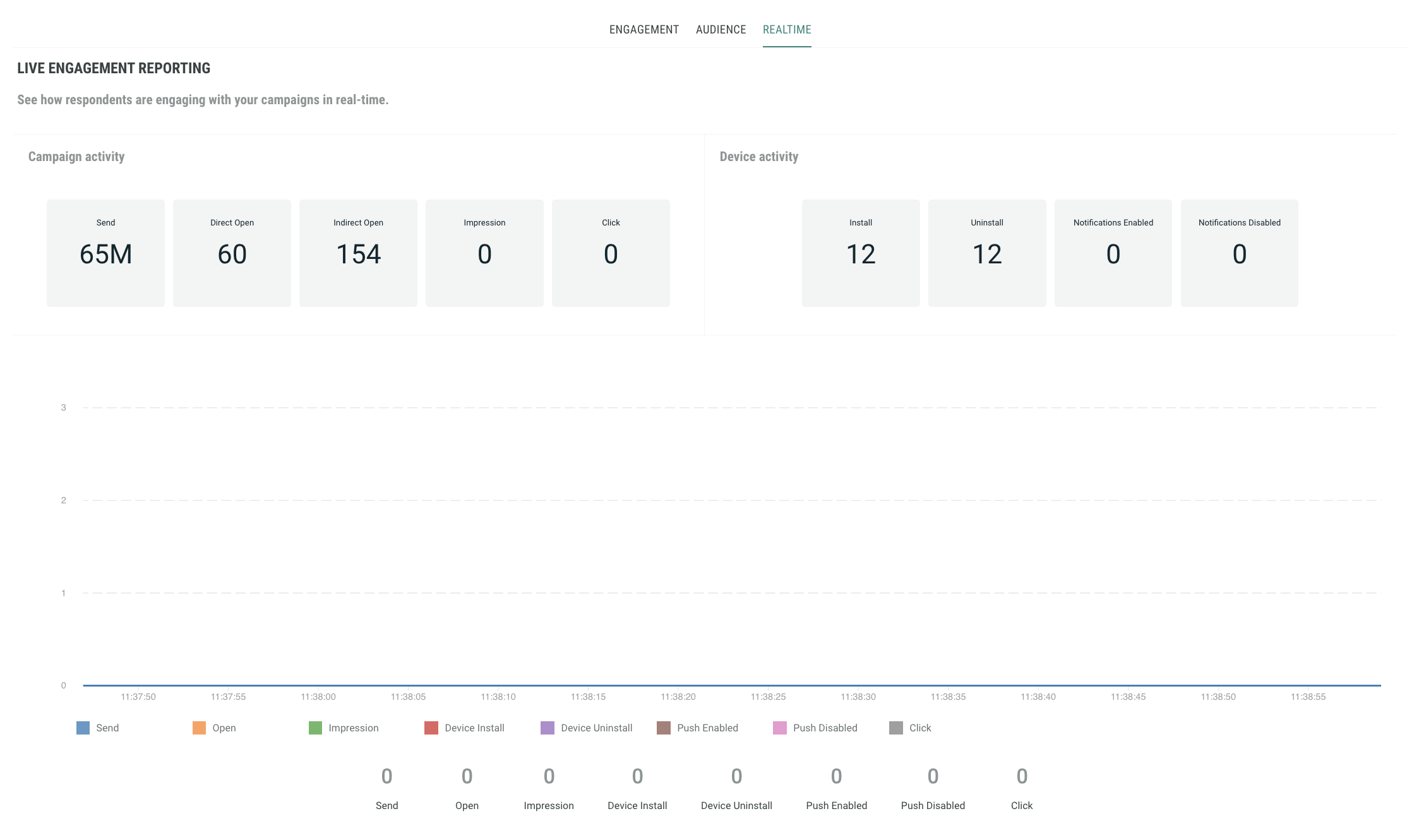
Push Single-Campaign Dashboard
Real time analytics provide marketers with the ability to measure and review what is currently happening with their mobile push campaigns. Data is shown in real time and the dashboards include consolidated multi-campaign as well as single campaign reports, providing insights on engagement, delivery, location based stats and link activity.
Our Real time analytics user guide outlines the general functionality that is available within these screens, such as applying filters, sharing, and exporting your data.
Reports
Each dashboard provides insights on engagement, delivery, location based stats and link activity, depending on the reports available.
The reports are divided into sections, which group related metrics, and charts, to allow you to visualize performance data.
The Single Campaign Push dashboard includes the following two types of reports:
- Engagement
- Realtime
Note: These reports include metrics on clicks and opens, and so it is important to know the difference:
- Clicks are measured when the user taps on a notification which leads to a CTA, web page, or any other content that does not open the app
- Opens are measured when the user taps on a notification which leads to the app being opened.
Engagement report
The Engagement report provides marketers with insights on how well their campaigns are doing and if they are creating engagement; are your campaigns reaching the intended audience, are customers opening your campaigns, and are they engaged with your content? Are they clicking through?
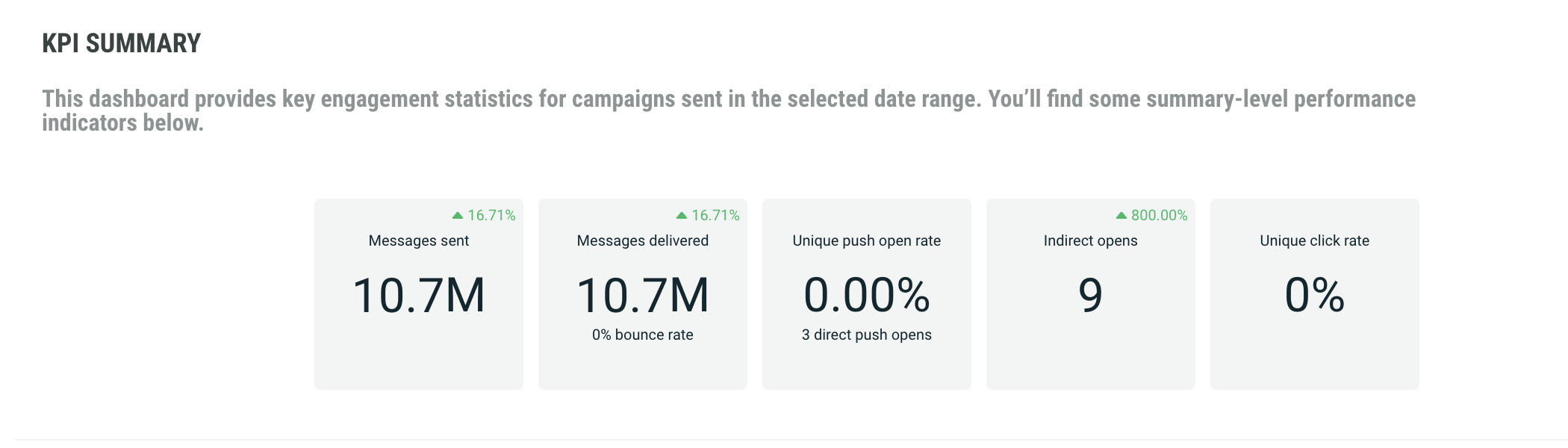
The KPI Summary report provides general KPI over all campaigns, such as:
- Messages sent — how many messages were sent out
- Messages delivered — how many of the messages sent, have actually been delivered.
- Percentage of messages opened — how many of the delivered messages have been opened. This is the unique human open rate as a percentage of recipients whose opens or non-opens would be visible. This means recipients using Apple MPP are excluded from the open rate.
- Percentage of messages clicked — The number of people who have tapped on a call to action from a push notification. Non-human clicks are not included.
- Percentage of opt-outs — how many of the delivered messages resulted in an opt-out
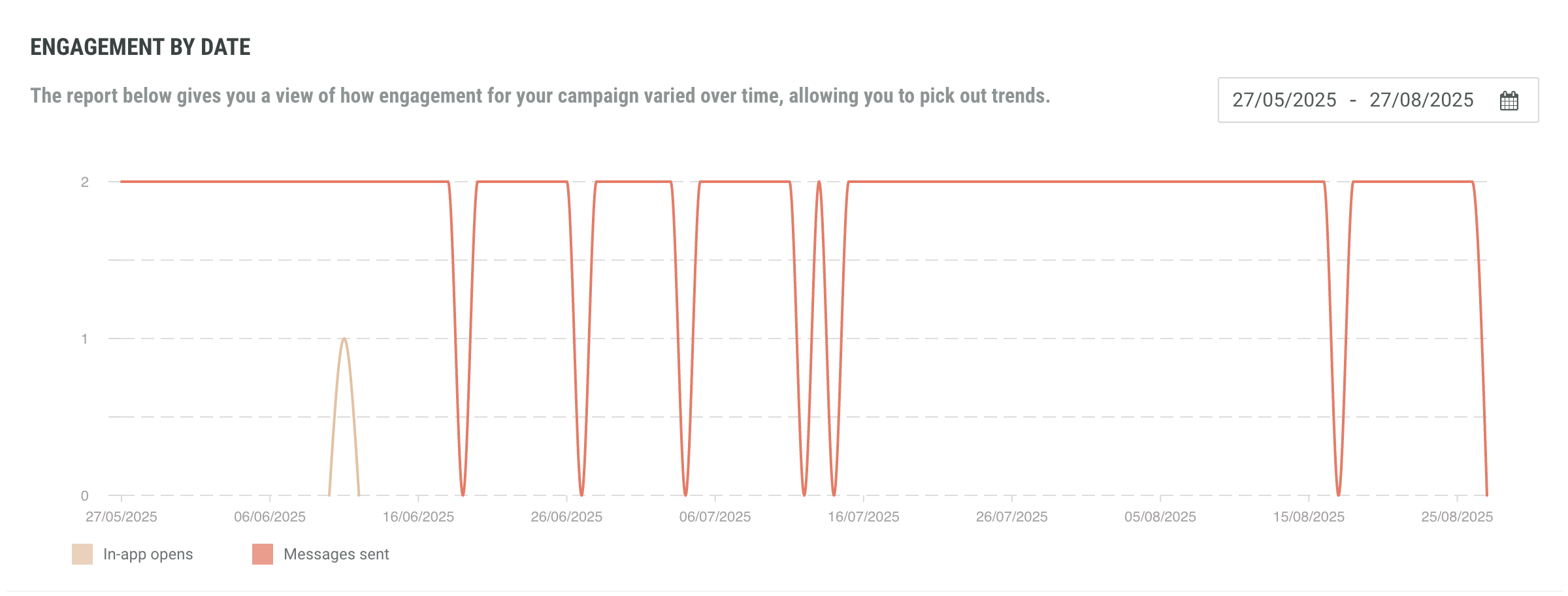
The engagement by date report gives you a view of how engagement for your campaign varied over time, allowing you to pick out trends.
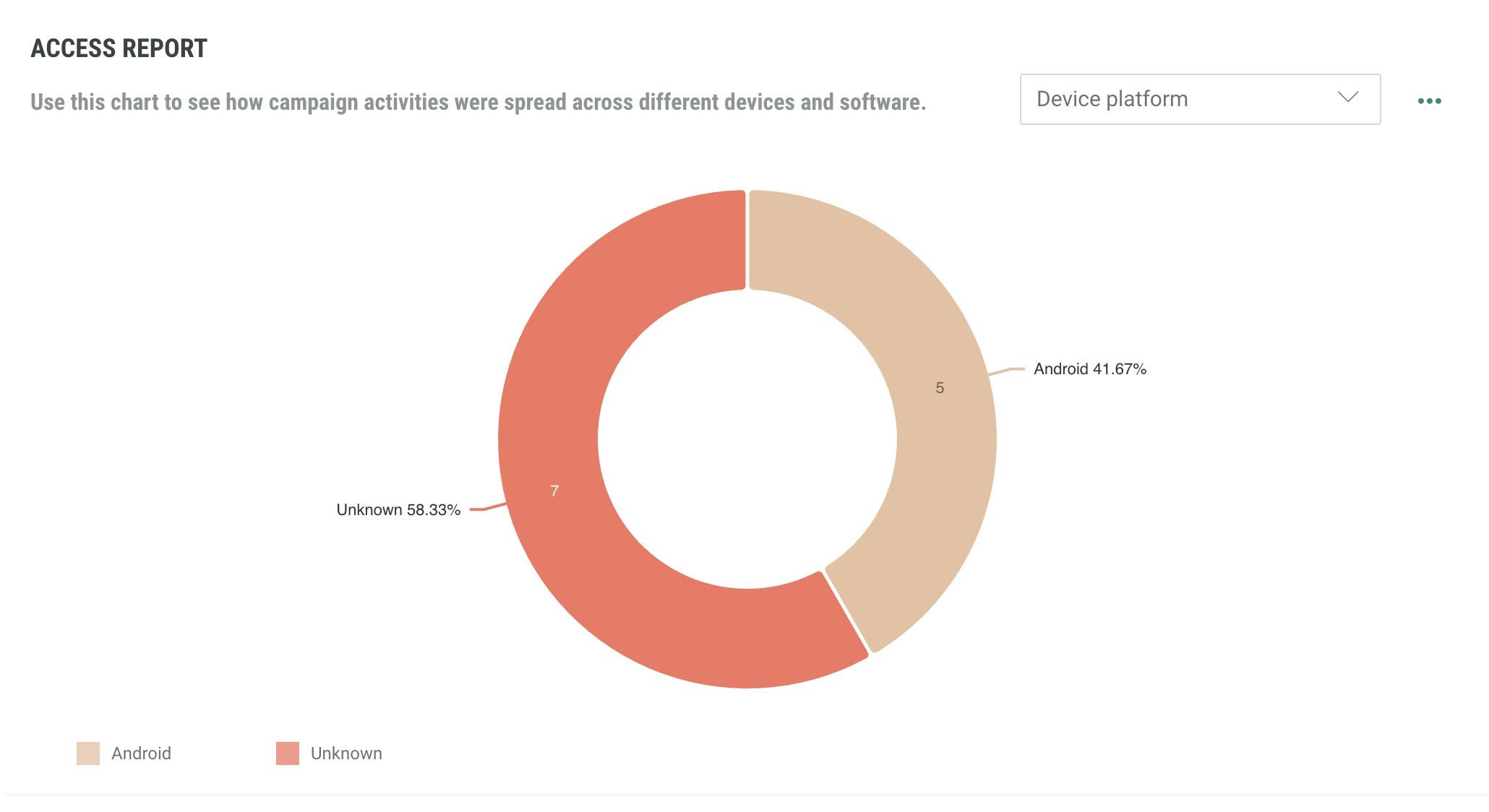
The access report shows how opens and clicks were spread across different devices. Select the data you wish to view using the drop down menu and the clicks/opens toggle on the right hand side.
The delivery summary allows a quick view of how many messages were successfully delivered.
Realtime report
This report provides live engagement reporting (emails sent, opened, clicked, impressions, unsubscribed) and shows how respondents are engaging with your campaigns in real time.
The graph is continuously evolving within a time frame of less than a minute.