Payment Information
Overview
It is common practice in Loyalty programs to capture payment information from point of sale (POS) requests. Using the payment program, you can incentivize customers by offering them benefits based on the payment method.
Benefits
-
Capturing payment information help customers by awarding bonus points for purchases.
-
Use payment information for punch card evaluation and order rules.
-
Associating an content token to a Member once a user signs up on the platform and previously had transactions.
The current phase of the feature starts with capturing and storing the payment information with the goal to use it with different features in Loyalty.
Captured Information
Loyalty captures the following information if the vendor provides it from their POS.
The payment_information object is optional, but if passed in Stellar POS request, we have to send the following keys.
| Field | Description/Values | Mandatory | Data Type | Examples |
|---|---|---|---|---|
|
Payment type |
amazon_pay, apple_pay, cash, credit_card, cryptocurrency, deferred_payment, ebt, google_pay, mobile_payment, personal_check, plcc, traveler_check, gift_cards, voucher, wic, merchandise_credit_receipt, pin_debit, paypal,venmo,virtual_gift_card, cash_app, other. Its important client send these exact values. Otherwise, the transaction will be declined due to invalid payment information. Currently not configurable. To be be made configurable through the UI in future releases. |
Yes |
String |
amazon_pay |
|
Network |
amex,diners_club, discover, mastercard, star, visa, other Currently not configurable. To be made configurable in future releases |
No |
String |
visa |
|
Amount spent
|
Amount spent per payment type Supports 4 digits after the decimal point. |
Yes |
Decimal |
453.342 |
|
Last four digits of the card if provided |
The last four digit of the payment method if available. If not available we set this to null |
No |
Integer |
4553 |
|
Tokenized card number |
HX46YT794RG is an example where a 16 digit card number is tokenized. For more information, please see here. |
No |
String |
gernt34dfcg=24#$^fssA |
|
Currency identifier |
The currency identifier which should be in ISO format. Eg US dollar = USD, Canadian dollar = CAD |
Yes |
String |
USD CAD INR |
|
Integration ID |
Integration ID is optional in the request In the response it can be the
|
No |
Integration ID |
JSON Sample
Request
[
    {
        "payment_type": "credit_card",
        "network": "visa",
        "last_four": 4565,
        "amount": 564.3543,
        "currency": "USD",
        "tokenized_identifier": "750d715b-e25b-4a22-9e3e-b0b43b0aca34"
    },
    {
        "payment_type": "credit_card",
        "network": "Discover",
        "last_four": 4125,
        "amount": 54.33,
        "currency": "GBP",
        "tokenized_identifier": "750d715b-e25b-4aa2-9e3e-b0b43b0dfsa34"
    }
]
Response
}
        "payment_integration_ids": [
            "order-2996-payment-1",
            "FROM-STELLARPOS-1689707824"
            }
Payment File csv

Screenshots
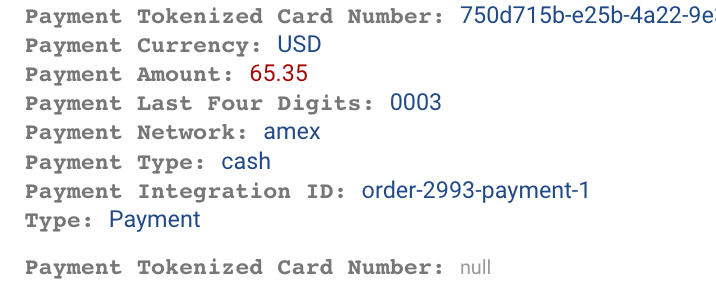
Payment information in Order Tab
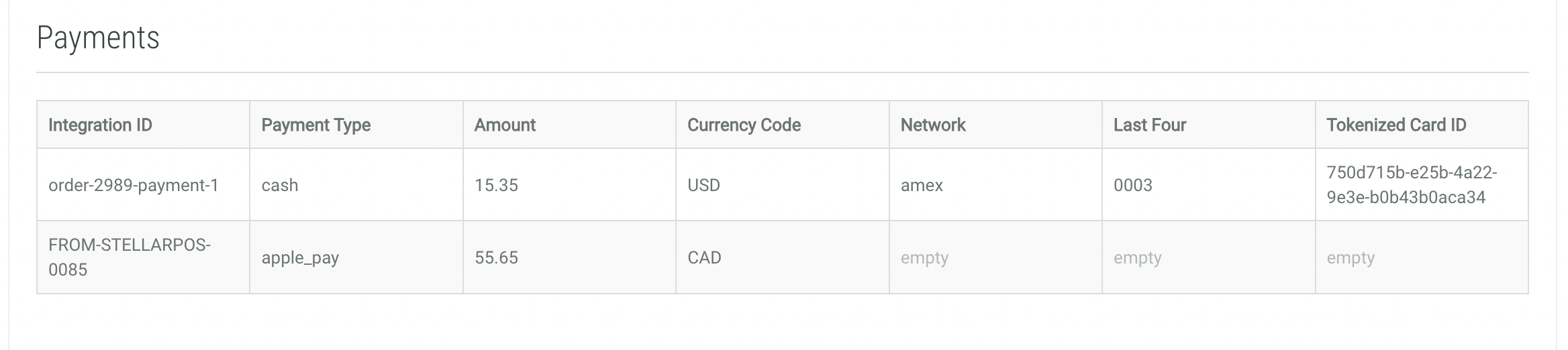
Payment information in Activity History