
Deploy Earn Rule Metadata
After making any of the following types of changes to a Earn Rule, you must deploy metadata for the changes to take effect. This process pushes the changes to the Loyalty server, making them available for use across the platform.
-
Publishing a new Earn Rule.
-
Editing any aspect of a Published Earn Rule.
-
Deleting a Published Earn Rule.
-
Archiving a Published Earn Rule.
-
Rearranging a Published Earn Rule within an Earn Rule Group.
View Deployed Metadata
To view the currently deployed Earn Rules metadata:
-
Select Rules from the top navigation bar, then select Earn Rules from the side navigation menu. The Earn Rules screen is displayed.
-
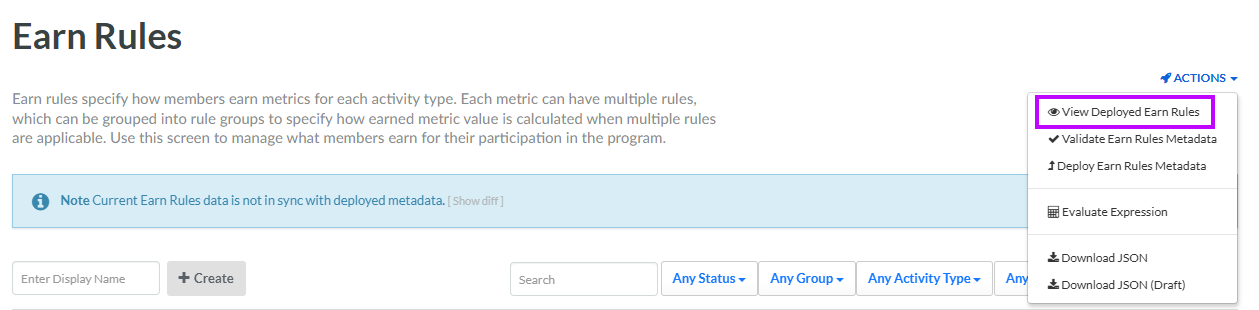
From the Actions menu in the top-right corner of the Earn Rules screen, select View Deployed Earn Rules. The View Snapshot pop-up window is displayed.
-
Expand the message as desired to view additional details, such as the total number of deployed Earn Rules. You can also drill in deeper, to see details of each deployed Earn Rule (name, type, conditions, etc.).
View Un-deployed Changes
If you have any of the above Earn Rule changes that haven't yet been deployed, a warning message is displayed at the top of the Earn Rules screen. In a multi-user account, you could have Earn Rules being created or edited by different users. When you deploy the Earn Rules metadata to the server, the process automatically deploys the metadata for all modified Earn Rules, so you should always verify what Earn Rules will be deployed before you run the deployment process.
-
Select Rules from the top navigation bar, then select Earn Rules from the side navigation menu. The Earn Rules screen is displayed.
-
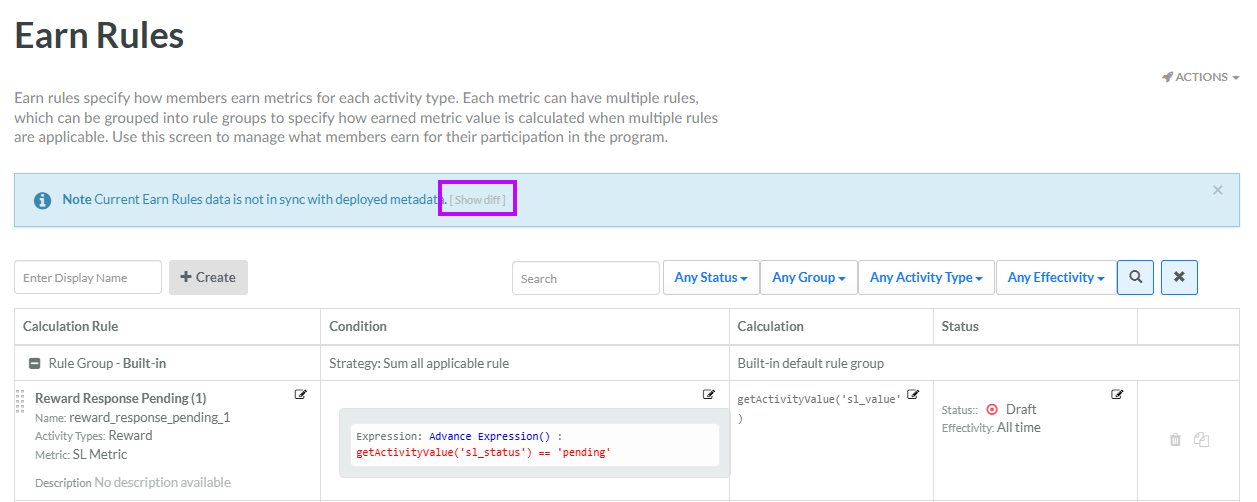
Within the warning message at the top of the Earn Rules screen, click the Show diff link.
-
The platform displays a pop-up window, showing the difference between the deployed and un-deployed Earn Rules, so that you can see all the changes that will go into effect when you deploy metadata. When finished reviewing, click Close.
Validate Earn Rule Logic
You can deploy metadata immediately, but the best practice is to validate the Earn Rules logic before deploying metadata to ensure no incorrect expression code gets deployed to the server that could cause issues.
To validate Earn Rules metadata:
-
Select Rules from the top navigation bar, then select Earn Rules from the side navigation menu. The Earn Rules screen is displayed.
-
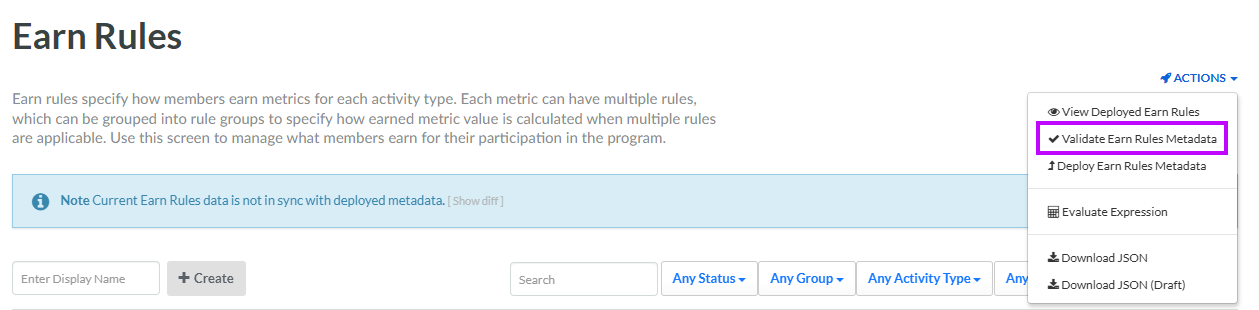
From the Actions menu in the top-right corner of the Earn Rules screen, select Validate Earn Rules Metadata.
-
The Validation Result pop-up window is displayed. If the validation step passes, a message is displayed reading: "Earn Rules Metadata is valid." If the validation step fails, an error message is displayed; review and correct your Earn Rules expressions, then retry the validation step.
Deploy Earn Rules Metadata
Note: The steps below describe how to deploy metadata directly from the Earn Rules screen; you can also deploy metadata from the Deployments screen
To deploy Earn Rules metadata:
-
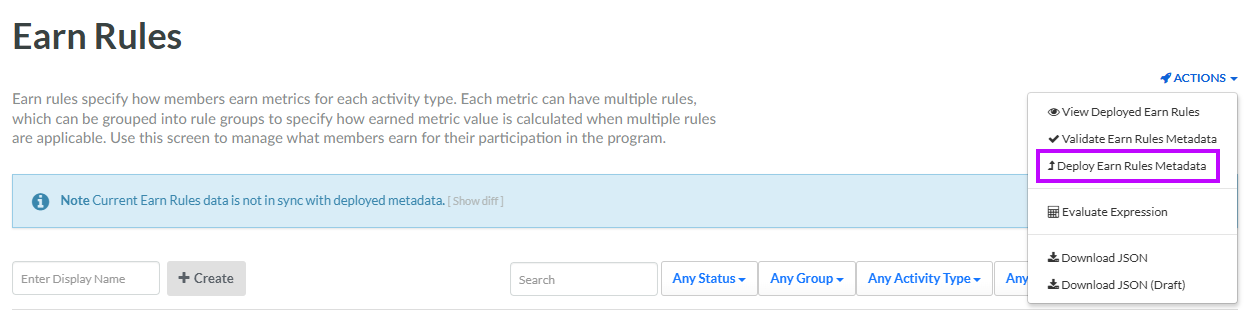
If you validated metadata as described above, within the Validation Result pop-up window, click Deploy Earn Rules Metadata. Otherwise, from the Actions menu in the top-right corner of the Earn Rules screen, select Deploy Earn Rules Metadata. A confirmation dialog box is displayed; click Confirm.
-
If the deployment was successful, a message is displayed reading: "Earn Rules metadata as been deployed."
