Identity Recognition in Cheetah Digital
What is identity recognition
What do we mean by identity recognition here?
In this case, we use a proxy ID in the email link. When someone clicks that link, the URL passes the profile ID to Interactive Moments. So, as soon as the customer lands on the website, the signin signal can be sent to our system. That enables personalization and accurate measurement.
What do we not do?
We do not perform full identity resolution in the sense of merging all signals for a person (from different channels/devices) into a single, unified profile.
In other words: we do not automatically stitch or merge separate profiles or events into one super profile.
Why identity recognition is important
Identity recognition connects anonymous identifiers, such as cookies or device IDs, with known information like email addresses. This creates a more complete view of each contact and allows you to:
- Deliver more relevant and consistent personalization.
- Improve reporting and analytics accuracy.
- Support privacy and compliance requirements.
- Build trust by reducing fragmented or repetitive experiences.
In the context of Moments, identity recognition allows you to link incoming signals to existing contact profiles. When Interactive Moments receives activity data, it can enrich those profiles instead of creating new anonymous ones.
For Cheetah Digital, it simply means recognizing the same person across email and web activity.
A contact receives an email and clicks a link in that message. The link directs them to the brand’s website and includes a URL parameter with a unique identifier based on for example the contact’s email address. When the contact generates activity on the website, Moments can link those signals to the correct email campaign and contact profile.
This ensures the system recognizes the website visitor as the same person who clicked the email, rather than treating them as an anonymous user.
Configuration in Cheetah Digital
To pass a unique identifier (campaign ID or other profile information) through a URL, an append code is used to pass the proxy_id as an encrypted identifier that represents the contact profile. This can be an email but also a custom identifier.
In Cheetah Digital, when you configure an email campaign, you must explicitly include the proxy ID and tracking parameters in the append code for each link you want to use for profile identification.
You can either:
- apply the parameters to all links, or
- add them only to the specific links you care about.
To do this, add the following to the append code:
mmxpi={(proxyid)}&mmxtp={(TrackingParams)}Note: By default Proxy ID tracking is activated for your email. Don't enable the option "remove proxy ID tracking" as this is needed for profile identification.
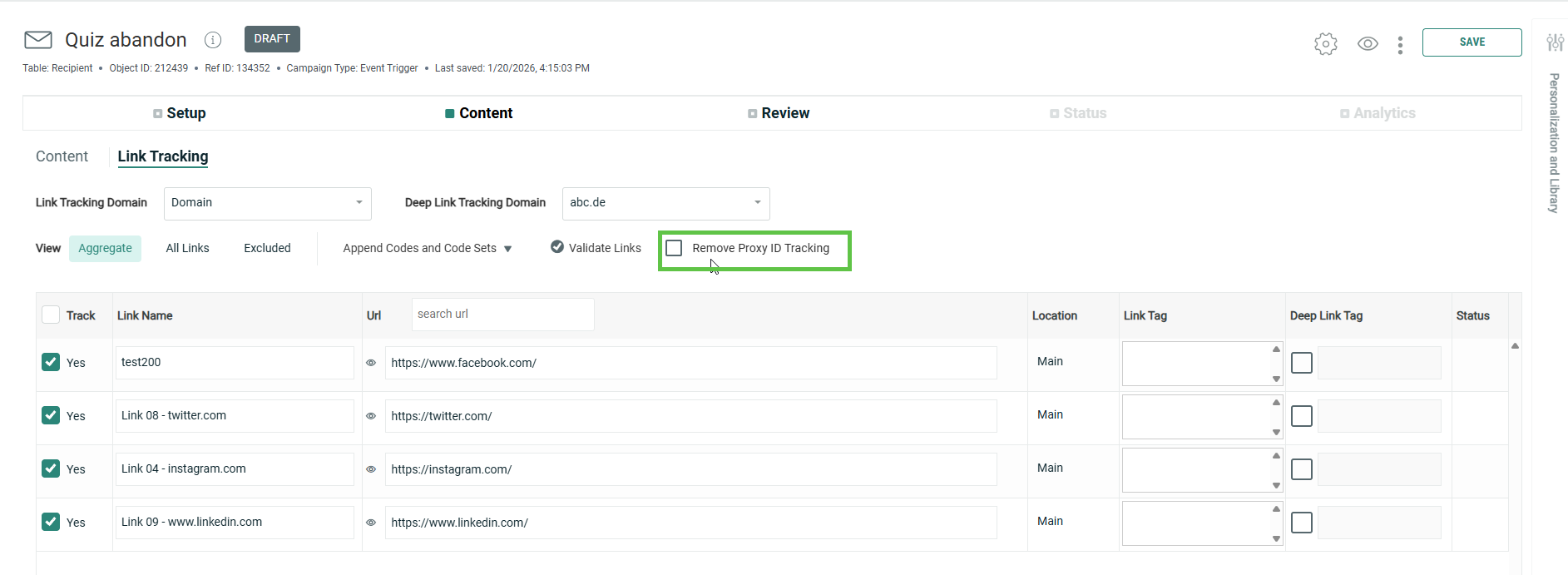
To achieve this, the append code in a Cheetah Digital email campaign needs to be updated:
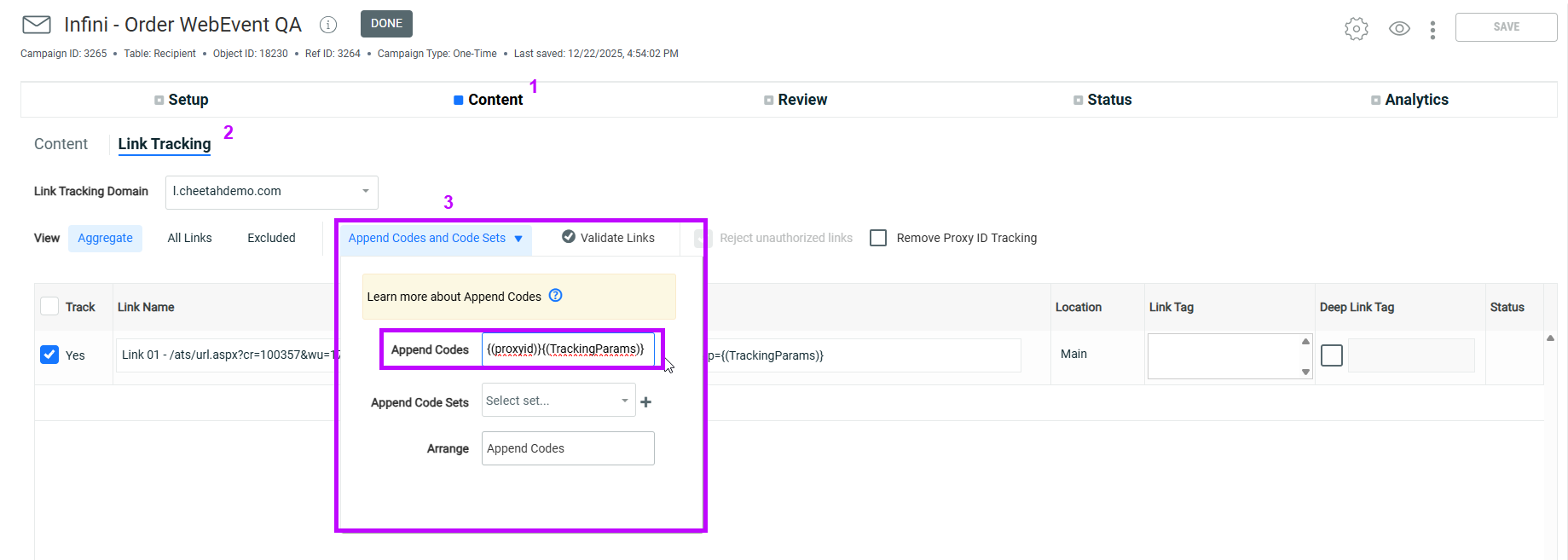
1. Connect to Cheetah Digital.
2. From the top menu, select Campaigns and then select the campaign for which these append codes need to be added.
3. Go to the Content tab and click Link tracking.
4. Next, expand Append codes and Code sets. Enter the following in the Append codes:
pi={(proxyid)}&tp={(TrackingParams)}The SDK will automatically recognize the tp & pi parameters one you publish this campaign and click on the link.
For detailed instructions, see the Append codes topic in the Cheetah Digital help center.