Browse Abandon Template
The Abandoned Browse use case allows you to target website visitors when they stop browsing the website. These visitors will receive a communication encouraging to complete their action by giving them incentives such as extra points, reductions, free delivery, etc. When visitors are browsing, additional information can be sent over about the categories and items they are browsing. This information can then be used in your communications with the customer and for segmentation.
To track what a visitor is doing on your website and detect an abandoned browse, the following events are tracked on your website and sent as a signal to the Moments application. These signals are picked up by the Browse Abandon Moment:
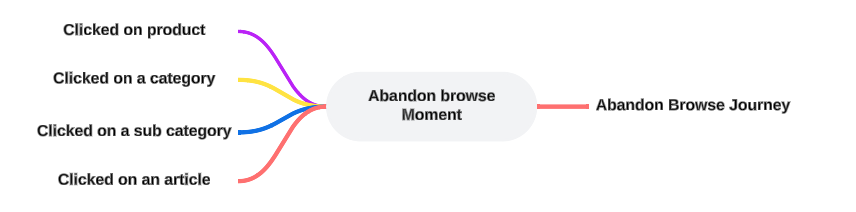
When configuring a Browse Abandon Moment, the following template specific properties need to be set (Check out the topic on creating a Moment for more details.):
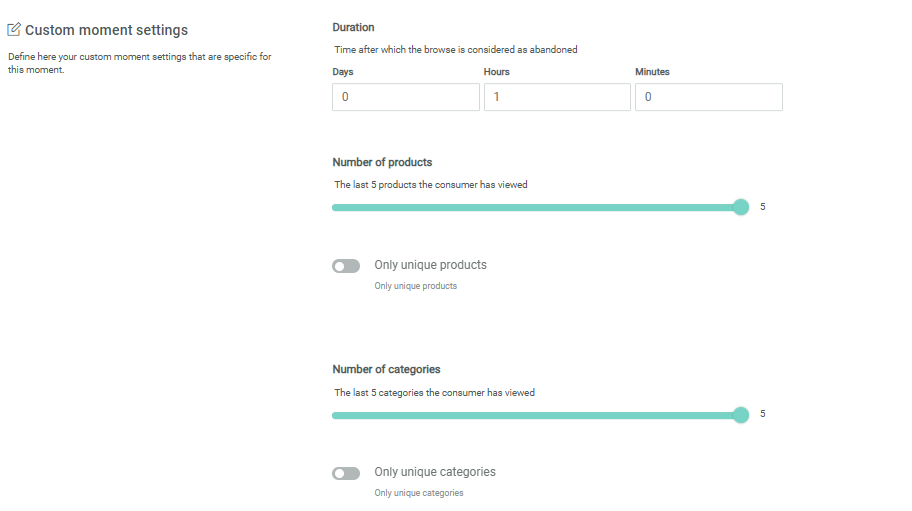
Duration — Set the time delay after which the browsing is considered as abandoned and the Moment is triggered, for example after 2 days of inactivity on the browsing.
Number of products — The number of products last browsed that will be available in the Moment. This information can then be used for personalization and segmentation when taking action upon this Moment.
Only unique products — When selected, this will only return unique products. The option is by default disabled.
Number of Categories — The number of categories last browsed that will be available in the Moment. This information can then be used for personalization and segmentation.
Only unique categories — When selected, this will only return unique categories. The option is by default disabled
Example:
First create the Abandoned Browse Moment and fill out the name, description and select the Audience Configuration to apply to this Moment.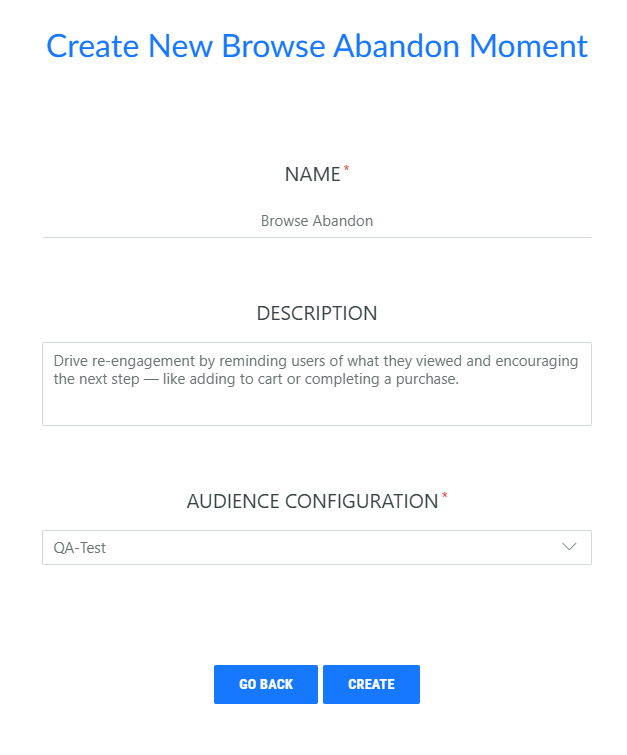
Next, in the properties, set the time delay after which the browsing is considered as abandoned and the Moment is triggered, for example after 1 hour of inactivity on the browsing.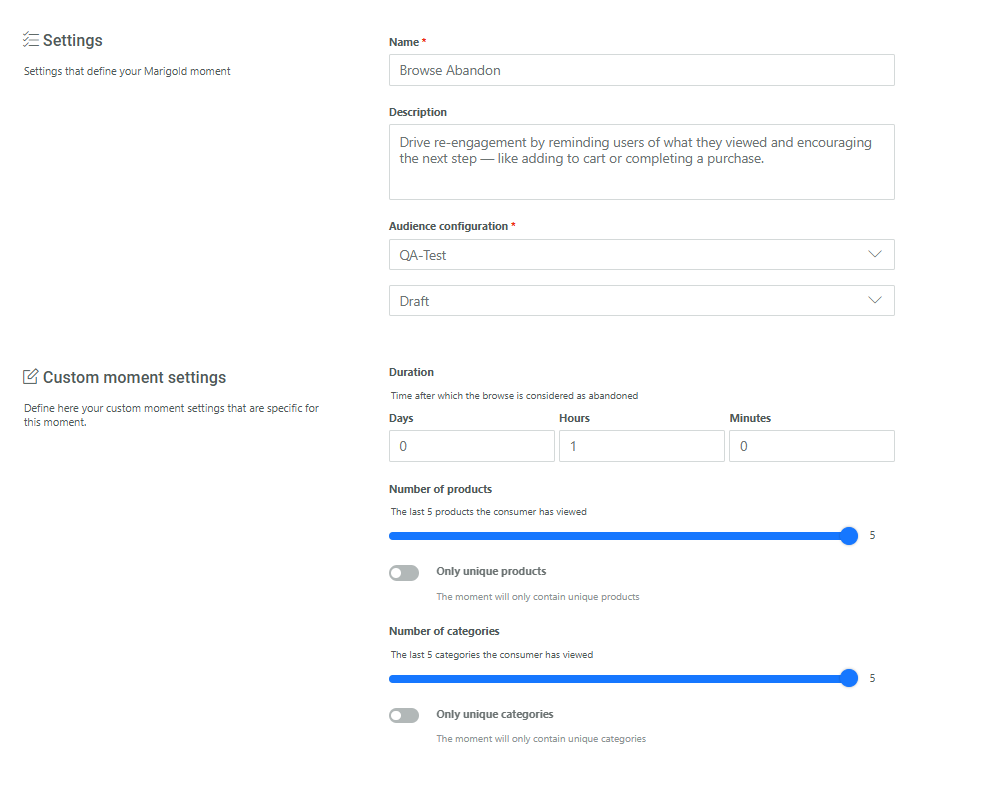
In addition, you can set the number of last browsed products and categories that needs to be sent together with the signal. A minimum of 1 and maximum of 5 can be set.
Use the toggles to remove duplicate browsed categories and products to ensure only unique categories or products are sent.
This information can then be used to personalize the communication that is triggered by the Moment.