Cart Abandon Template
The Abandoned Cart use case allows you to target known website visitors when they leave items untouched in their cart. After a specified time, these visitors will receive a communication encouraging to complete the purchase. Information on the products in their cart is available and can be used for personalization and segmentation.
To track what a website visitor is doing and when a cart has been abandoned, a series of events are tracked and sent as a signal to the Moments application. These signals are picked up by the Cart Abandon Moment:
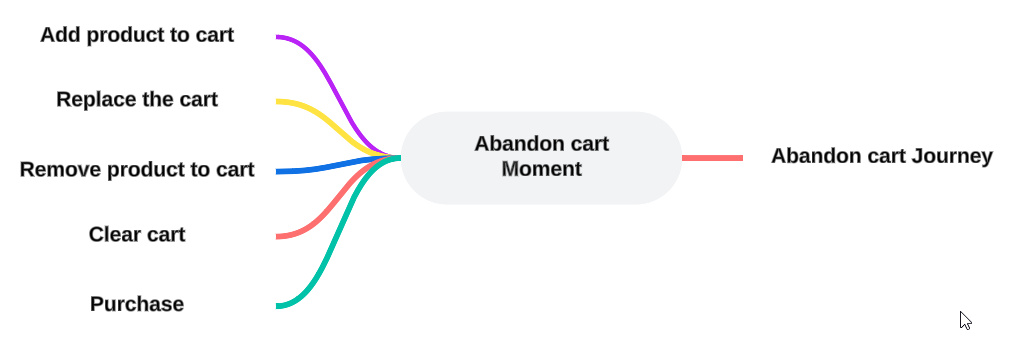
When setting up a Cart Abandon Moment, the following properties are available (Check out the topic on creating a Moment for more details.):

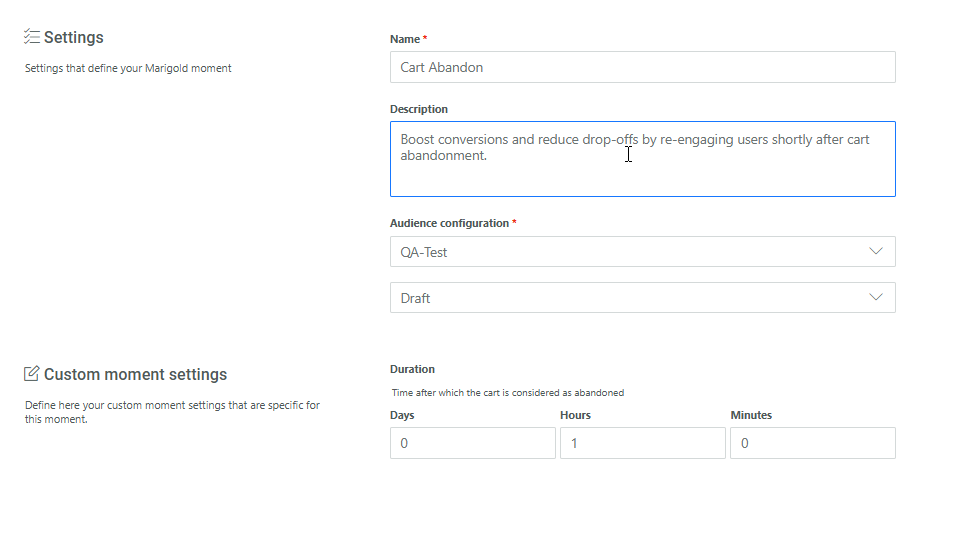
Duration — Indicates the number of days, hours or minutes that need to pass after a customer abandoned their cart and an action needs to be taken.
Note: The Cart Abandon moment can trigger multiple times for signals with the same CartId. This lets you enrich an existing Moment when the cart changes, for example when a customer replaces items after the Moment is raised. As a result, you can send multiple communications to the same customer profile for the same cart.
For example: A customer adds 5 items to their cart and then removes 2 again. One hour after the items were removed and no other actions were taken on the cart, the Cart Abandon Moment is trigger and subsequent actions can be taken.
Example:
Define first the Cart Abandon Moment. Give it a name and description and select the Audience configuration that applies to this Moment.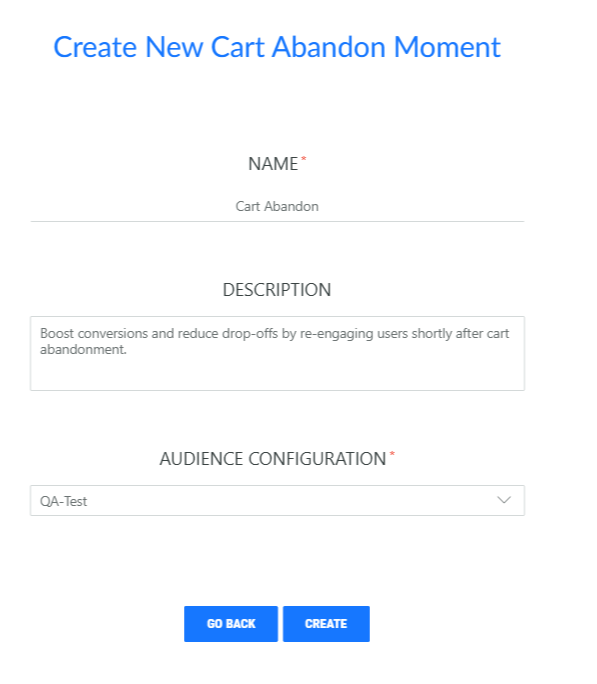
Next, set the properties:
For an Abandon Cart Moment, a time delay needs to be specified, indicating after how many days, hours or minutes the Moment is triggered, for example, after 8 hours of inactivity on the cart.