Conversion Abandon Template
The Conversion Abandon template allows you to re-engage customers who start a key conversion process but don’t finish, bridging the gap between intent and action to recover lost opportunities.
Examples:
A customer completes the first step of a conversion. If no further progress is detected after X time, the moment is raised.
A customer reaches step two (signals: conversion create / conversion update). If no further progress is detected after X time, the moment is raised.
A customer starts a conversion but then removes their changes. The conversion delete signal resets the timer, and the moment is not raised after X time.
A customer starts a conversion, removes their changes, but then creates another conversion within X time. The moment is raised.
To be able to track the behavior of the visitor and to detect when a specific action has started, stopped or completed, the following events are tracked and sent as signals to the Moments application: Start, Update and Complete. These signals are picked up by the Configuration Abandon Moment.:
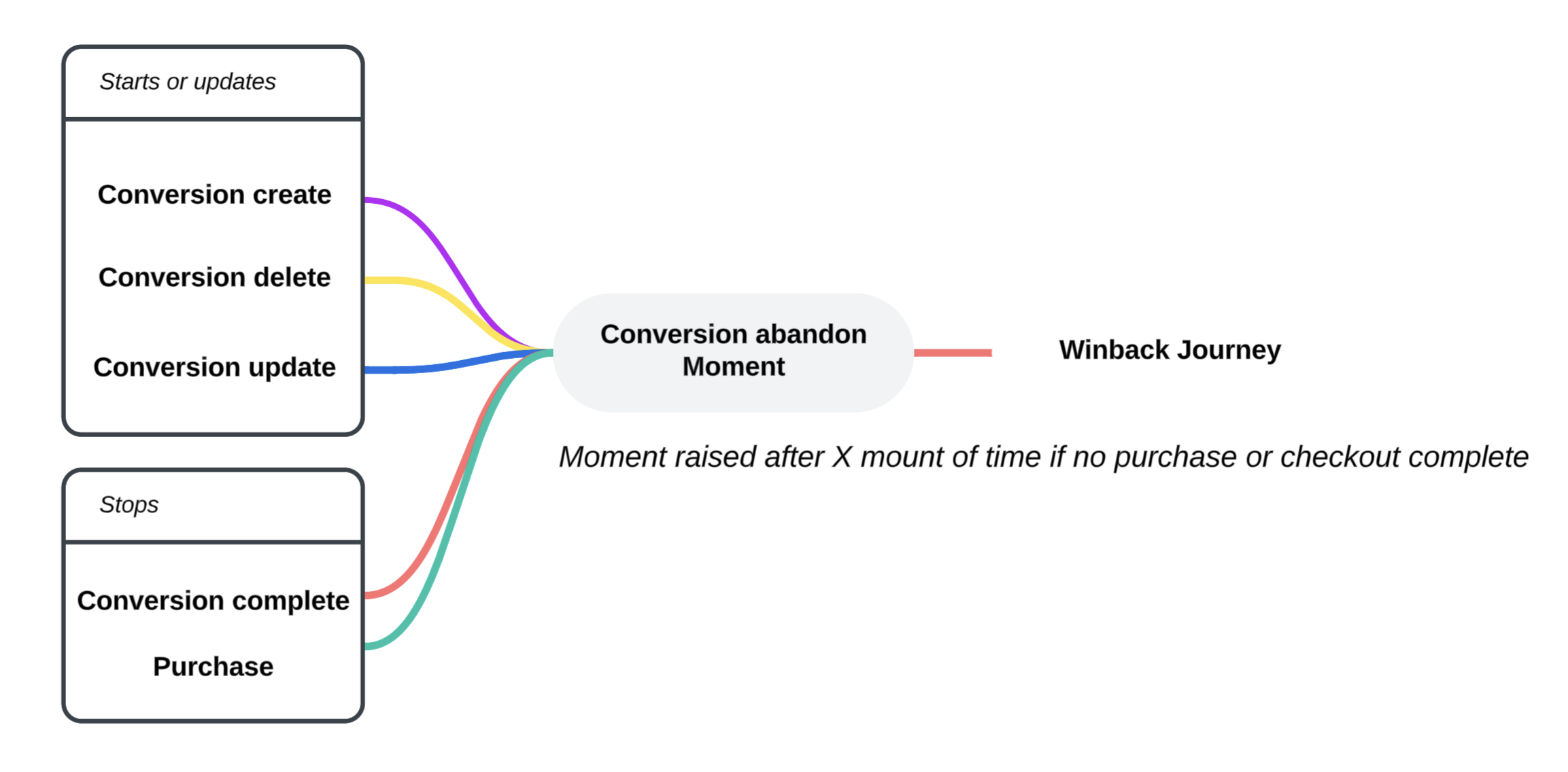
When setting up the template, following properties specific to the Conversion Abandon need to be filled out (Check out the topic on creating a Moment for more details.):

Duration — Set the time delay after which the conversion is considered as abandoned and the Moment is triggered, for example after 2 hours of inactivity on the conversion.
Example:
First create the Conversion Abandon Moment and fill out the name, description and select the Audience configuration to apply to this Moment.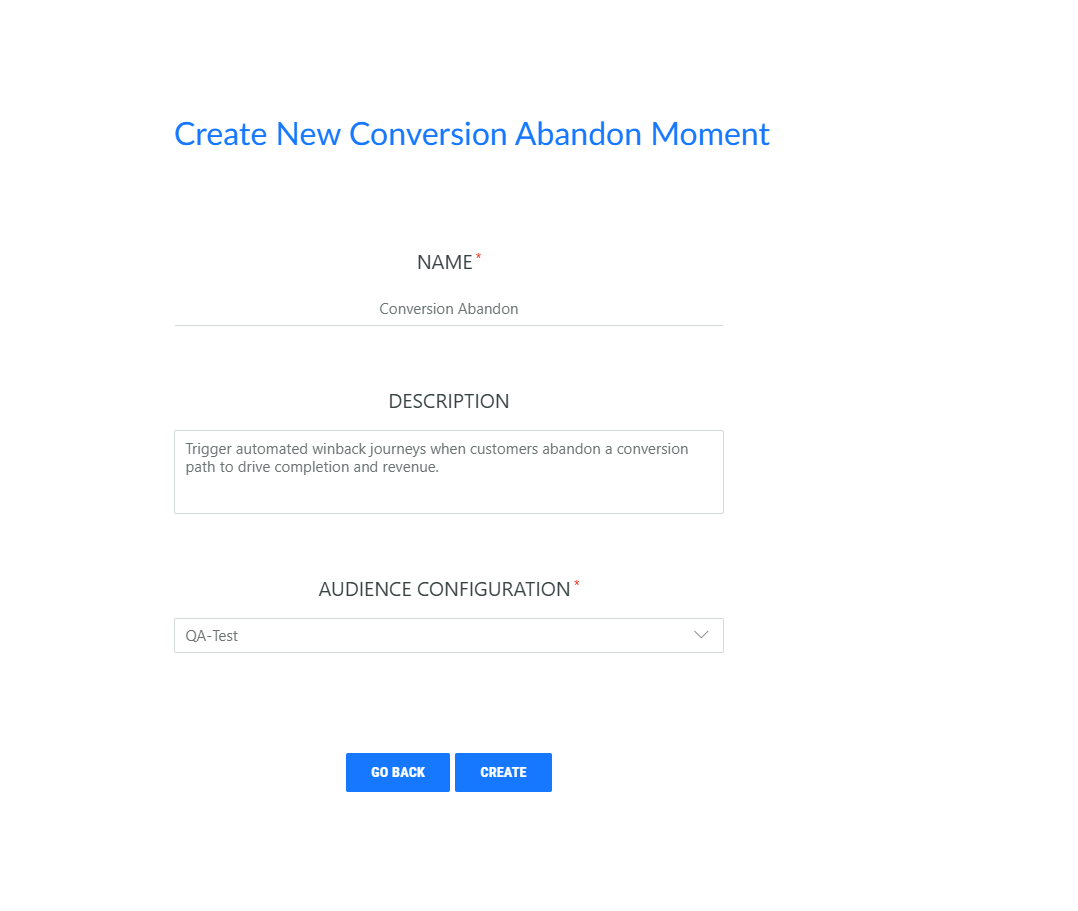
Next, in the custom properties for this moment, set the time delay after which the conversion is considered as abandoned and the Moment is triggered, for example after 1 hour of inactivity.