Made Nth Purchase Template
When a customer purchases a product or service, it’s a valuable opportunity to express genuine appreciation and build a more personalized brand experience. To deepen that connection, consider celebrating key milestones—such as their nth purchase—with a thoughtful message that acknowledges their loyalty and makes them feel truly valued.
The Made Nth Purchase template lets you track each customer’s 1st through 5th purchase within a rolling 365-day period.
Example:
A customer made a first purchase and you want to motivate them into a loyal customer triggering more purchases.
The personalized nature of this first purchase moment creates a positive user experience, showing customers they are valued and remembered.
To track when a purchase is happening for the nth time, the purchase event needs to be tracked.
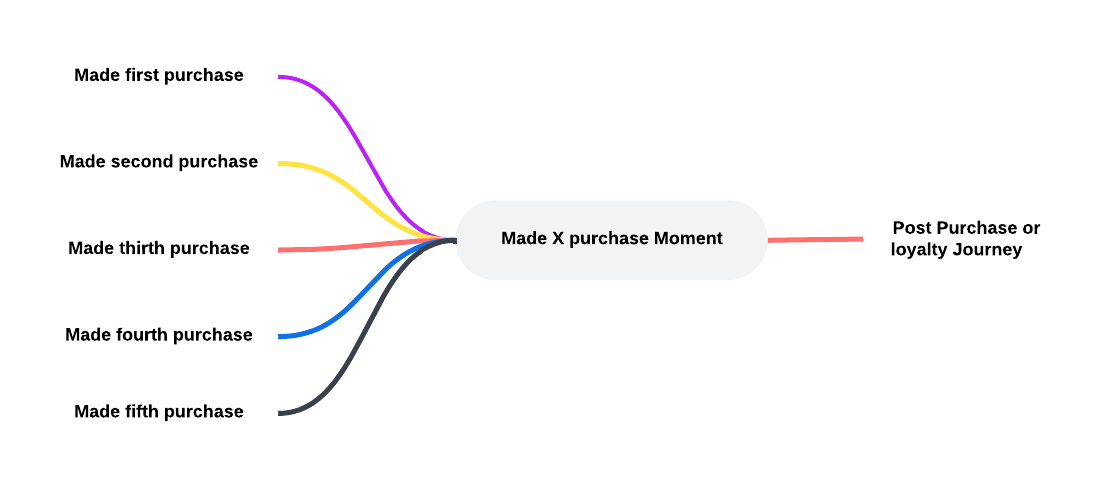
Upon setting up a Made Nth Purchase Moment, the following properties need to be set. (Check out the topic on creating a Moment for more details.):
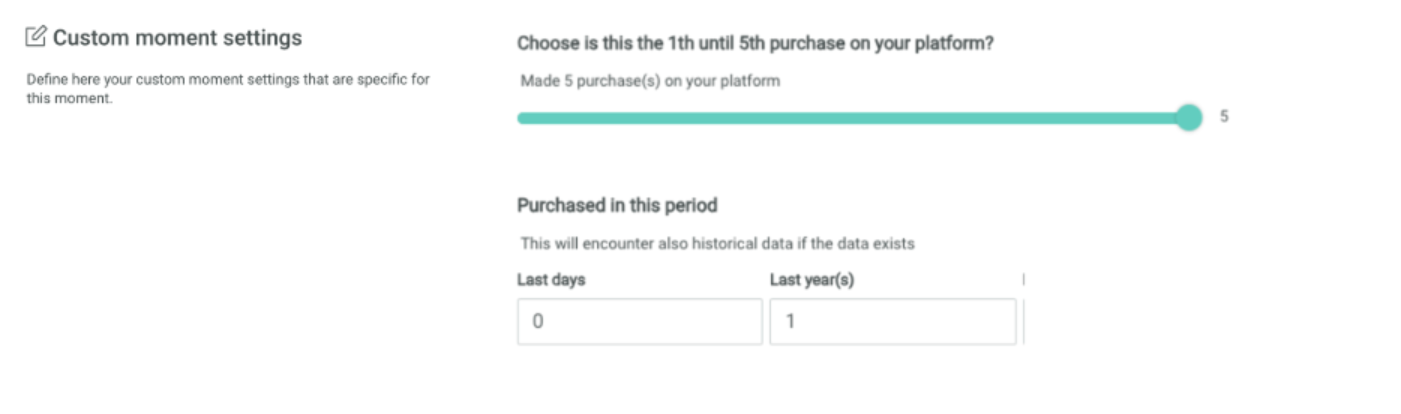
Number of purchases — This option allows you to select the number of purchases the customer has made to allow the moment to be triggered. Use the slider to choose between minimum 1 and maximum 5 purchases
Purchased in this period — Set the time frame within which these purchases have to be made. You can choose between minimum 1 day and maximum 365 days or 1 year.
Example:
First create the Made Nth Purchase Moment and fill out the name, description and select the Audience Configuration to apply to this Moment.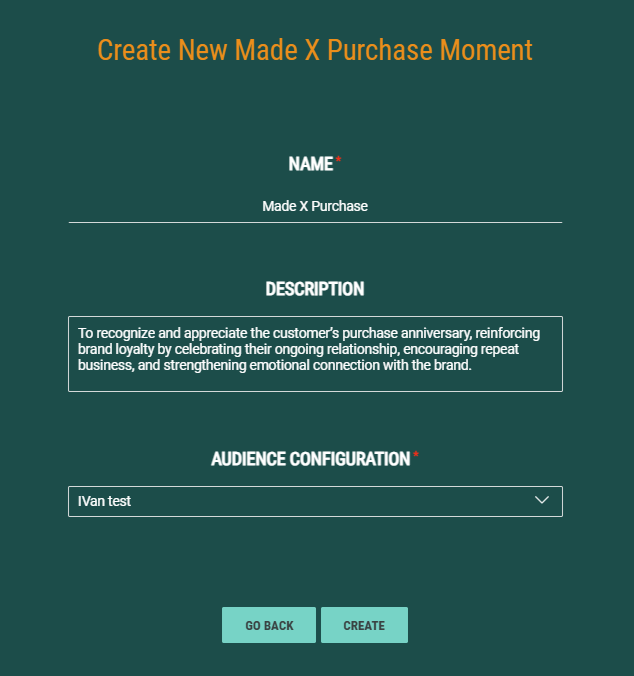
Set the following properties:
Use the slider to select the number of purchases the customer must have done for the moment to be triggered. Next, select the time frame within which this must happen.