Post Purchase Feedback Template
When a customer purchases a product or a service, it is important to show appreciation in order to create a personalized experience for the customer and let them feel embraced by the brand. This can be done by sending a simple thank you for your purchase message, or by offering a discount on the next purchase, a free loyalty card with points, etc.
When the customer purchases, it is possible to send information on the type of purchase, such as travel, food, support, insurance.
To track when a purchase is happening, the purchase event needs to be tracked, together with information on the category or service of the purchase. The Post Purchase Moment will only listen to purchase signals for a defined category or service and ignore the others:
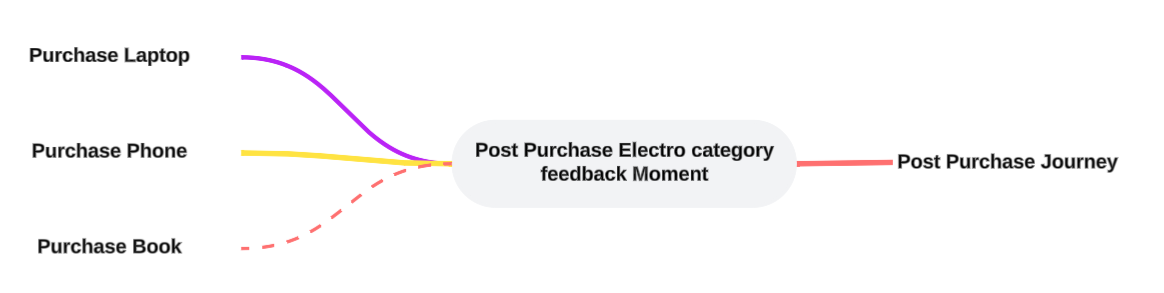
Upon setting up a Post Purchase Feedback Moment, the following properties need to be set. (Check out the topic on creating a Moment for more details.):

Overview of products or services you want to trigger the Moment on — You can add as many products or services here as needed. The Moment will only be triggered if a purchase signal comes in with a product or service category specified in the list here. All other purchase categories will be ignored and not trigger a Moment.
Example:
First create the Post Purchase Feedback Moment and fill out the name, description and select the Audience Configuration to apply to this Moment.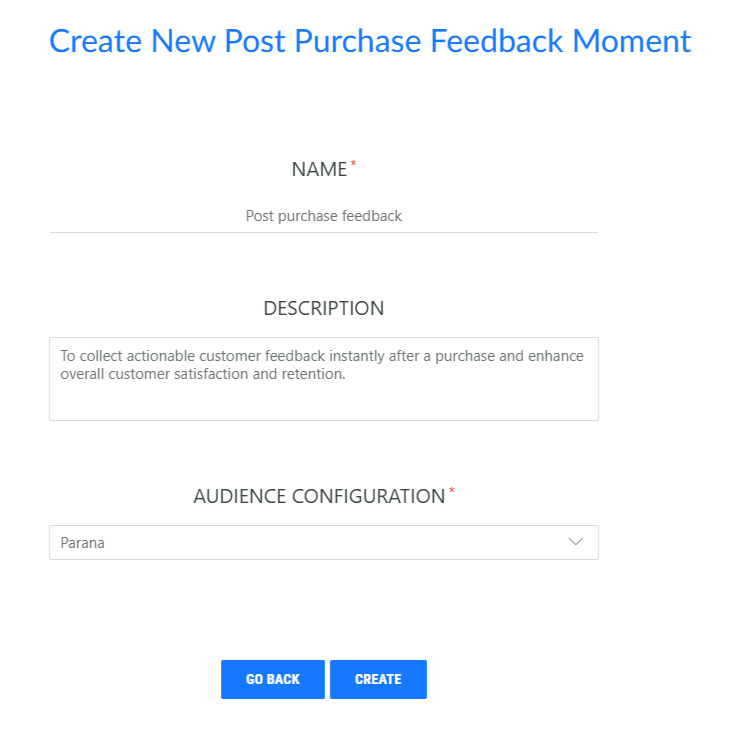
Set the following properties:
You can enter the product or service categories here, manually or by copy pasting them from somewhere else (spaces between the categories are required). This ensure the Moment will only pick up purchase signals for the defined categories and will not create a Moment for a category that is not mentioned in the list.