Real-Time Analytics
A technical marketer using the Moments solution, should have the ability to instantly view whether a signal has been triggered or a moment has been generated, for example for debugging purposes, in real-time.
Real-time analytics offers marketers this view, for each Moment specifically. Data is adapted to the type of Moment for which a report is being consulted, meaning when viewing a report for a Cart Abandon Moment will show data on the add item signals, remove item signal, clear cart signal etc, while a report for a Booking Abandon Moment will show data on signals for bookings being started, completed, or updated.
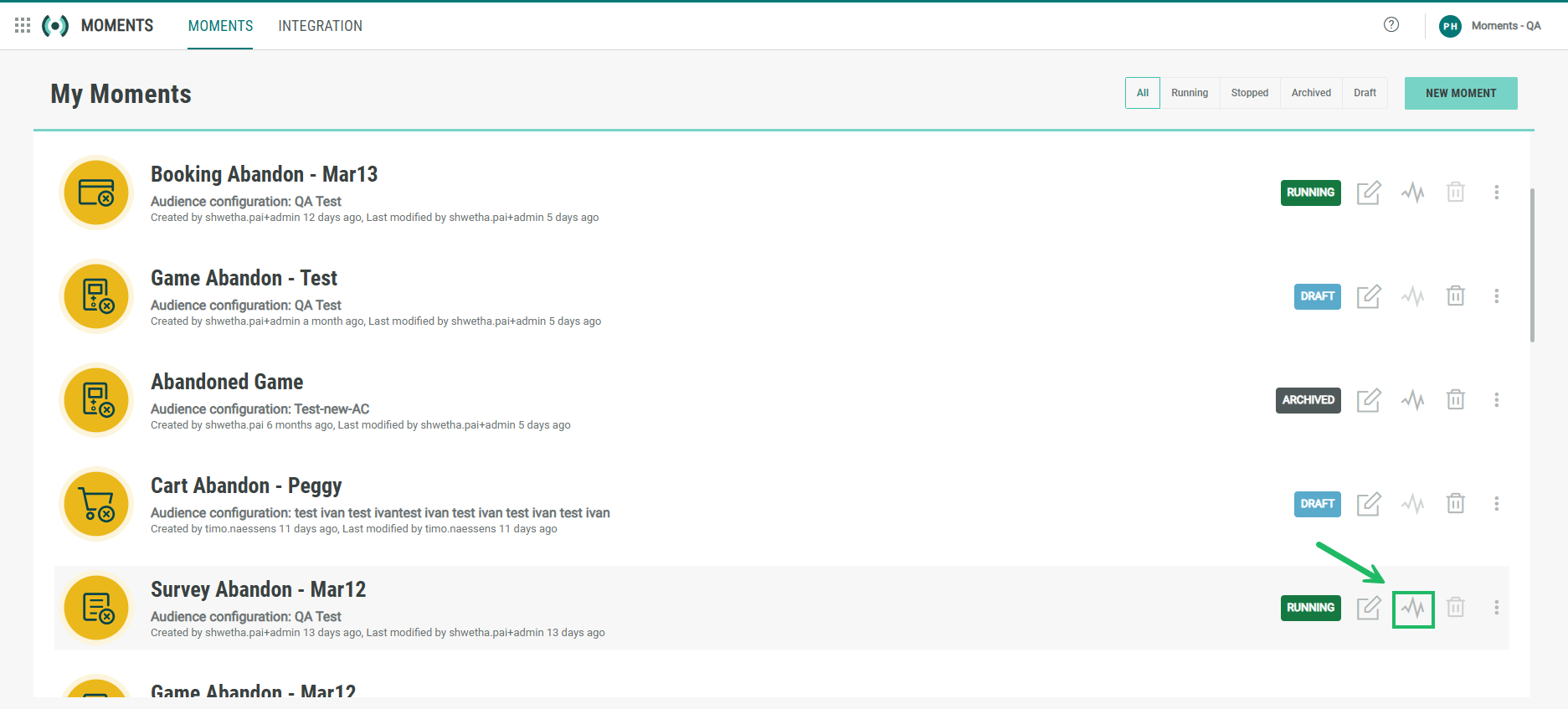
The reports can be accessed from the Moments overview page. Click the Report icon for the Moment for which you want to check the report:
The following data is available:
-
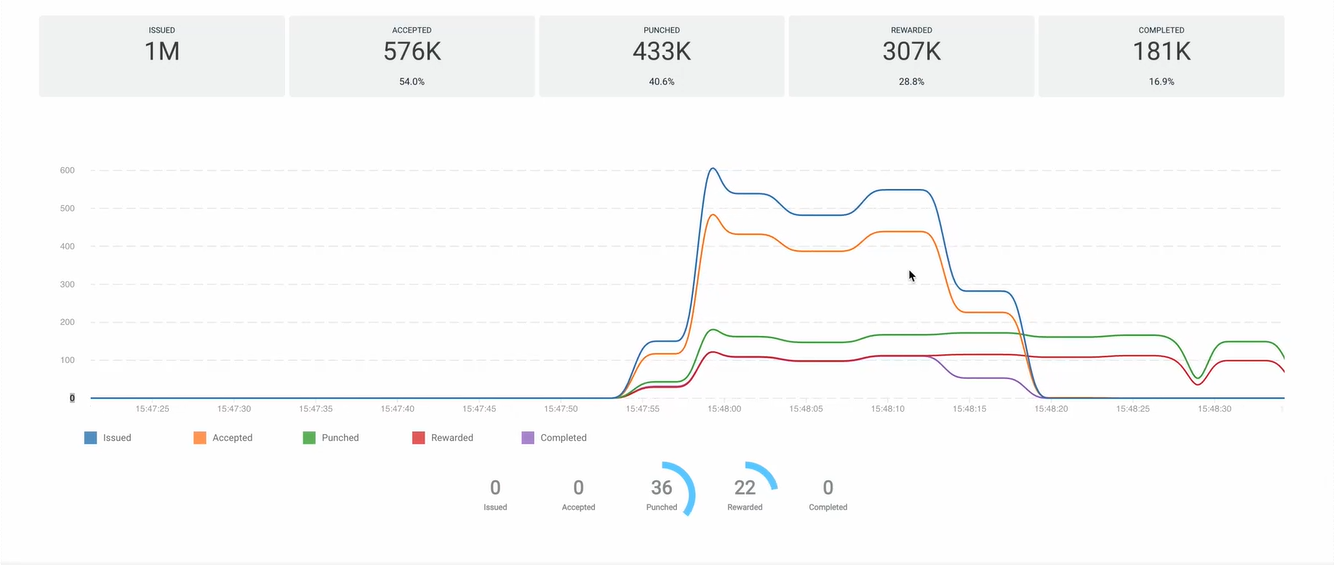
at the top, a global overview of the total number of signals generated for the selected Moment as well as the total number of Moments resulting from these signals.
-
a live graphical view on all incoming signals during the last minute, split up per type of signal. Signals can be filtered using the legend below the live stream.
-
a live graphical view on the number of Moments resulting from these signals, again for the last minute.
-
The numbers at the bottom are a live representation of the number of incoming signals at this specific moment in time and is refreshed constantly.