
New features in Selligent by Zeta
Journey wizards
WILL BE ROLLED OUT IN THE COMING DAYS
BACKGROUND:
The creation of Journeys is currently not aligned with the creation process of Content. Also, it is not always clear to users what type of information is expected in the creation form.
SOLUTION:
A Journey creation wizard has been introduced, aligning the creation process with the creation of Content and Lists. In addition, on-screen help informs the user of the type of information that is required to complete the creation process.
What this looks like in the solution:
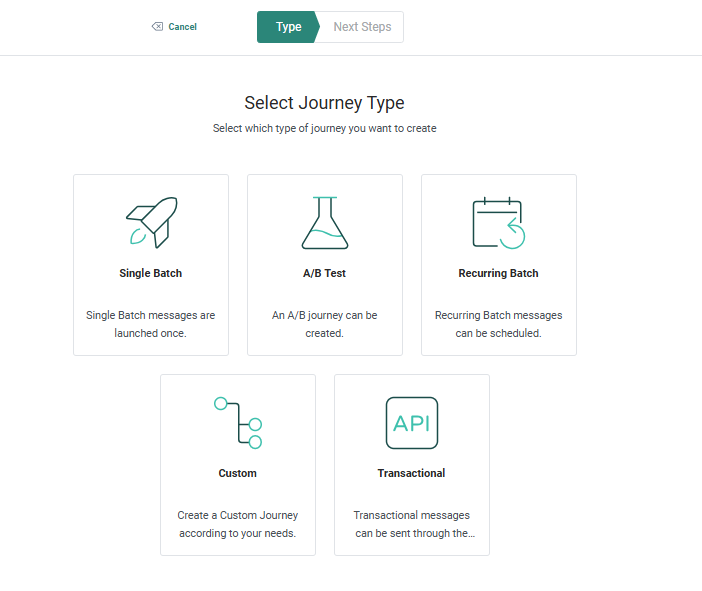
Upon creation of any new Journey, either through the fly-out menu or from the overview page, a wizard guides the user through the creation process.
First, select the Journey type. You can choose from any of the types presented by clicking on the thumbnail.
A Properties panel is displayed, organizing the information into Basic fields and All fields:
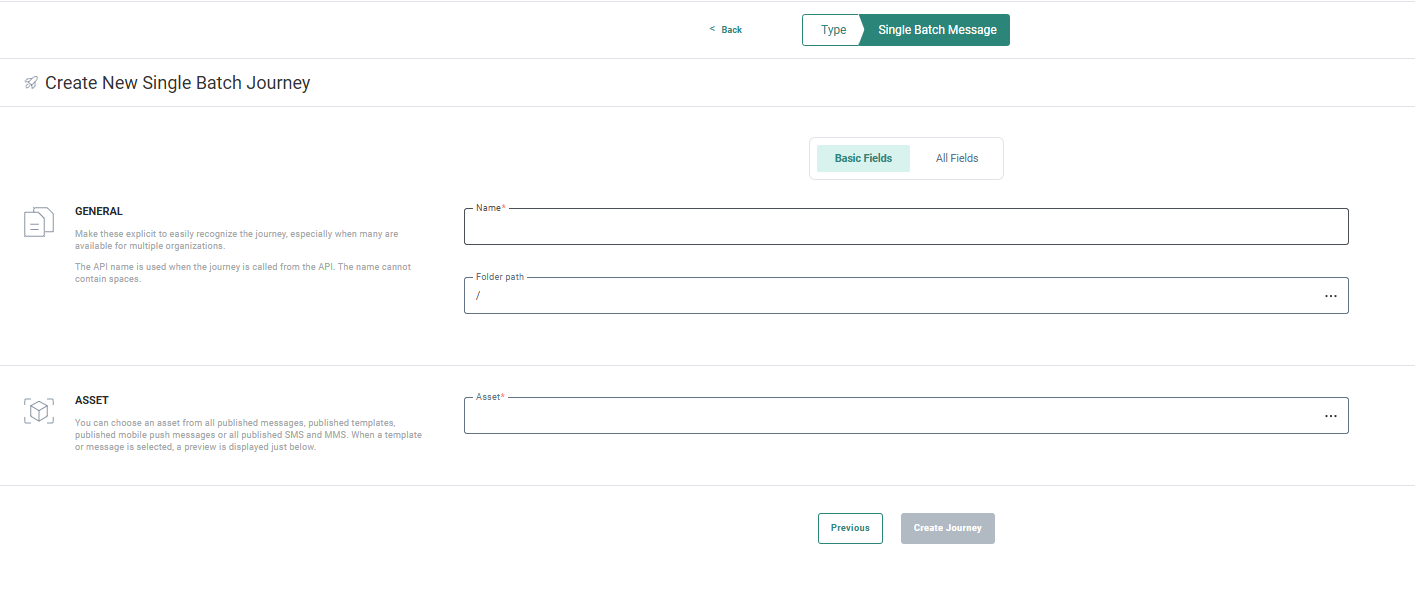
The Basic Fields tab shows the minimum information that needs to be filled out, with a description of what is expected. The All fields tab displays all the additional information that allows you to categorize and configure the Journey.
Selligent help chatbot
WILL BE ROLLED OUT IN THE COMING WEEKS
BACKGROUND:
Finding the right help article hasn’t always been easy — traditional keyword searches via the question mark icon often required extra time and effort.
SOLUTION:
The Selligent Help Chatbot solves this by offering users a convenient way to explore the help center, using natural language and quickly find answers to their questions, whether they're learning how to use the application, discovering features, or troubleshooting issues.
Note: Although this feature will be rolled out for all customers in the coming weeks, you can always request to deactivate it for your environment through a ticket.
What this looks like in the solution:
When the Selligent Help Chatbot opens, you can begin entering your questions immediately, in your own words. The Selligent Help Chatbot relies on trusted Help Center content, ensuring reliable and accurate product specific information.
We’ve prepared a Best Practices guide with tips on asking questions and giving instructions. Please remember not to share personal information (see our Privacy Notice for details).
You can find more information on the chatbot in these articles: Selligent Help Chatbot and Selligent Help Chatbot - Best Practices
Documentation updates
Two new introduction videos have been added on Deliverability and one on the Grow/Selligent integration.
Corrections
- Emails where shown incorrectly in preview after adding accessibility tags; This has now been resolved.
- When sharing an extended profile list with constraint, the constraint was wrongly removed after adding a new list relation. This has been solved
