
New features in Selligent by Zeta
September 18, 2025
Version 5.103
RCS enhancements: SMS fallback and additional buttons
AVAILABLE TO ALL CUSTOMERS, WITH MOBILE ACTIVATED
BACKGROUND:
RCS business messaging is not universally supported, availability varies by country, carrier, and device, and not all users have RCS enabled on their mobile phone. Currently, when an RCS message cannot be delivered, its text content is automatically sent as an SMS fallback. This can result in multiple SMS segments being sent, potentially increasing costs, and may include references to links or images from the original RCS message, content that may no longer be meaningful in the SMS format.
Moreover, RCS messages can only contain one button at the moment, limiting the options presented to the reader.
SOLUTION:
A flexible fallback mechanism lets marketers define a tailored SMS message to be sent automatically when RCS delivery isn’t possible, ensuring consistent communication and a seamless customer experience.
Additionally, three buttons can now be added to an RCS message.
What this looks like in Selligent (Selligent):
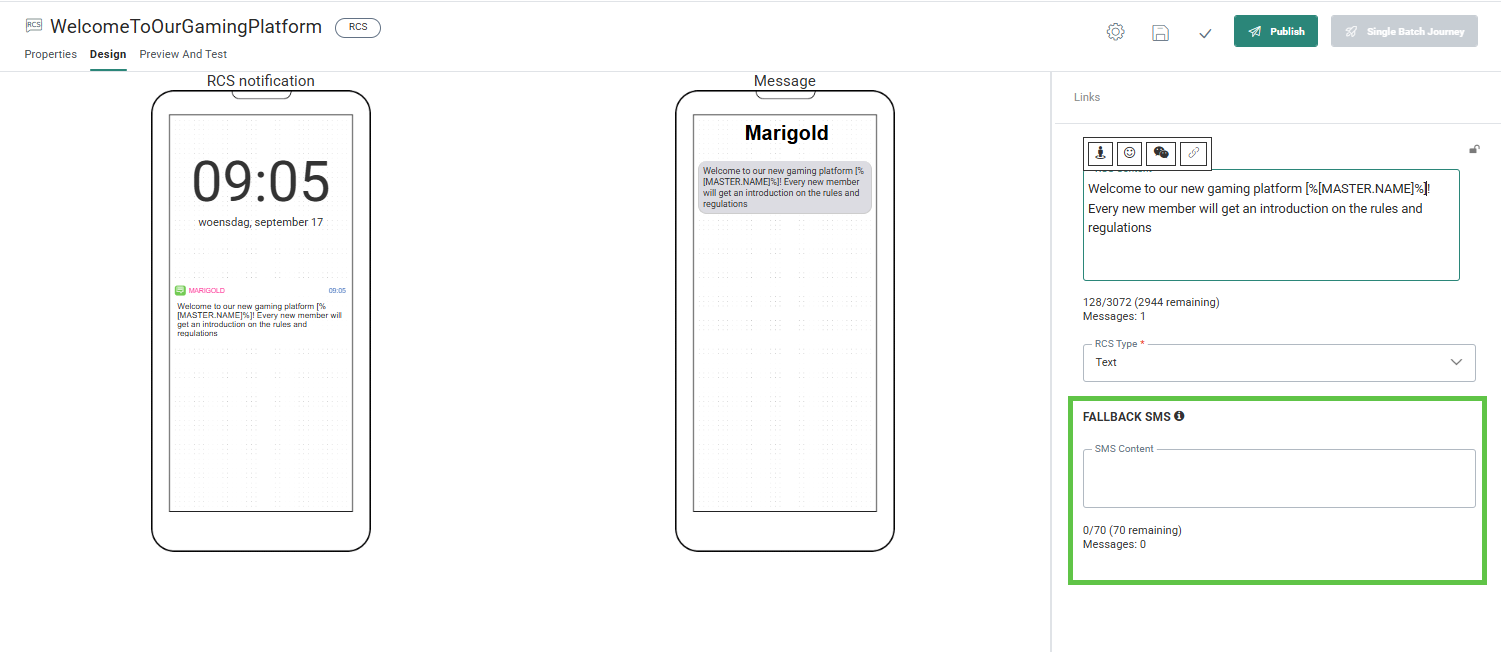
In the design of an RCS you can now add custom content for the fallback SMS that needs to be sent out when no RCS is available or possible.
Also, Rich Card messages can now contain three buttons. These are defined on the Buttons tab in the properties of the RCS:
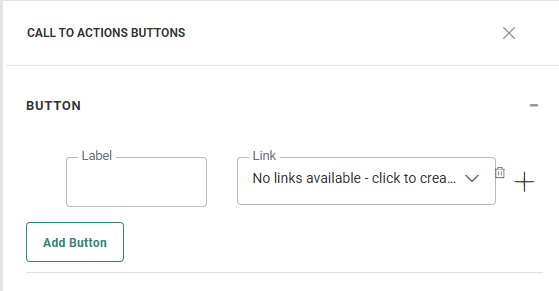
For more information on how to define the fallback SMS and create buttons, check out the Design RCS topic.
Multi-channel opt-out
AVAILABLE TO ALL CUSTOMERS, WITH MOBILE ACTIVATED
BACKGROUND:
Selligent has long supported omni-channel opt-out management, allowing opt-outs both at global level as well as at channel level. However, configuring and managing was not possible through the UI and required access to the database, limiting visibility, flexibility and adoption of this feature.
SOLUTION:
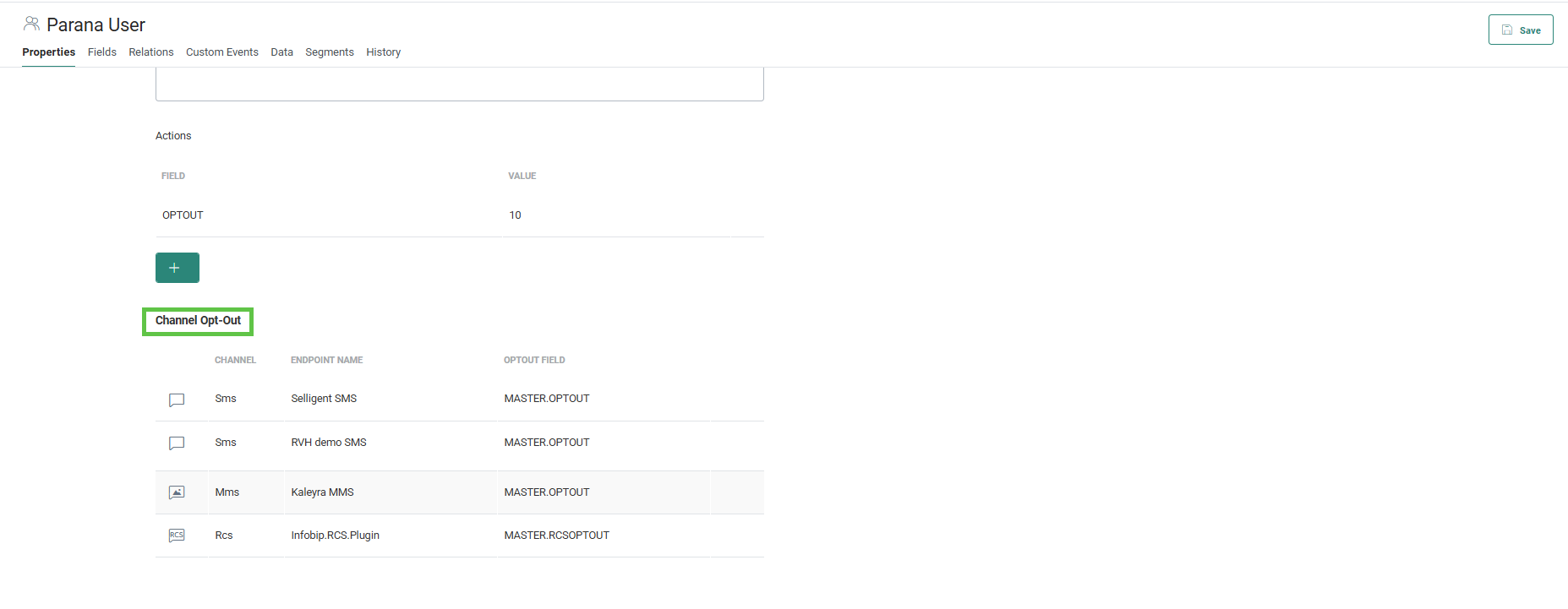
Now, it is possible to configure and manage multi-channel opt-out through the interface, including SMS, RCS and MMS channels. (Mobile push is not included here as this requires an opt-out on device level, not contact level)
What this looks like in the solution:
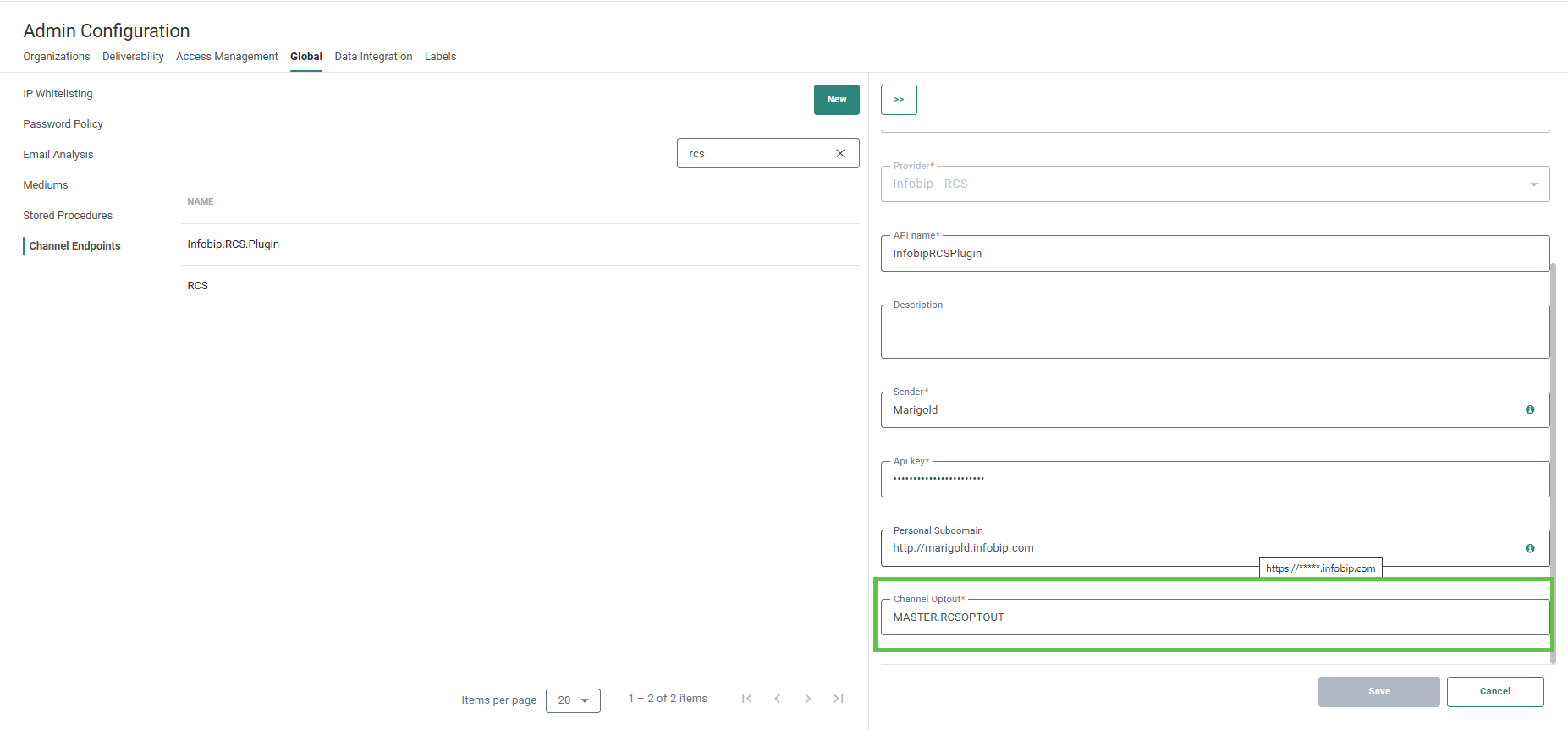
Channel endpoint settings now offer greater flexibility for administrators by allowing them to specify the exact field that stores the opt-out status for each channel. Check out the Channel endpoint configuration in the Admin configuration for this new option:
Additionally, users can easily identify which opt-out fields are associated with a given Audience List via the Email Quality tab, offering clear visibility and control. If there are issues with the opt-out fields, a warning message will be displayed.
To ensure data accuracy, validation checks are automatically performed whenever a channel endpoint is used in a journey, confirming that the opt-out fields are properly configured in the Audience List and that my Audience List is compatible with the opt-out configuration of the channels used in the journey.
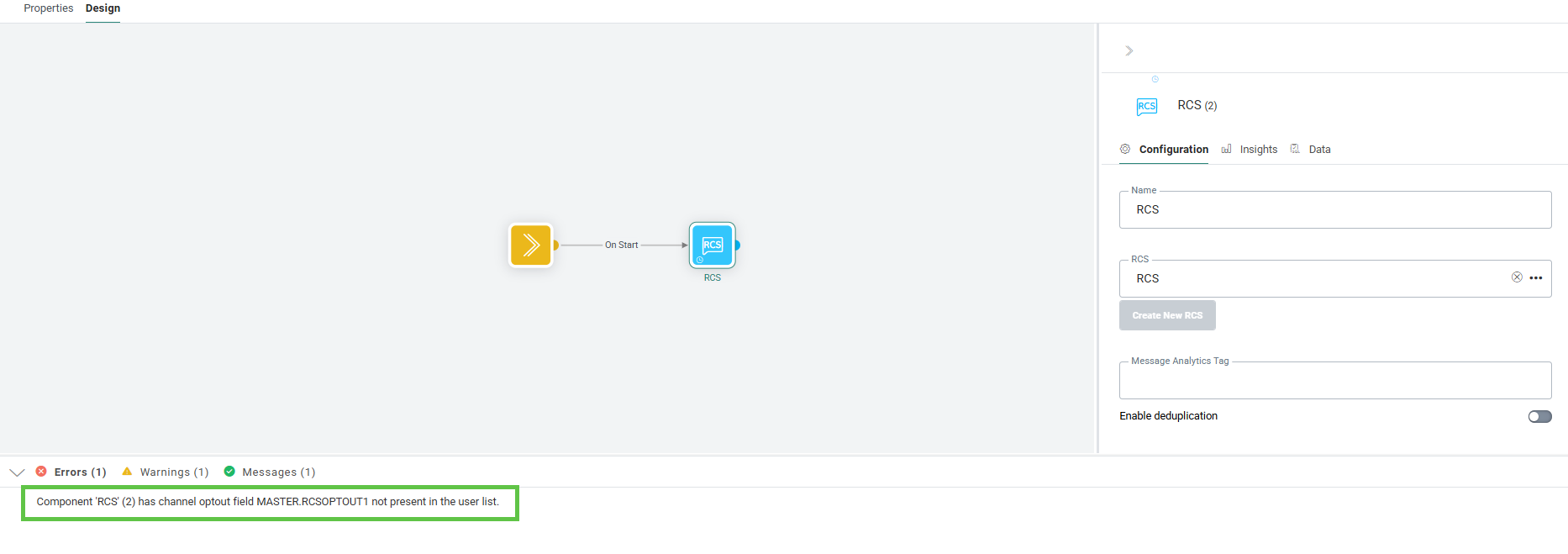
For a full explanation, please refer to the user guide.
Additional security in email rendering of HTML
WILL BE ROLLED OUT IN THE COMING WEEKS
BACKGROUND:
To ensure the continued security and integrity of user input across our platform, we’ve introduced additional safeguards. These enhancements are part of our ongoing efforts to proactively strengthen data handling and maintain a safe experience for all users.
SOLUTION:
While response encoding helps prevent forged HTML content from being embedded in web pages, email rendering does not by default apply the same safeguards. Selligent now offers the ability to manually implement anti-phishing techniques.
What this looks like in the solution:
To achieve this, users will be able to use and apply a new function when using text personalization fields in a message.
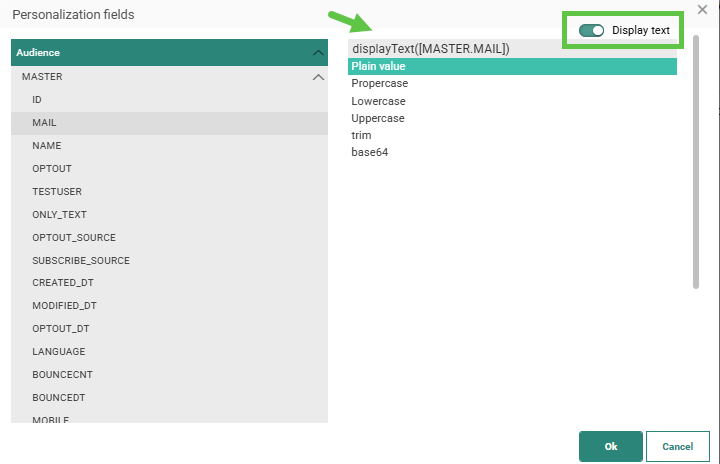
A toggle Display text is available in the top right corner to only display text for a text field. When the option is selected, a function displayText is added to the field, in addition to the already selected function for that field.
This function ensures that HTML in the field will not be rendered as HTML but as simple text only.
Corrections
- SMS messages were incorrectly sent in the fallback language. Now, this is resolved and recipients will receive messages in their language.
- Placeholder text of combobox on page was shown for every defined language. This has been corrected and only the current selected language is shown.
