
New Features in Selligent
RCS: Carousel, title and buttons
AVAILABLE TO ALL CUSTOMERS, WITH MOBILE ACTIVATED
BACKGROUND:
The increasing adoption and use of RCS messages in marketing messages comes with the wish for additional capabilities, that increase engagement and spark interest with the recipient.
SOLUTION:
Carousels allow you to present multiple Rich Cards within a single RCS message, making them a powerful tool for showcasing a variety of products, services, or options in a compact, visually engaging format. With support for up to 10 cards, each containing images, text, and/or up to 4 action buttons (Reply, URL, ...), carousels provide a dynamic and interactive experience that drives engagement.
Benefits of using carousels:
- Showcase variety: Highlight multiple offerings or categories in one message, giving users a broader view without overwhelming them.
- Boost interaction: With buttons on each card, users can explore specific options, leading to higher click-through and conversion rates.
- Enhance storytelling: Guide the user through a narrative or process step-by-step with sequenced cards.
- Maximize space: Carousels make the most of limited screen space on mobile, keeping the experience clean and user-friendly.
- Use carousels to turn static messages into rich, scrollable content that invites exploration and increases response.
What this looks like in the solution:
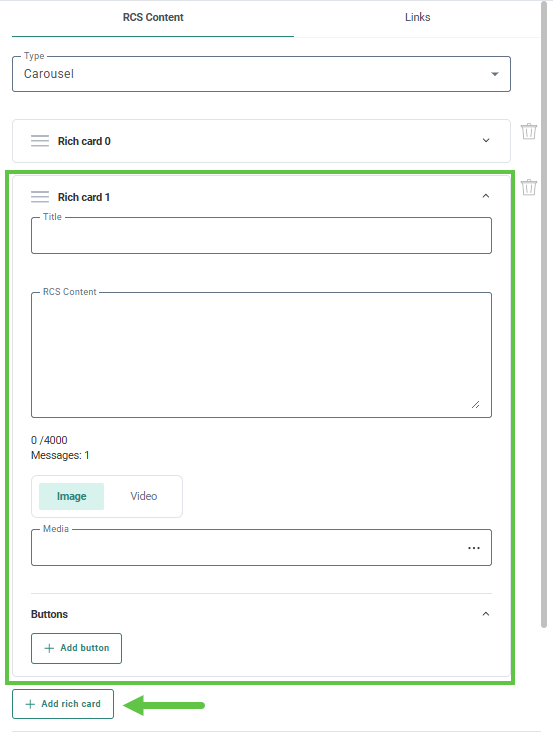
A new type of RCS message can now be selected: carousel.
Once selected, you can define up to 11 rich cards, each with their own title, content, media and buttons.
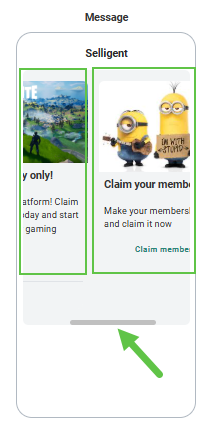
The preview of the messages contains a scroll bar to browse through the different rich cards in the carousel:
For more details on RCS design, check out this topic.
Update on UI enhancements in Single Batch Journeys
In a previous release, UI enhancements were introduced, including continuous scrolling in the properties of Single Batch Journeys. For operational reasons, these changes have been rolled back and will be reactivated in January.
What this means for you
- There is no impact on journey functionality.
- The main difference you will notice is the layout of the properties and the absence of continuous scrolling.
- The documentation reflects the updated UI, but all properties and their configuration remain unchanged.
You can continue using the existing interface without any disruption.
UI improvements for email headers in email messages
AVAILABLE ON REQUEST
BACKGROUND:
As part of our continuous efforts to increase user experience, UI enhancements are being introduced across the platform. Email header is a specific element of any email and a crucial step in the design process.
SOLUTION:
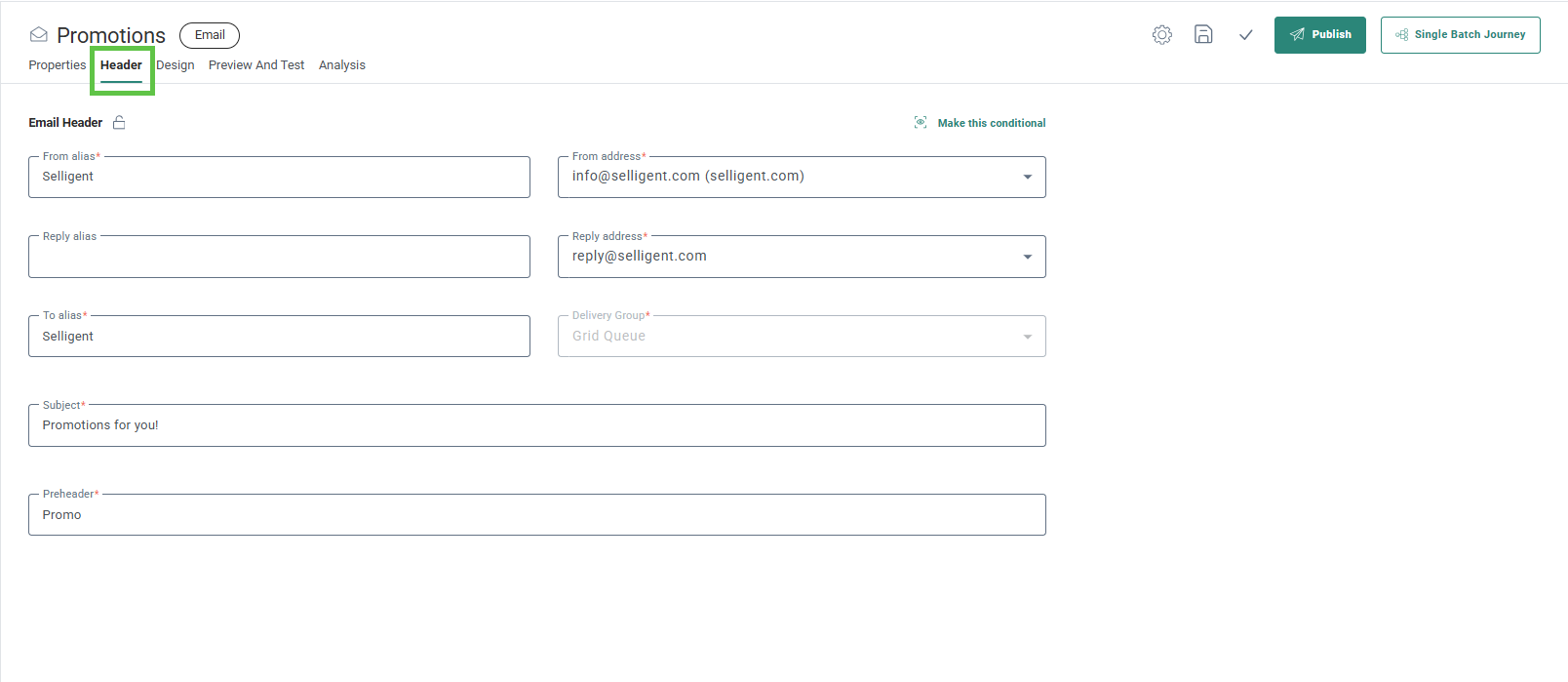
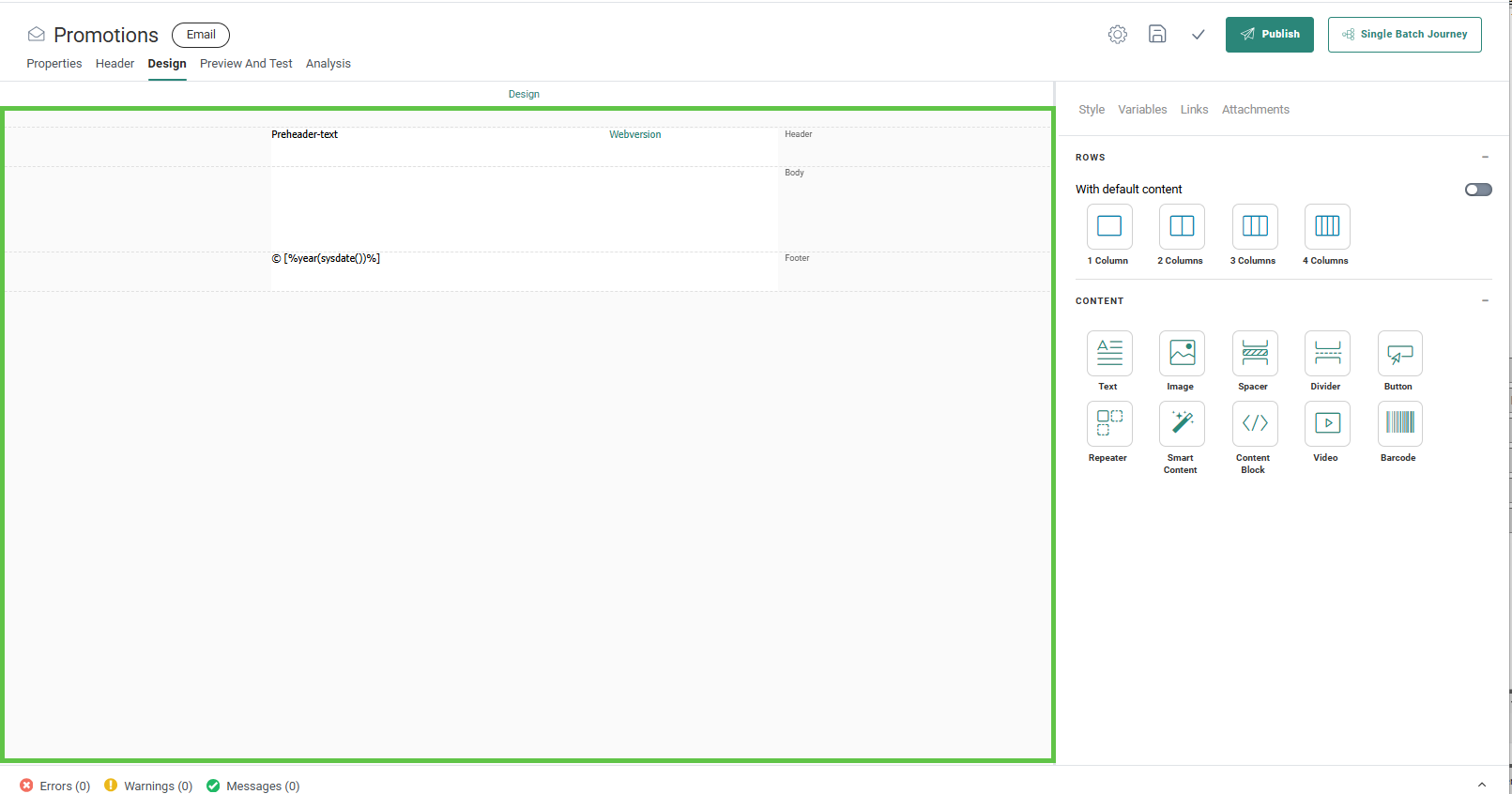
The email header of email and template messages has now a dedicated tab in the message design canvas. On one hand this helps identifying the email header as an important step in the design of a message, while at the same time maximizing the design panel for the message content itself
What this looks like in the solution:
A dedicated tab is now available for the email header with all email header fields displayed at all times (previously these fields were collapsed on the Design tab of the message):
The Design tab is now fully available for the design of the message itself:
As this change is available on request, the documentation currently reflects the legacy UI for email headers. Once a sufficient number of customers have adopted the new UI, the Help Center will be updated accordingly.
Documentation updates
-
A selection of videos has been updated or newly added, all accessible from the Courses section in Video Learning.
-
The EMIT topics have been updated to clarify that engagement metrics exclude any interactions identified as bot activity.
-
Holiday guides are now available from the Holiday planning section and include:
- Holiday promotions: Offer tactics for retail marketers
- Holiday campaign agility: Last-minute moves to protect peak-season ROI
- Turn leftovers into revenue: Boost your retargeting with abandoned cart and browse emails
Corrections
- [It is now possible to load labels in batch when there are more than 2100 labels
- It is again possible to create a folder within an empty folder in the Tasks tab of the Data Exchange chapter
