
Version February 19, 2026 - 5.114
RCS enhancements
AVAILABLE TO CUSTOMERS WITH RCS ENABLED
Background
Rich Communication Services (RCS) is quickly becoming an essential channel for modern customer engagement. As the next evolution of SMS, it delivers app-like experiences directly in the native messaging inbox—making interactions more dynamic, interactive, and visually engaging. Because of the importance of this channel, we are continuously working on adding features and improving the user experience.
Solution
In this release, we introduced a better and easier way to add tracked links to an RCS message.
What it looks like in the solution
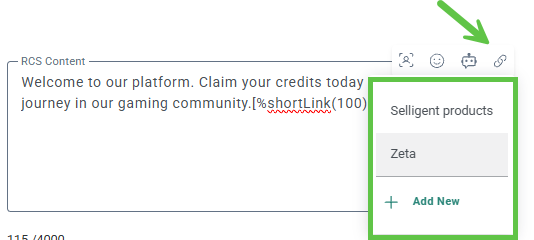
Adding links to an RCS content is now quick and easy. From the content section (this can be the RCS content, the SMS fallback), click the link icon in the pop-up toolbar. A drop-down of available options is shown together with the option to create a new link.
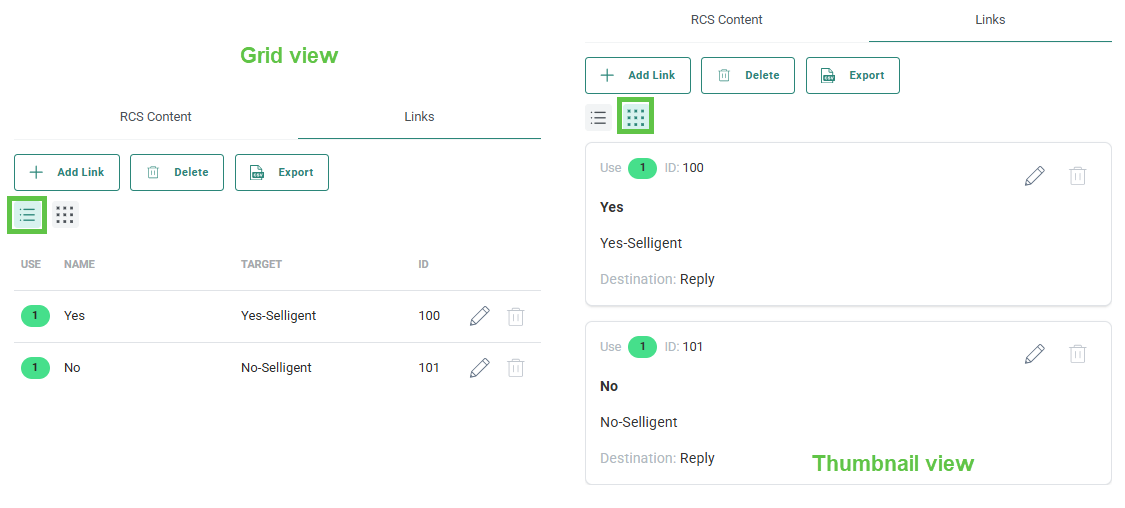
In the Links tab, links can now be listed in a grid view as well as in a thumbnail view:
More details on RCS in Selligent can be found in the RCS article.
Chatbot activation in German and French
Background
Previously, the Selligent chatbot was only available in English.
Solution
Now, the chatbot is also available in French and German.
What it looks like in the solution
Users who launch the chatbot from the application will automatically see it in the same language as the application — English, French, or German. All other languages default to English.
You can also change the chatbot language in the chatbot settings.
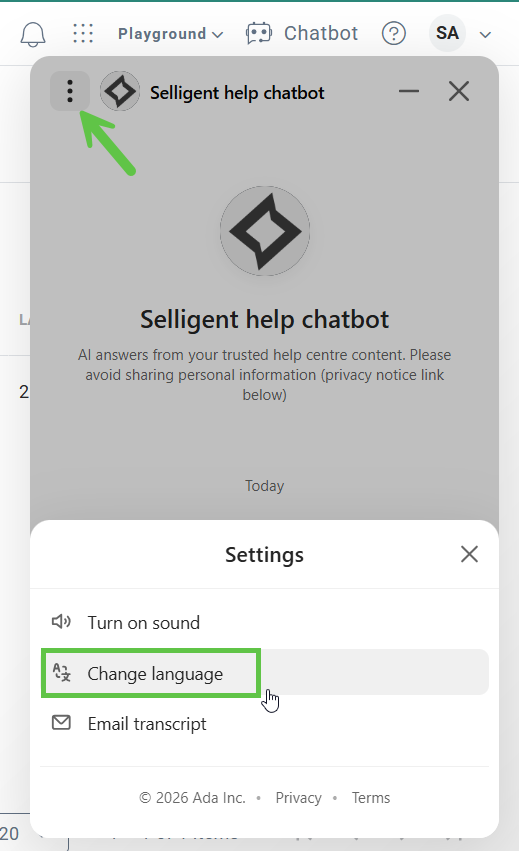
You can ask questions in French or German. The chatbot responds in the selected language, with answers translated from the content in the English Help Center.
More details on the Selligent chatbot can be found in the Chatbot article.
Recommendations: Smart Audience - Catalog Filter update
AVAILABLE ON REQUEST
Background
Previously, when configuring a Smart Audience in the Recommendations tool, there was an inconsistency in the available operator options for filter rules:
- Audience Prefilter rules allowed the use of both AND (all filter criteria must be met) and OR (at least one filter criterion must be met) operators.
- Catalog Filter rules, however, only supported the AND operator by default. This limitation prevented users from creating catalog filter rules with multiple criteria where only one of the conditions needed to be met for the Smart Audience to apply.
Solution
Catalog Filter rules now support both AND (all criteria must be met) and OR (at least one criterion must be met) operators.
This enhancement provides greater flexibility when defining catalog filters for Smart Audiences. Do note that creating complex constraints combining AND and OR might have an impact on performance.
What it looks like in the solution
Previously, only rules such as the following could be applied:
Example: The category is equal to Clothing AND the price is higher than 50. (both criteria must match):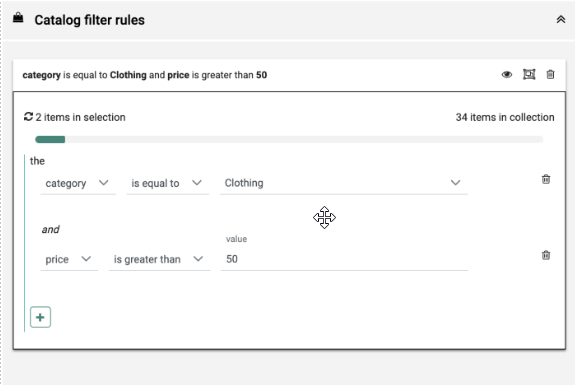
Now, the following configuration is also possible:
Example: The category is equal to Clothing OR the price is higher than 50. (at least one of both criteria must match):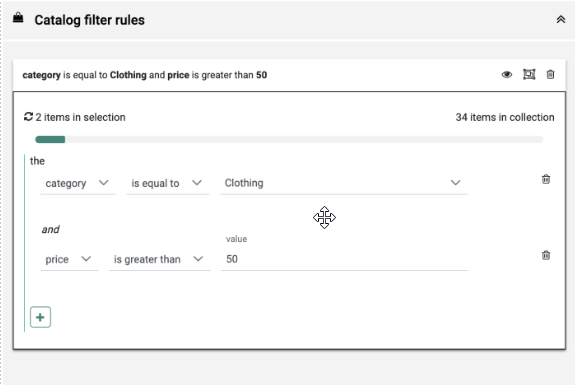
More details on this can be found in the Smart Audiences article.
Documentation updates
Updates have been made to the following articles:
-
The Article explaining the design of the RCS now includes details on the sizes and formats of the files accepted.
-
The Asset Label user guide now includes information on how to leverage the labels as well as an example of use.
Corrections
- Labels that are used in segments are now correctly listed in the usage page.
- HTML completion popup in content block editor does now replace already typed characters when it's triggered by colon character.
- Batch failures in DataController.SearchData are now processed as expected.
- It is no longer possible to publish message when the selected content block version does not exist on CPG side.
- It is now possible again to change the layout of the article editor in a Single Batch Journey instance of the message.
- When enabling USE_GRIZZLY_CONTENT_EDITOR it stops you from deleting Links from a message. This has been resolved.
- [Cadence] Channel endpoints were occasionally switching around in RetrieveMessagesOfJourneys. This has been resolved.
