What's New in Sailthru by Zeta
Mobile App Settings on the Sailthru core platform
Background
Sailthru customers that use Sailthru’s Push / In-App channel currently manage their App certificates and credentials on the stand alone Mobile platform - which is separate from Sailthru’s “core” platform.
Solution
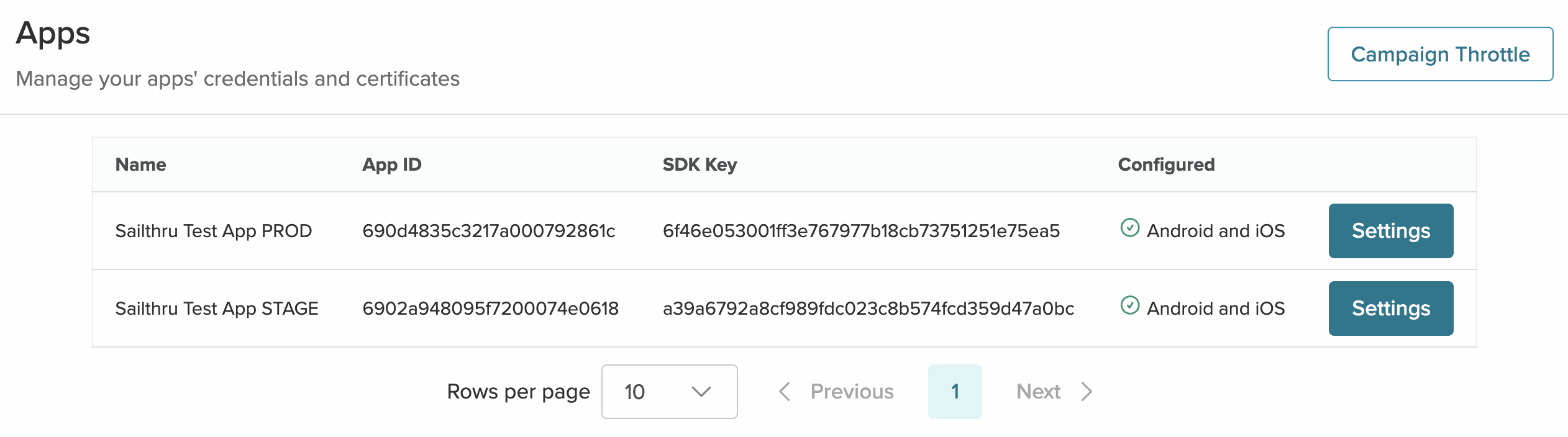
App Management is now available on the Sailthru core platform in the “Apps” page found in Settings > Channels > Mobile Apps. Customers can now manage their mobile app completely — from settings to messaging — all within Sailthru’s “core” platform. All future mobile enhancements and innovations will be focused here.
If an App is not yet connected to a Sailthru account and you would like it to be, please reach out to Sailthru Support to assist in this process.
Documentation can be found in GetStarted.
What it looks like in Sailthru by Zeta
Mobile App Version Filters in Audience Builder - Available Now
Background
Segmenting devices by App Version, SDK Version, and OS Version was only available on the Mobile platform.
Solution
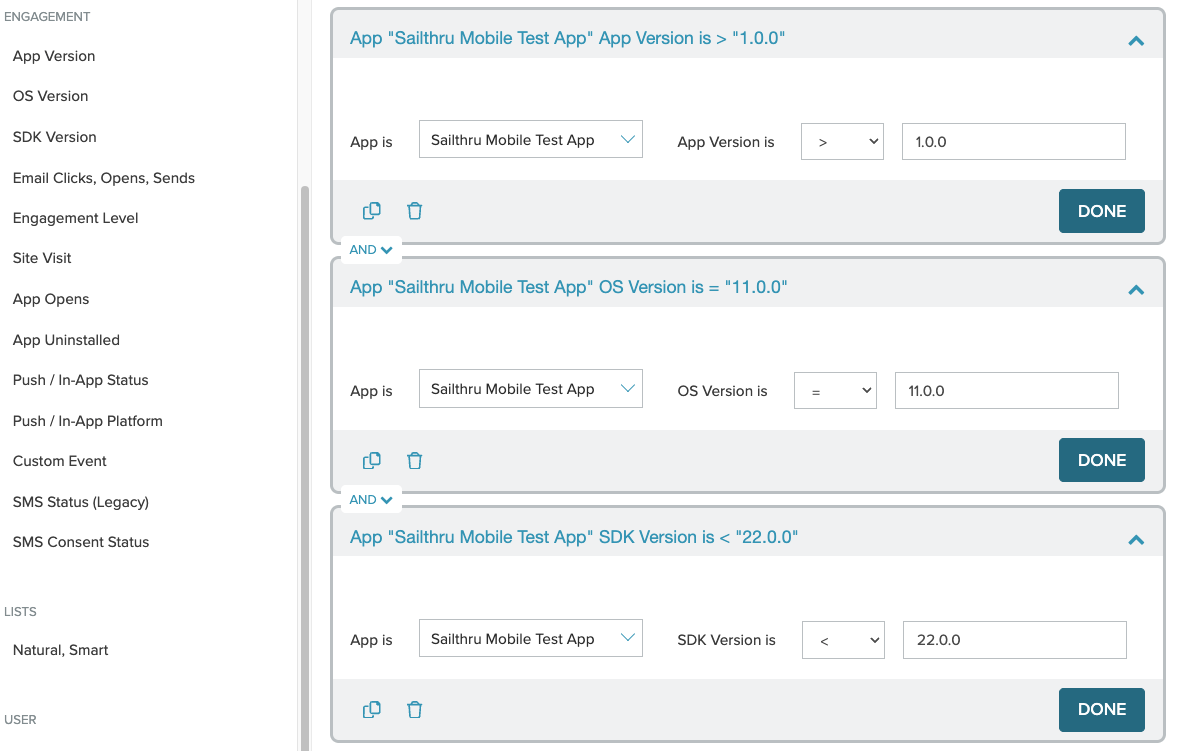
You can now segment and target your mobile audiences without ever having to leave the core Sailthru platform. Audience Builder now includes filters for App Version, SDK Version, and OS Version, giving you more precise ways to connect with customers based on their mobile experience and technology.
Documentation can be found in the Sailthru by Zeta Help Center.
Coming soon
A filter to segment the Mobile audience by Custom Attributes will be coming to Audience Builder in January.
What this looks like in Sailthru by Zeta