April 2025
Welcome and Goodbye Moments now available
AVAILABLE TO ALL USERS
BACKGROUND:
When customers sign up for an event, a newsletter, or a website, it’s essential to make them feel welcomed and valued. This sense of inclusion fosters a stronger connection and engagement. Similarly, when customers unsubscribe or opt out, it’s just as important to acknowledge their decision with warmth. Let them know they will be missed, and, when appropriate, offer them an opportunity to reconsider or provide feedback. This thoughtful approach can leave the door open for future interactions, ensuring they feel respected throughout their journey with your brand.
SOLUTION:
Interactive Moments now includes two additional templates to allow marketers to engage in the moment, with their customers, when they sign up or leave.
What it looks like in the solution:
You can now find 2 new templates in the Moments application: Welcome and Goodbye.
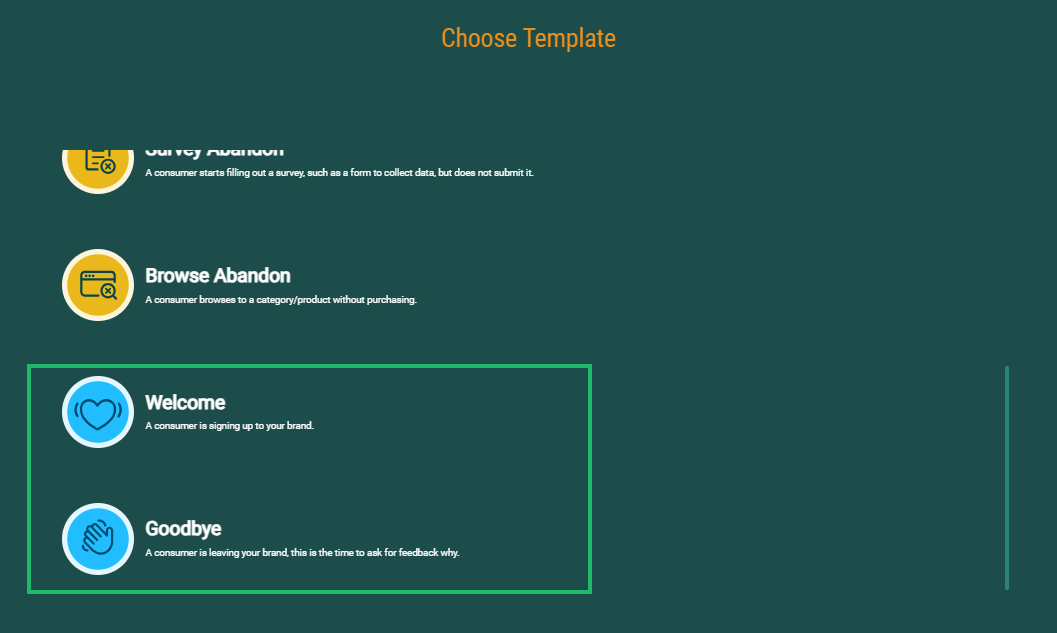
The Welcome and Goodbye Moments occur respectively when a customer signs up or cancels. In the Moment properties, you can define what exactly the customer is signing up for or canceling. By adding the type of signup or cancel, you can make sure the Moment is only listening to signals of that specific type and have the appropriate action taken. For example, when a customer signs up for your website, you want to send them a welcome message, but when the customer signs up for your webinar, you send them the program.
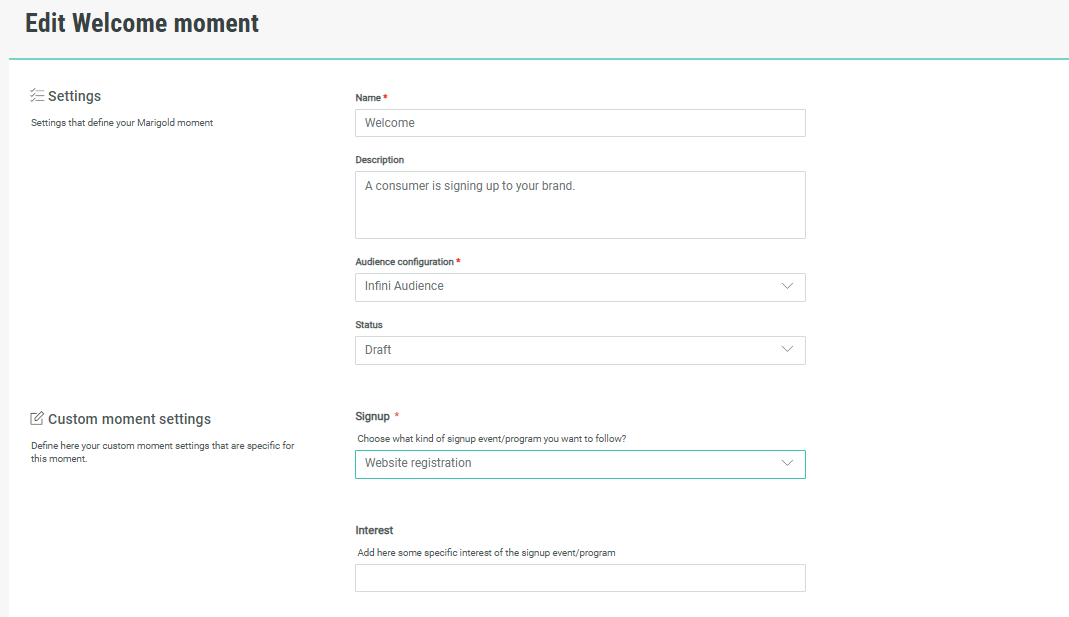
Both Moment templates also allow you to enter a category of interest, information that can be used later on for personalization and segmentation.
More information on this can be found in the Welcome and Goodbye use cases.
Real-time analytics
AVAILABLE TO ALL USERS
BACKGROUND:
The Moments solution is based on the sending of signals captured on a website and translating these in a critical Moment in the visitor's lifecycle. However, it is important to see if these signals are actually coming in and are being processed.
SOLUTION:
A real-time System Usage dashboard has been implemented to provide users with a clear view of the number of signals that are being transferred and the resulting Moments.
WHAT IT LOOKS LIKE IN THE SOLUTION:
A Real-time analytics dashboard is now available for every Moment. From the Moments overview page, click the Report icon:
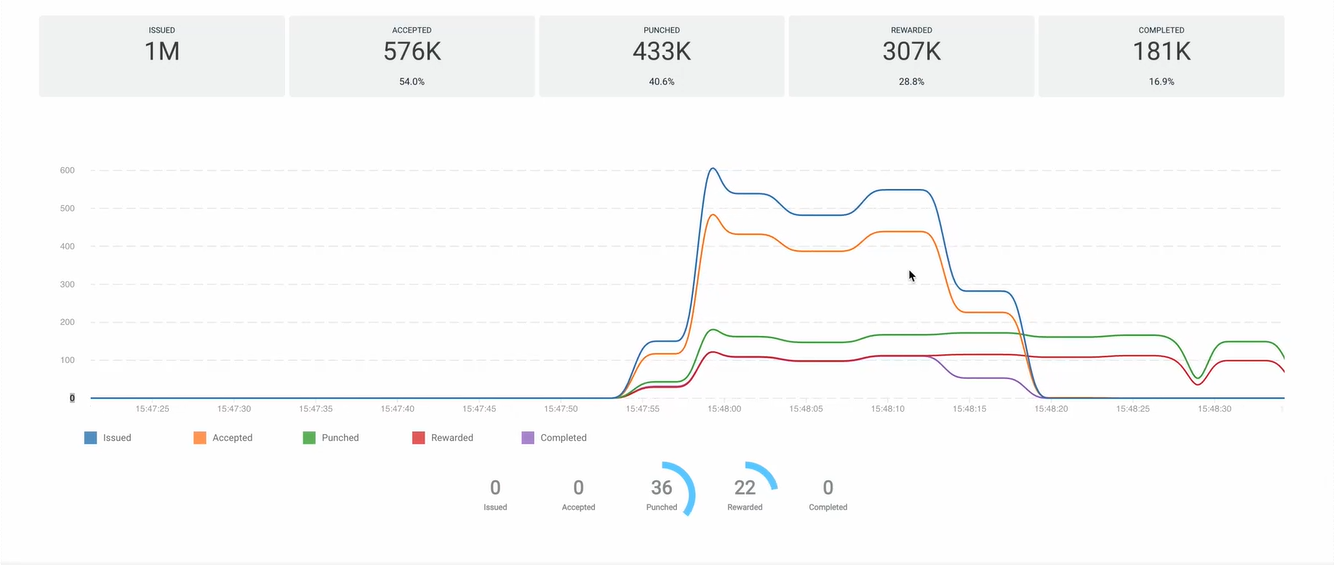
More information on this can be found in the Real-time Analytics topic.
System usage
AVAILABLE TO ALL USERS
BACKGROUND:
When using the Moments platform, users might want to have a holistic view of their usage of the platform quota to know how intensively the platform is being used but also to have a view when the quota will be reached.
SOLUTION:
Now, Moments platform users have a clear view on their usage of the platform, the maximum attributed number of signals and Moments as well as what has been used already, in percentage and numeric values.
WHAT IT LOOKS LIKE IN THE SOLUTION:
A System Usage page is now available from the Integrations menu.
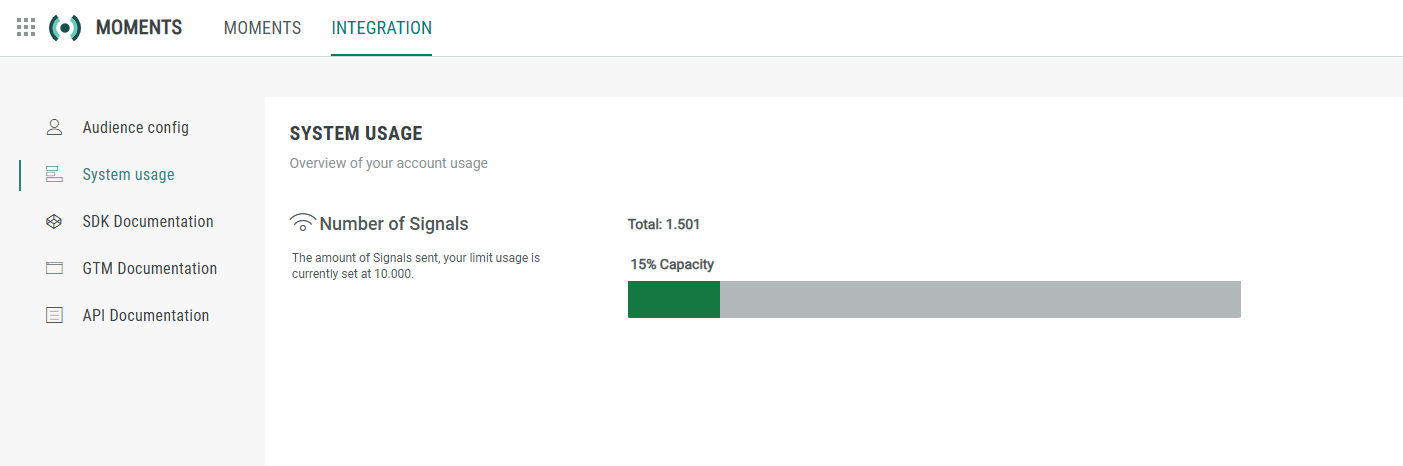
The available quota is indicated as well as the percentage used, allowing users to keep an eye on their usage. Note that is merely informative for now and when the maximum has been reached, signals will keep being sent.
More information on this can be found in the System Usage topic.