New Features in Interactive Moments
Post Purchase Feedback Moments now available
AVAILABLE TO ALL CUSTOMERS
BACKGROUND:
Reaching out to customers after a purchase is crucial for building lasting relationships and enhancing brand loyalty. It shows customers that their satisfaction matters beyond the transaction, fostering trust and encouraging repeat business. Post-purchase communication also provides an opportunity to gather valuable feedback, address any issues early, and offer helpful information or product tips, which can improve the overall customer experience. Additionally, it opens the door for up-selling, cross-selling, or promoting loyalty programs, turning a one-time buyer into a long-term customer.
SOLUTION:
The Post-Purchase Feedback Template allows you to effectively engage with customers shortly after they’ve made a purchase within a specific category or service. The timing of the outreach can be customized, ranging from just a few minutes to several days after the transaction. To enhance personalization, the template also provides access to details on the customer’s most recent purchases, including products and categories, enabling more relevant and meaningful interactions.
What it looks like in the solution:
A new Post Purchase Feedback template is now available.
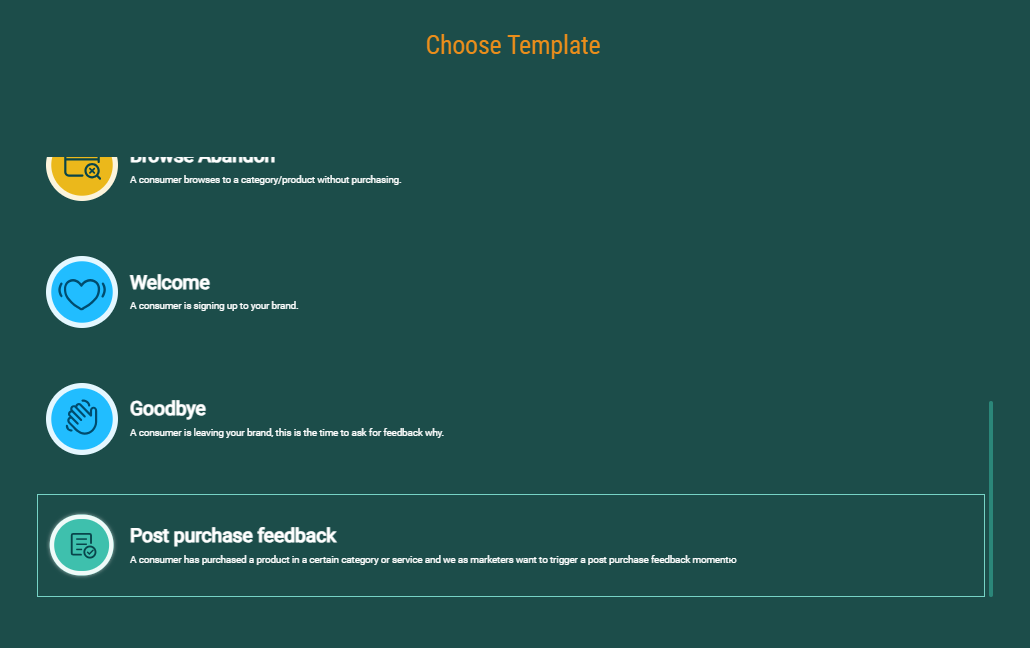
In addition to the general properties like name, description, audience and status, it is possible to set template specific properties: The list of products and services that will trigger this specific Moment.

For a full use case of the use of the Configuration Abandon Moment in Cheetah Digital, have a look at this topic.
Update of the Browse Abandon Moment
AVAILABLE TO ALL CUSTOMERS
BACKGROUND:
The Browse Abandon Moment was introduced in a previous release, enabling you to track when a visitor had abandoned their browse and collect information on maximum 5 categories and products being browsed. However, if there are duplicate categories, these were listed multiple times.
SOLUTION:
Now, when configuring the Browse Abandon template, you have the possibility to indicate if duplicates need to be removed
What it looks like in the solution:
Additional options are available in the Moment template to remove duplicate records from the list of categories and/or products:
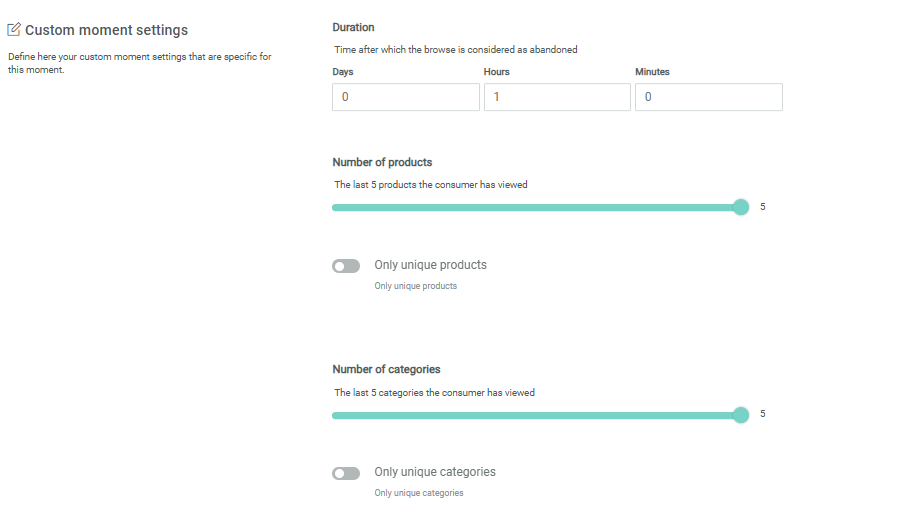
This information is available in this article.
A series of new signals now at your disposal in the Signals API
AVAILABLE TO ALL CUSTOMERS
BACKGROUND:
Signals capturing a visitor's behavior on your website allow you to act in real-time and interact with the visitor. More signals means more options for real-time interaction.
SOLUTION:
A series of new signals have been made available through the API, allowing you to capture certain behavior and react in real-time. These signals can be used directly to trigger a journey, without the need for a Moment to be defined.
What it looks like in the solution:
- A new milestone signal is available, tracking specific milestones in a visitor's lifecycle, such as an anniversary, reaching a new loyalty tier or even a new level in a game. React to such a signal by sending a congratulations message, an update on the current Loyalty tier or extra credits for the next level in a game...
- Two new ecommerce signals, tracking a service or item review allowing you to interact with the reviewer, thanking them or rewarding them with a voucher or gift.
- Four order related signals, tracking an order's delay, delivery, shipment or return, allowing you to send updates statuses to your customers.
- Two new service lifecycle signals, to track a service disruption or resume of the service.
An overview of all signals can be found in this article.
New functionality in the Moments overview
AVAILABLE TO ALL CUSTOMERS
BACKGROUND:
Sometimes there can be many Moments in your environment, each serving a specific need. The current overview is a flat list of Moments, making it more difficult to find the Moment of your choice.
SOLUTION:
Now, searching and locating the right Moment in the overview is more user friendly, by offering a search functionality and pagination.
What it looks like in the solution:
A Search field has been added to the Moments overview, allowing you to search for a Moment using the name.
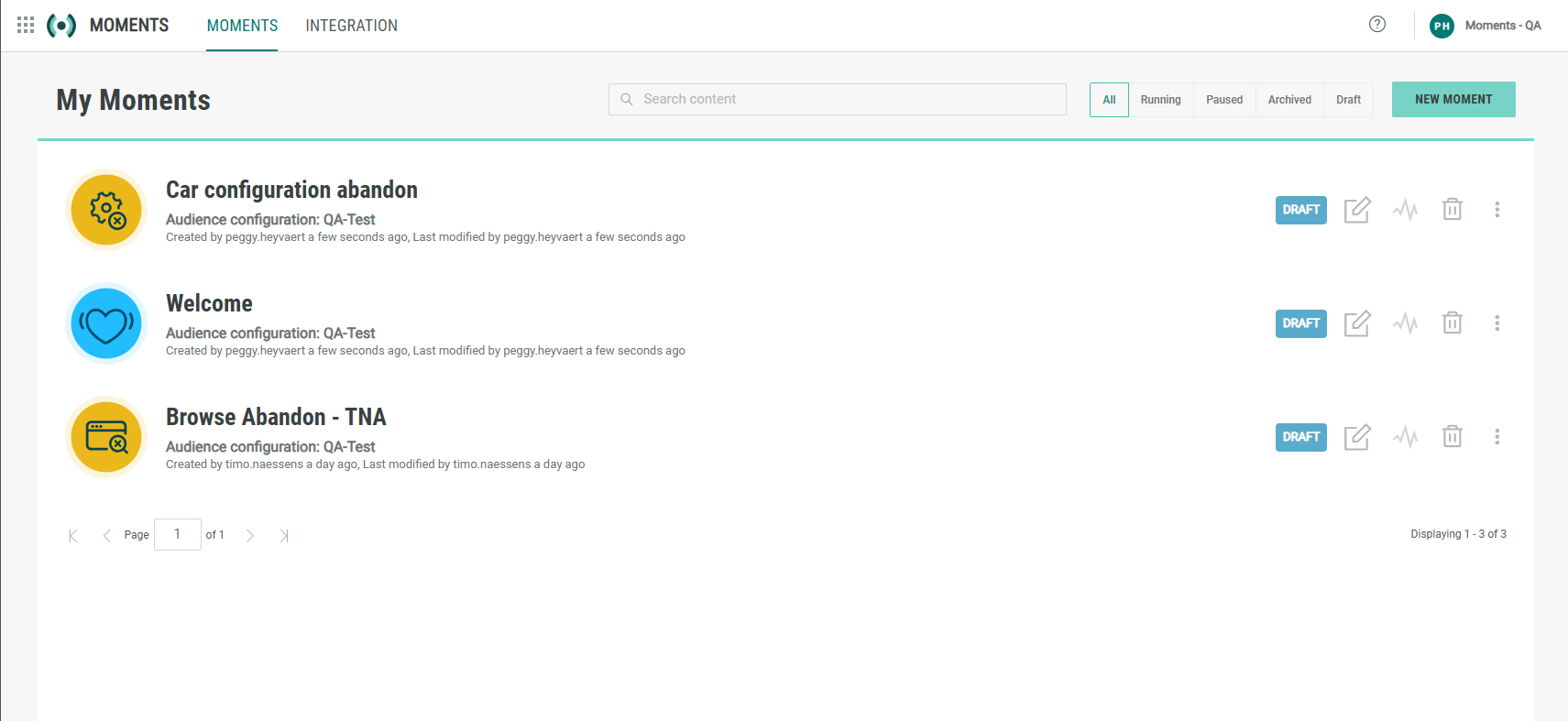
In addition, to better structure the overview, pagination has been added, each page listing 10 Moments at a time.
You can find this information in this article.